Homepage
CMDBuild can display a management Homepage as the landing page of the application: a configurable dashboard-like page that gives users an immediate, synthetic overview of the operational information that matters most to them, instead of (or in addition to) opening directly on a class, process, report or custom page.
The Homepage is reached from the "Home" entry, always shown as the first item of the navigation menu, when the Homepage is enabled.
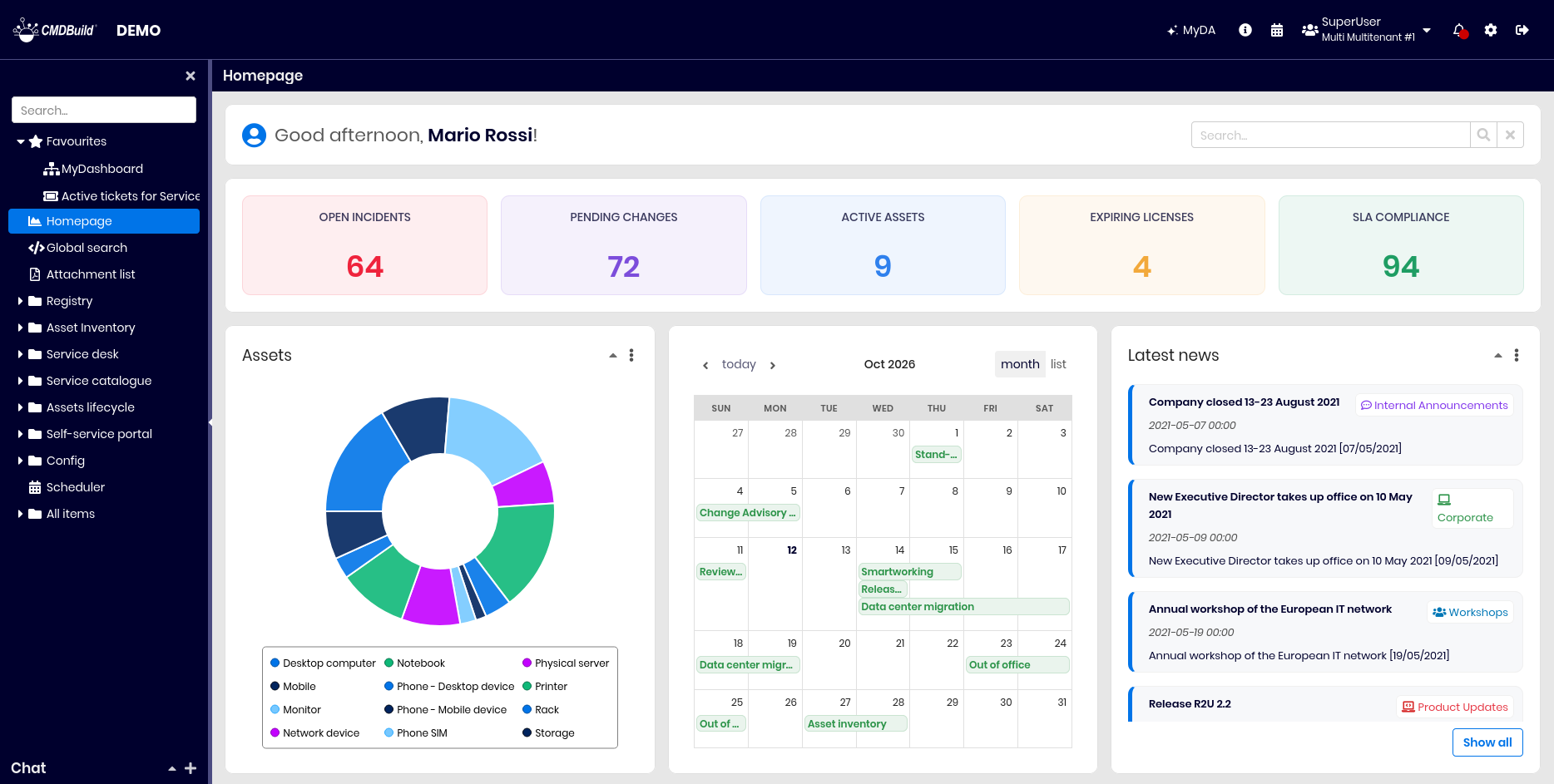
The content and layout of the Homepage can change per user group: a default homepage is available and visible to all users whenever the homepage feature is enabled. Administrators can also create custom homepages and assign them to specific groups. Users in a group will see their assigned group homepage or, if none is set, the default homepage.
What the Homepage shows
The Homepage is entirely configurable by the administrator, who defines its layout and widget placement in the Administration Module, just like a standard dashboard.
It supports all standard dashboard widgets (Charts, Free text, Data grid, List, KPI Tiles and Calendar) plus an exclusive Search widget, which is available only on the Homepage.
Search widget
When enabled, the Search widget typically sits at the top of the page and includes:
- The user's group icon;
- A welcome message with the logged-in user's name;
- A search bar on the right, operating in one of two modes based on configuration:
- Standard search: Searches across all classes accessible to the user.
- AI search (Power Finder): Available only where enabled.

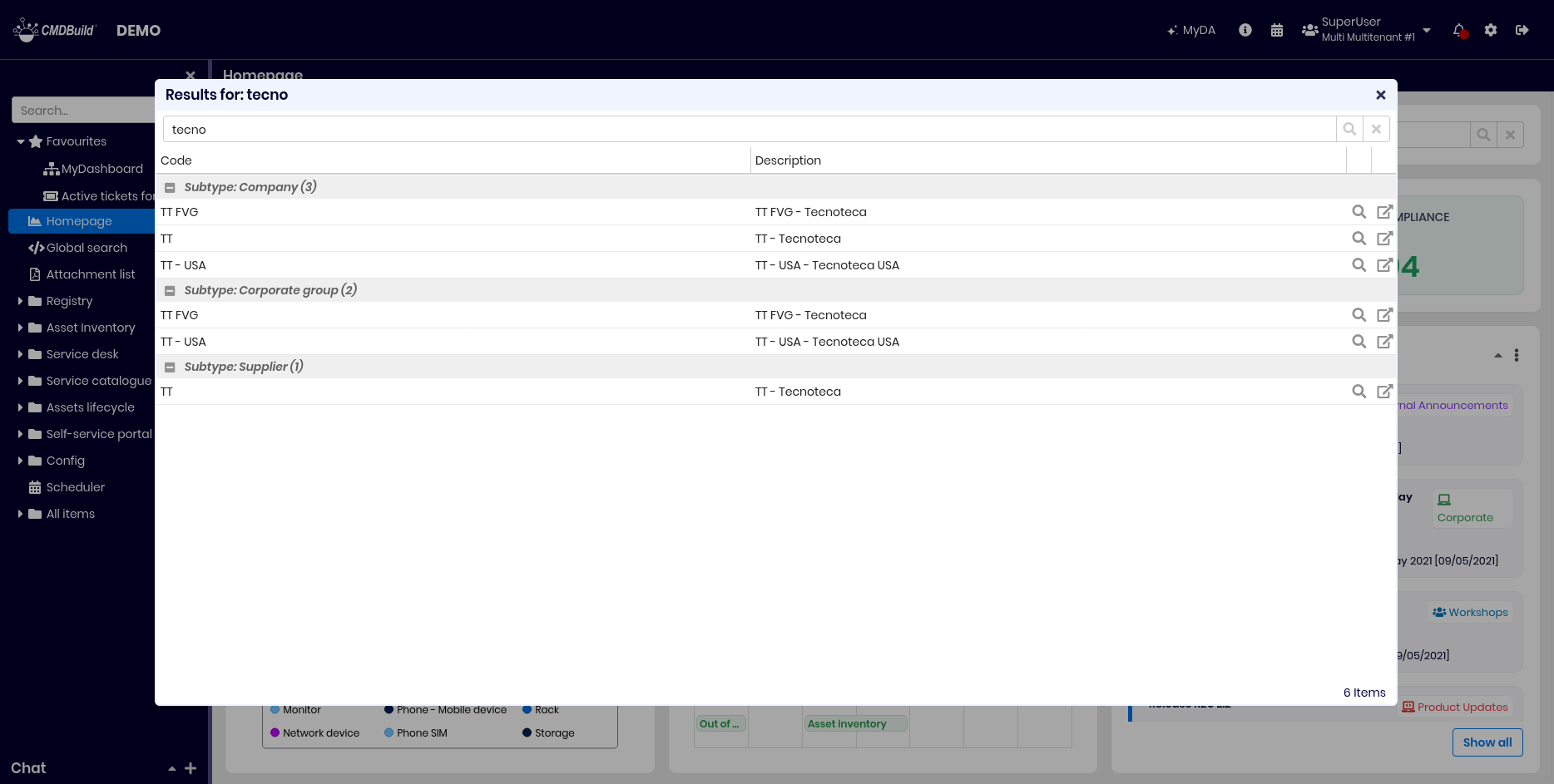
Executing a search opens the results in a popup window, keeping the Homepage visible in the background.