Custom pages
The CMDBuild user interface is usually generated automatically based on the configuration defined in the Administration Module. This includes classes with attributes, validation criteria, contextual menus, widgets, automatisms, visually designed processes (output in the XDPL standard format), visually designed reports (XML format), dashboards of various types and more.
To simplify or optimize user operations, or to offer alternative representations for groups of operations and functionalities, it is possible to create custom web pages. These pages can be opened from the application menu and are subject to the platform’s standard security mechanisms.
Custom pages are implemented using JavaScript, leveraging the CMDBuild REST API and the Sencha Ext JS framework, which also powers the CMDBuild user interface. The code of each custom page must be imported into the system through the Administration Module.
Examples of custom pages
Below are examples of custom pages. Layouts and contents are fully customizable.
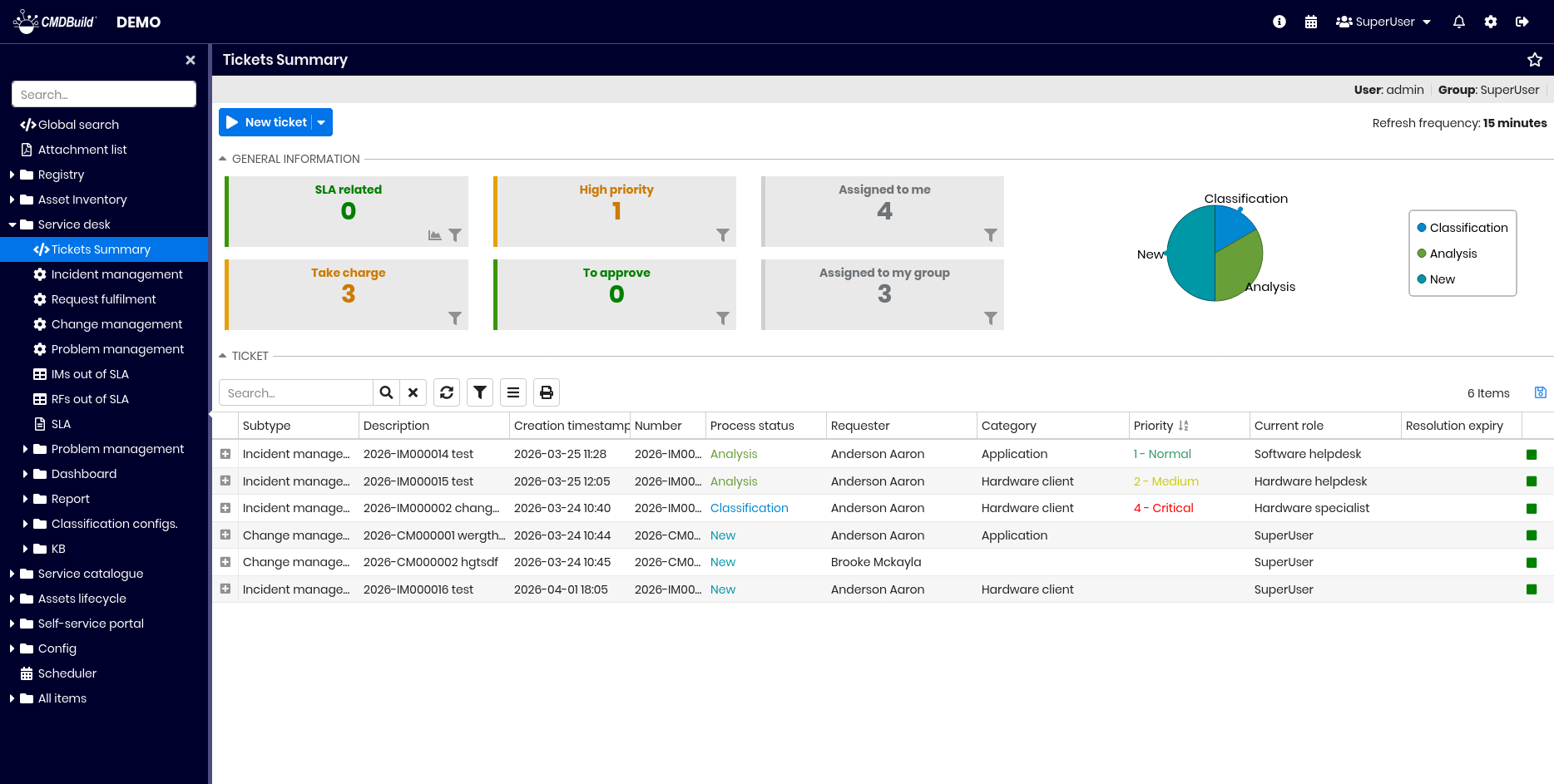
Tickets control page in CMDBuild READY2USE
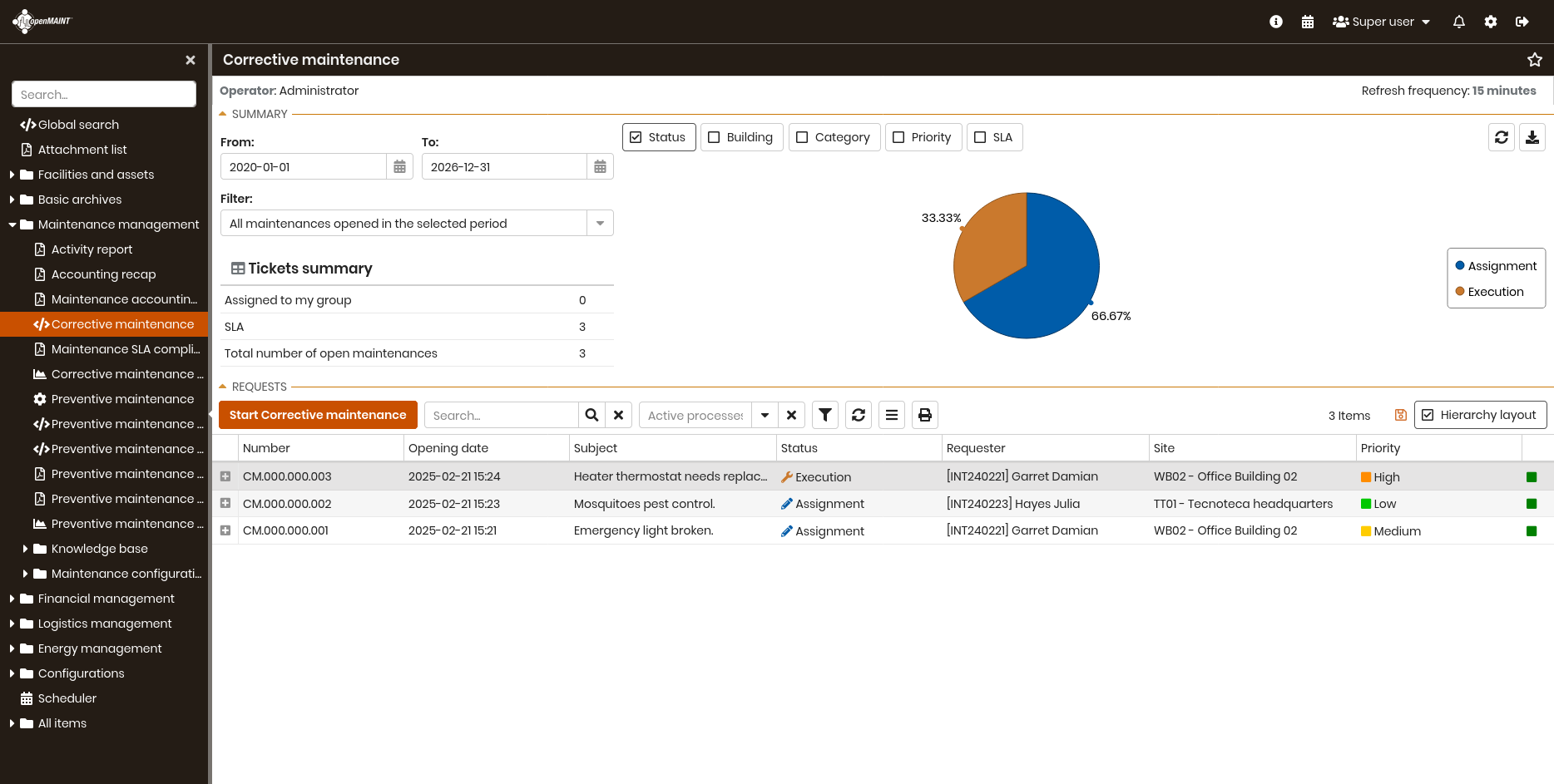
Overview of corrective maintenance processes in CMDBuild READY2USE
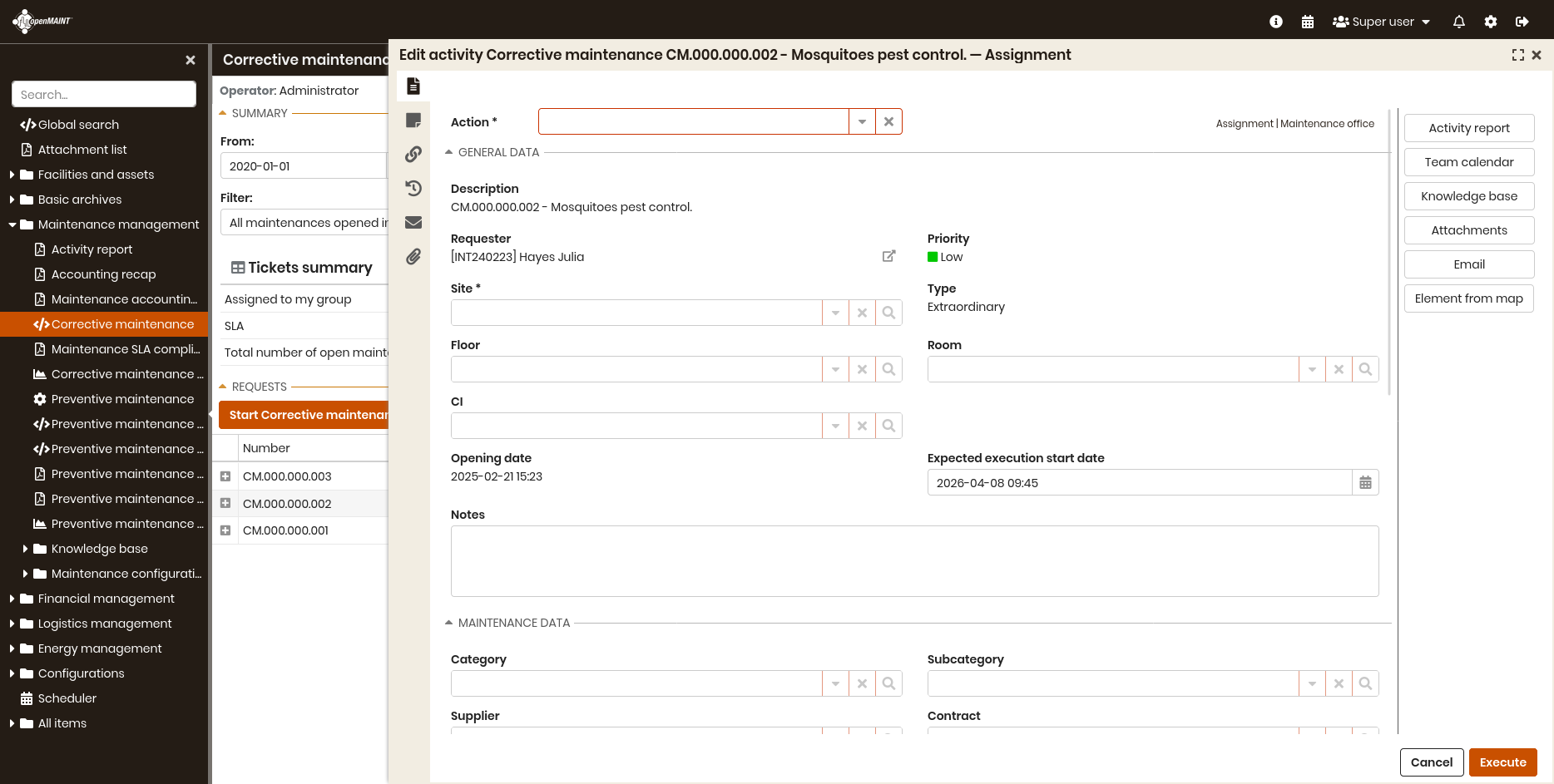
Edit of corrective maintenance process in CMDBuild READY2USE
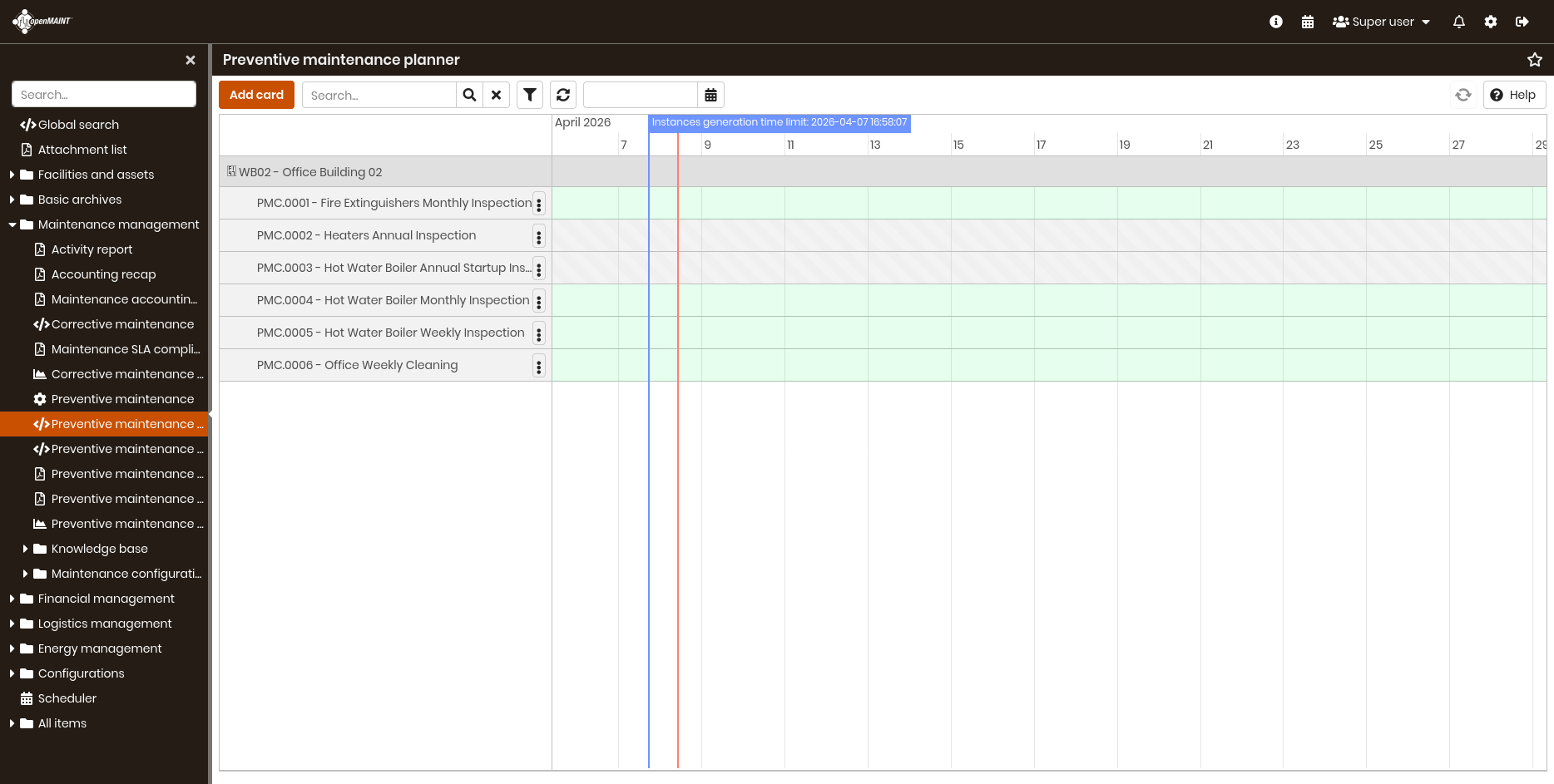
Page for viewing the preventive maintenance planner in openMAINT