Accessing the application
General information
The Data Management Module is reserved for CMDBuild operators, who can use it to view and update cards, execute workflow‑based activities, generate reports, view dashboards and more.
These features are available only if the CMDBuild instance has been correctly configured through the Administration Module.
Computer requirements
CMDBuild is a web‑based environment, and both modules are accessible through a standard web browser.
Operators must have a recent browser (es. Mozilla Firefox, Google Chrome, Microsoft Edge, Apple Safari).
An up‑to‑date CPU and adequate RAM are required, with at least 16 GB of RAM recommended.
The web‑based architecture ensures full usability for organizations operating across multiple locations — any authorized client can connect and interact with the system.
Authentication
A login is required to access the application.
The login form includes:
- username
- password
- language selection (optional, available only if multiple languages are configured)
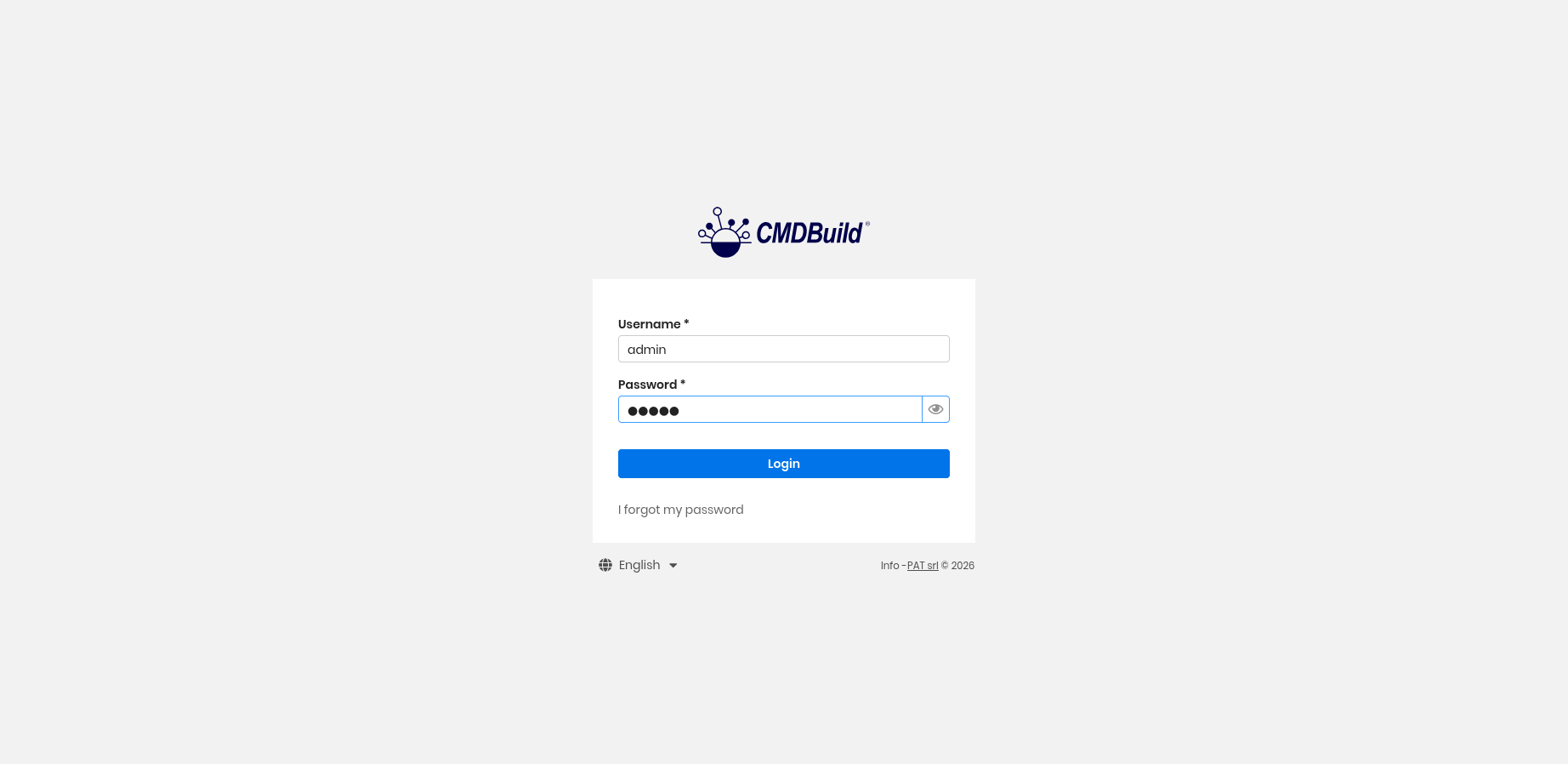
If the operator is enabled to work with multiple roles (i.e. belongs to several user groups) and multi‑group mode is not enabled, a group selection is required during login.
Similarly, if the operator is enabled to work with multiple tenants and multi‑tenant mode is not enabled, a tenant must be selected.
If an operator forgets their password, they can click I forgot my password to access the recovery form.
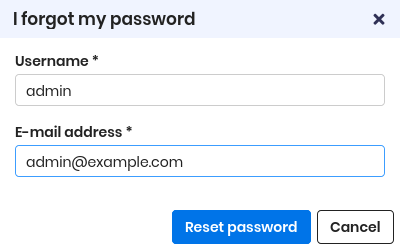
The system verifies that the email address matches the one stored in the database and sends a temporary code (token).
After entering this code, the password change form appears. Once the password is updated, the operator can log in normally with the new credentials.
Passwords must comply with the security policies defined in the system configuration.
CMDBuild is delivered with a predefined administrator account:
- username: admin
- password: admin
This password must be changed immediately to prevent unauthorized access and ensure system security.