openMAINT for Facility Management

openMAINT is an application dedicated to Property & Facility Management, ready for production use and delivered as a configuration of the standard CMDBuild environment. It supports the management of mobile assets, industrial properties and infrastructures (road networks, technological networks), plants and technical devices (electric panels, HVAC systems, lighting, fire extinguishers, safety systems) and related logistical, financial and maintenance activities (scheduled and breakdown).
It helps you know, organize and keep asset data up to date, supporting both decision-making and operational activities.
openMAINT is a CMMS (Computerized Maintenance Management System) based on extensive field experience and aligned with industry rules and best practices (nota bene for Italian users: see UNI 10951 — Sistemi Informativi per la Gestione della Manutenzione dei Patrimoni Immobiliari).
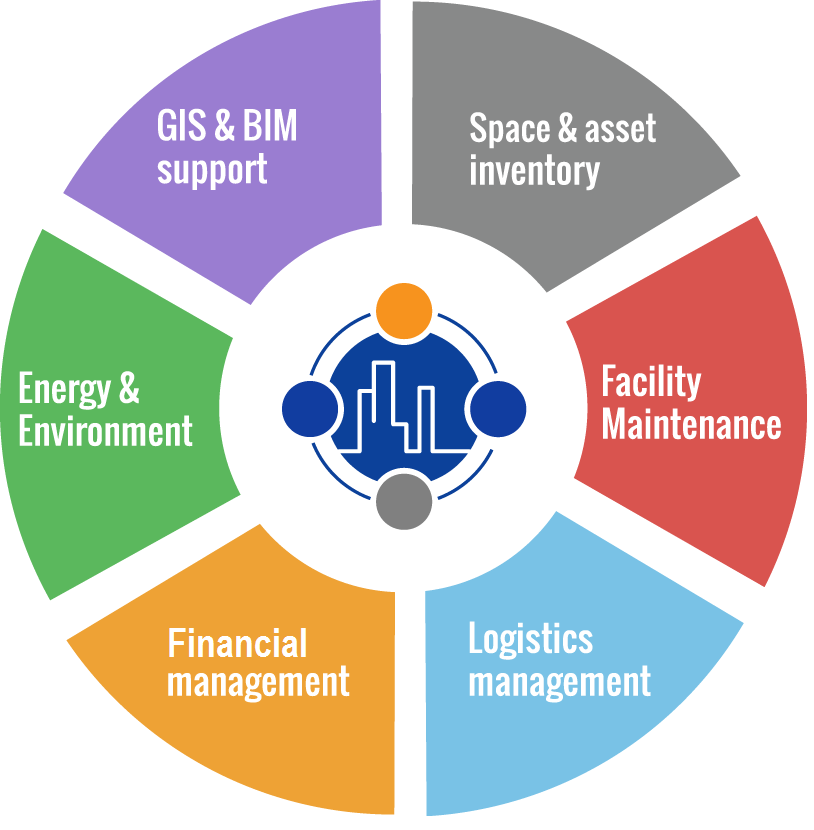
The functional areas of openMAINT include:
- inventory of property and mobile assets, ensuring complete knowledge of maintenance items and their technical/functional features, including the related document archive
- scheduled and breakdown maintenance management using the Maintenance Manual, a built‑in knowledge base customizable to each organization
- logistics management for stock records, items and material movements
- financial management for budgets, suppliers, maintenance costs, contracts and purchasing documents
- energy and environment for recording and analyzing consumption data
- GIS & BIM support for asset georeferencing and visualization on maps, 2D plans and 3D models (synchronized via standard IFC files)
Data Model
The data model includes the following macro-areas:
- Organization: group companies, employees, organizational units
- Suppliers: data, contact personnel
- Customers: data, contact personnel
- Locations: buildings, floors, rooms, units, greenery and external infrastructures
- Other Configuration Items (maintenance items)
- Structural elements
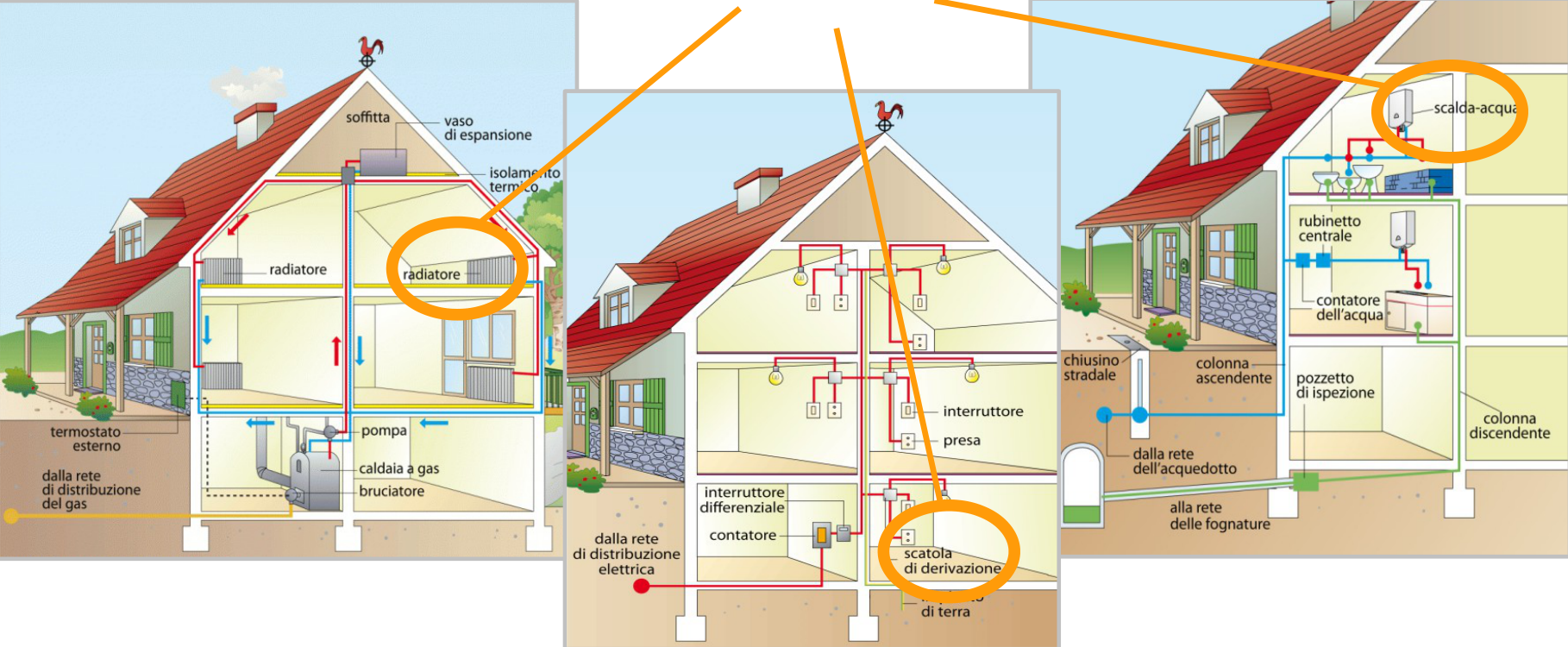
- Systems: security, electrical, air‑conditioning, sanitary, industrial production
- Technical items related to the above systems
- Furniture
- Maintenance management: maintenance teams; preventive maintenance (Maintenance Manual, maintenance plan with checklist, maintenance calendar, work orders, SLA); breakdown maintenance (notification receipt, resolution process, SLA)
- Economic management: lists and price lists, ledger entries, budget, contracts, supplier purchase orders, millesimal tables and lease cost allocations
- Logistics: spare parts and consumables records, warehouse movements
- Energy: meters, consumptions
Maintenance Processes and the Self‑Service Portal
One of the main goals of openMAINT is to guide operators during maintenance management.
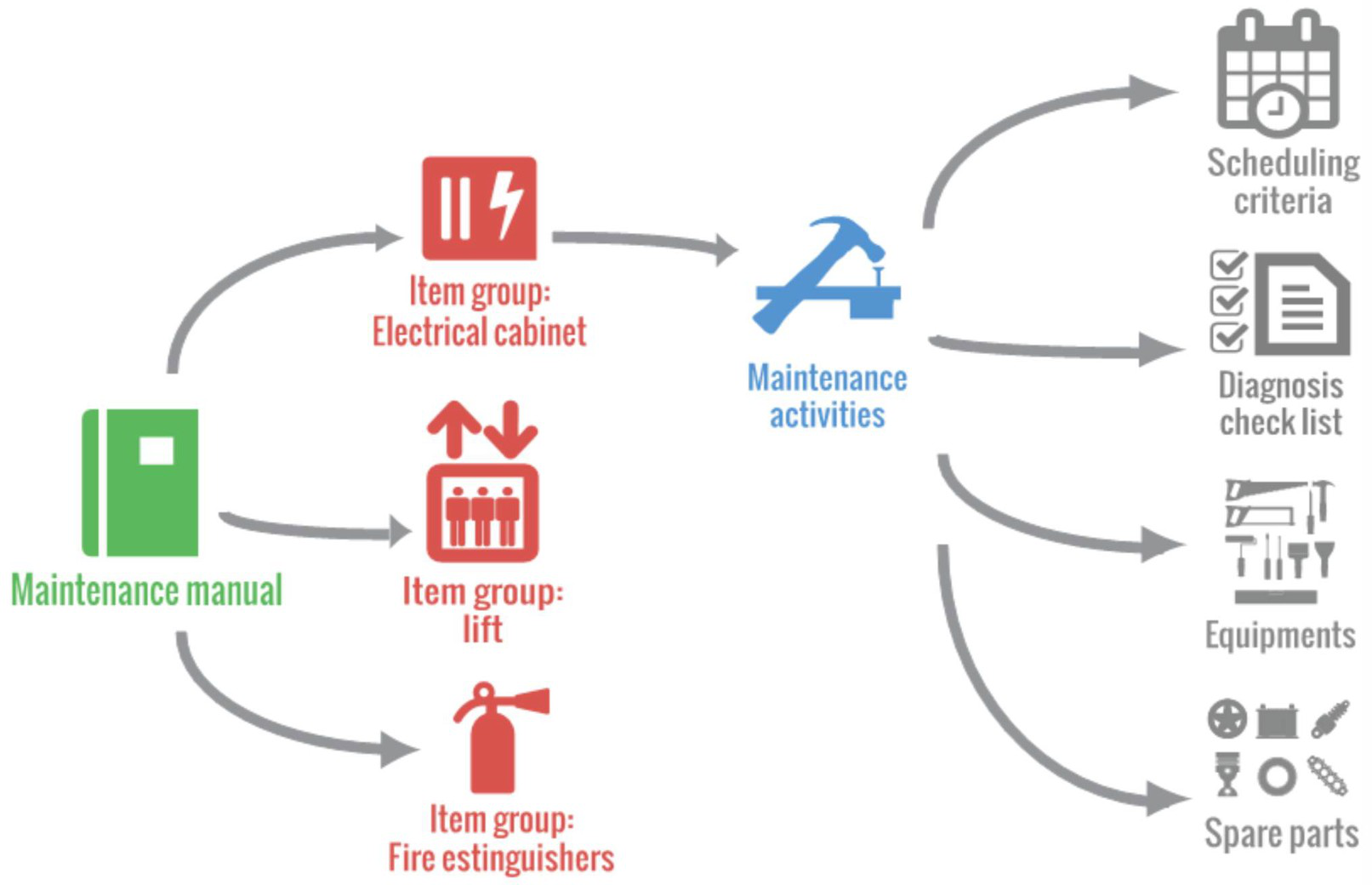
Maintenance concerns inventory items registered in the system and must follow organizational rules (intervention teams, external suppliers, resources, schedules) and item technical features (inspection frequency, intervention type, equipment, spare parts).
To support these needs, openMAINT provides a Maintenance Manual, a knowledge base including frequencies and checklists, expert work teams, possible breakdowns, spare parts and equipment.
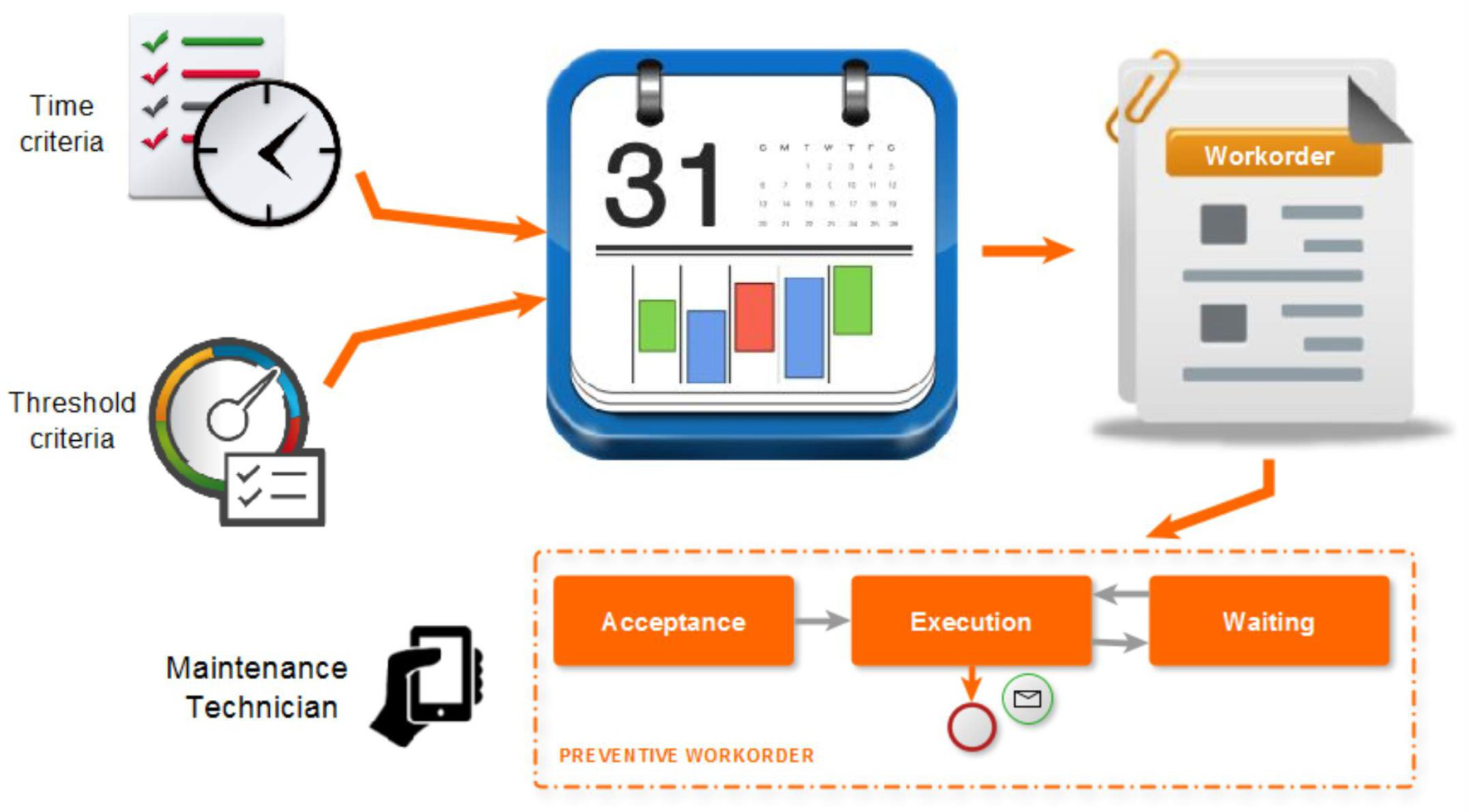
Based on the information in the Maintenance Manual — in particular the configured frequencies — the Preventive Maintenance Calendar and the corresponding Work Orders are generated automatically.
Breakdown Maintenance is managed through a collaborative process consisting of:
- a primary flow: opening of the breakdown (from alarm systems, users or Maintenance Office operators), classification and approval, possible request for quotes to one or more suppliers, supplier selection and generation of one or more Work Orders to resolve the issue
- a secondary execution flow: Work Order processing by internal or external maintenance teams, with the possibility to specify duration and used materials, producing a summary (pro‑forma) of related costs
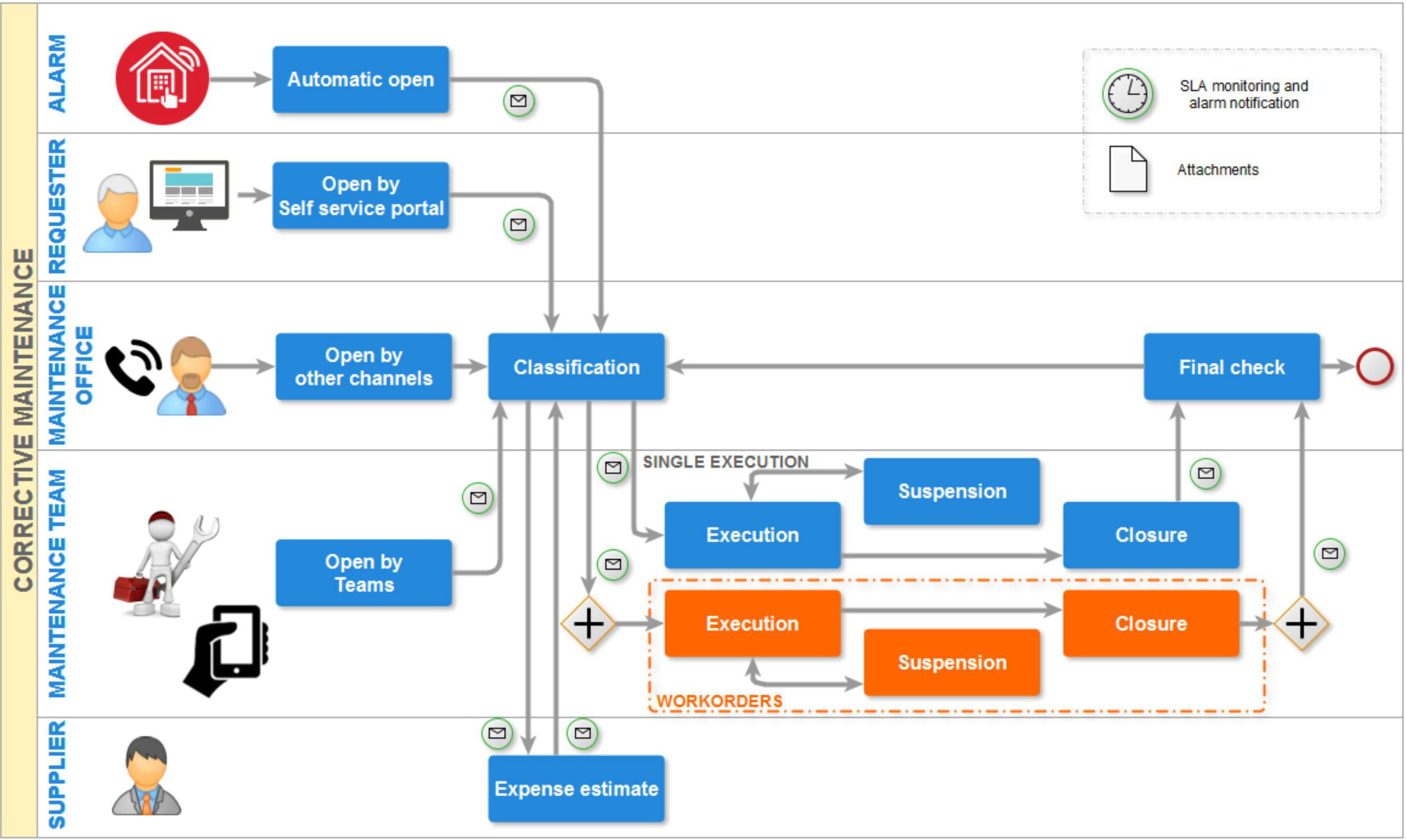
To support Breakdown Maintenance, a Self‑Service Portal is provided. It offers non‑technical users a simplified interface to interact with Service Managers and perform the following activities:
- report malfunctions by starting the Breakdown Maintenance workflow
- monitor the progress of their requests
- consult updated news about technical service distribution
- run enabled reports
- consult profile information and report corrections
The Self‑Service Portal is supplied with a non‑open‑source license to users who subscribe to the annual Subscription with Tecnoteca.
Interaction with GIS and BIM Systems
openMAINT uses CMDBuild mechanisms to manage asset georeferencing:
- on geographical maps (real estate, other infrastructures) using OpenStreetMap
- on 2D vector maps (plants, technical items, furniture)
For 2D vector maps, when certain conditions are met, openMAINT can import files in a semi‑automatic mode from design tools such as Autodesk AutoCAD and correlate design elements with their cards — enabling navigation from the plan to the asset card and vice versa.
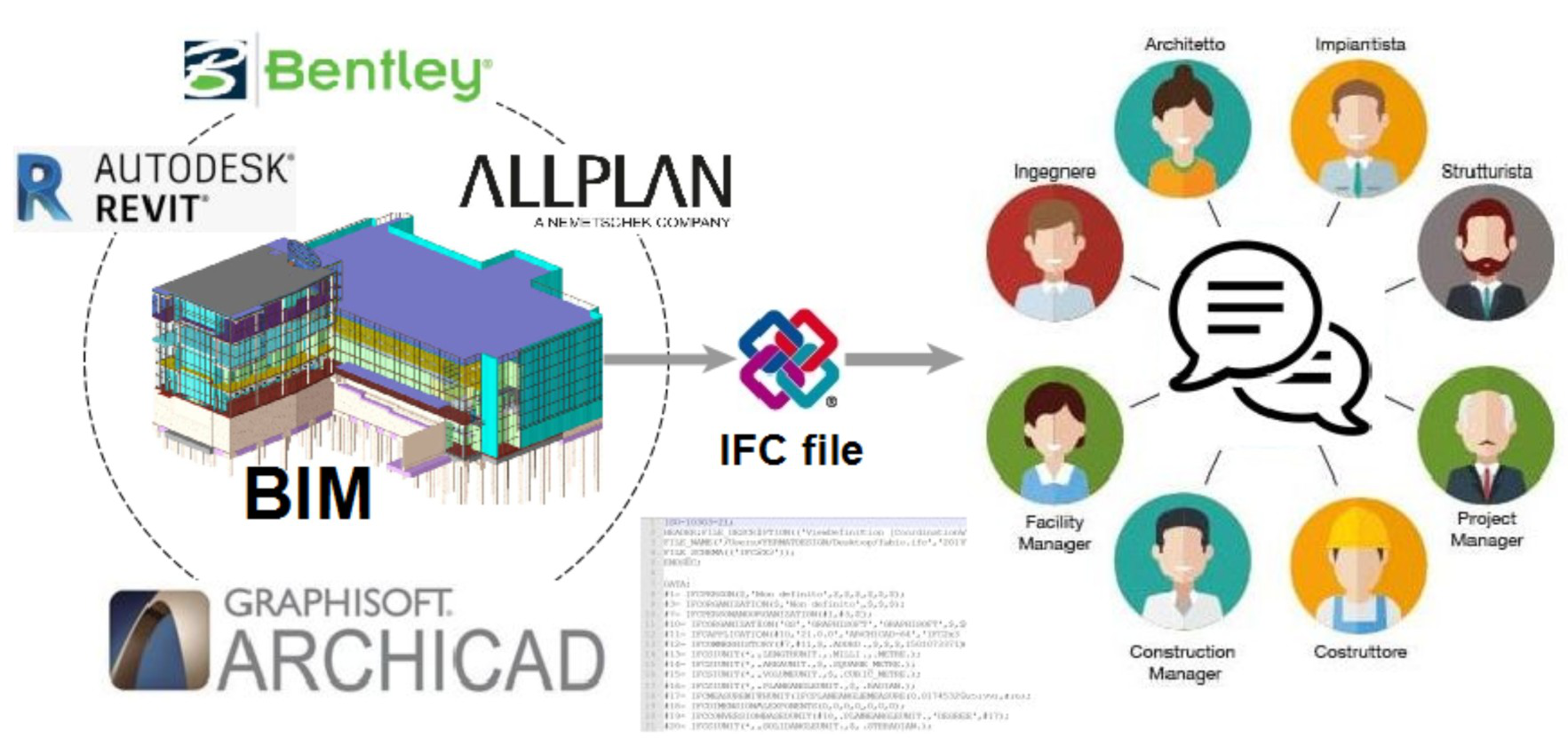
openMAINT also supports the BIM paradigm (Building Information Modeling) and can:
- automatically synchronize information managed in 3D building design software with your database, using the IFC open standard (Industry Foundation Classes)
- render interiors and assets through an integrated interactive 3D viewer
BIM methodologies provide a data‑sharing environment that ensures transparency, traceability and completeness of information.
In particular, BIM methodologies allow you to:
- acquire and update from a central BIM repository the geometric information and the technical/maintenance records of assets, avoiding duplication
- return to the central BIM repository the information gathered during operations (breakdown resolutions and related SLA, defects, consumptions)
Report System
Using CMDBuild’s reporting mechanisms — in particular the report editor and engine — several standard reports and dashboards are provided in openMAINT.
With the same mechanisms, users can create new reports tailored to their organizational needs.
Available reports and dashboards include:
- inventory of properties
- features of glazed areas
- MTBF — average time between malfunctions
- dashboards showing property and asset status
- print of requests for breakdown maintenance (by status or building)
- print of a single Work Order
- print of Work Orders (by status or building)
- dashboard with the situation of maintenance requests and Work Orders
- warehouse summary (synthetic or analytical)
- warehouse movements (by type or item)
- barcode labels
- budget and final balance
- contract list
- pro‑forma invoice
Mobile App
Many Facility Management activities take place in the field (preventive maintenance, breakdown maintenance, movements, inventory). It is useful to record them as they occur, avoiding delays and oversights.
The Mobile App for smartphones and tablets allows you to:
- consult and update the data cards of technical and plant engineering assets
- register activities performed within maintenance and breakdown processes
- print reports
- upload photos of the asset being processed
- scan a barcode or QR code and retrieve the complete asset card from the server