CMDBuild READY2USE for IT Governance
CMDBuild READY2USE is an IT Governance application ready for production use and based on a configured version of the standard CMDBuild environment. It was developed from the experience of numerous installations worldwide, follows ITIL best practices and implements all functionalities required by medium and large organizations.
CMDBuild READY2USE allows you to:
- manage the configuration of hardware and software items, client and infrastructure assets, physical and virtual servers, services and their dependencies
- use a Self-Service Portal to access the service catalogue, report malfunctions and submit new requests
- execute the workflows for Incident Management, Request Fulfillment, Change Management, Problem Management and Asset Management
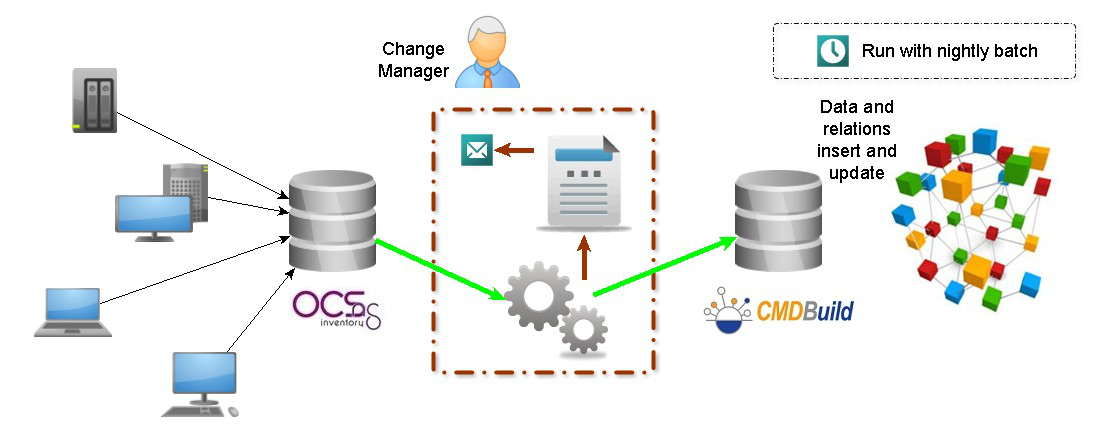
- synchronize data with external systems such as Active Directory (staff), OCS Inventory (client discovery) and VMware vCenter (virtual hosts)
- use predefined reports and dashboards
- work with the Mobile App
CMDBuild READY2USE is therefore not only a CMDB application but also a complete solution supporting IT Service Management processes (Service Desk).
At the same time, it preserves the possibility of reusing the underlying CMDBuild mechanisms to customize or expand the provided standard configurations.
Data Model
The data model includes the following macro-areas:
- Organization: Group Companies, Employees, Organizational Units
- Locations: Buildings, Floors, Rooms
- Suppliers: Supplier Data, Contact Personnel, Purchase Orders
- Customers: Customer Data, Contact Personnel
- Services: Business Service, Technical Service, Service Contract, KPI
- Other Configuration Items
- Client: Desktop, Notebook, Mobile, Printer, Monitor
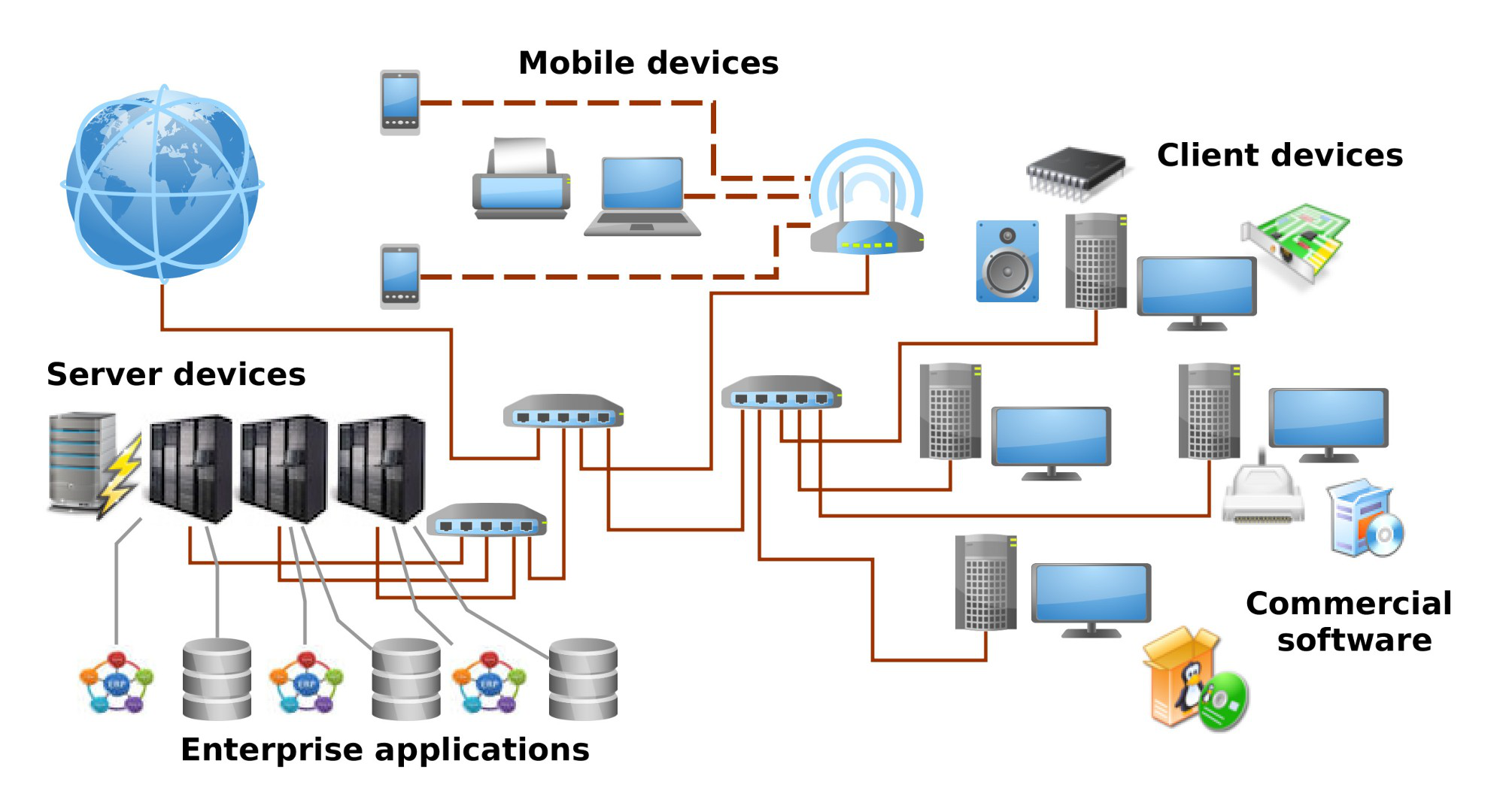
- Infrastructure: Physical Server, Virtual Server, Cluster, Storage, Network Equipment
- Telephone: Telephone Exchange, Telephone Equipment, SIM
- Software: Software Catalogue, Client Software, Infrastructure Software, Database, Application, Component, License
- Networks: Network equipment, network interfaces and IP addresses
Processes and Self-Service Portal
ITIL best practices, widely adopted by mature organizations for IT Service Management, follow a process-oriented approach.
Using the basic CMDBuild mechanisms — and in particular the workflow editor and engine — the following processes have been implemented in CMDBuild READY2USE in an ITIL‑compliant way:
- Incident Management, for handling malfunctions
- Request Fulfillment, for requesting information and services
- Change Management, for controlling and tracking changes to the infrastructure
- Problem Management, for solving recurring issues detected through Incidents
- Asset Management, for managing the lifecycle of IT assets
To support Service Desk activities, a Self-Service Portal is provided. It offers non‑technical users a simplified interface to interact with the IT Staff and perform the following activities:
- report malfunctions by starting the Incident Management workflow
- consult the IT Service Catalogue, submit new requests or request information through the Request Fulfillment workflow
- monitor the progress of their requests
- consult FAQs
- run enabled reports
- consult profile information and request corrections
- consult asset information and report inaccuracies
- view news posted by the IT Staff and access useful links
The Self-Service Portal is provided with a non‑open‑source license to users who subscribe to the annual Subscription with Tecnoteca.
Connectors with Automatic Discovery and Monitoring Systems
Large and medium-sized organizations typically use multiple specialized information systems to support IT Service Management. When an external system is the master source for a given type of data, it is important to keep CMDBuild aligned through automated synchronization tools.
CMDBuild READY2USE includes synchronization connectors with:
- Active Directory, for employee data
- OCS Inventory or Microsoft SCCM, for physical computer data
- VMware vCenter, for virtual server data
- Amazon AWS, for cloud server data
All connectors share the following characteristics:
- they are plugins based on the waterWAY framework
- they can be scheduled in batch mode with the task manager
- they require CMDBuild to access the external system via database connection, webservice or API
- they synchronize information that is outdated in the CMDB
- they generate a summary of changes and send it by e-mail to a technician
The connectors described above are provided with a non‑open‑source license to users subscribing to the annual Subscription with PAT, which also includes access to additional connectors available in the PAT catalogue, as well as the possibility to develop custom connectors when needed.
Report System
Using CMDBuild’s reporting mechanisms — and in particular the report editor and engine — several standard reports and dashboards have been implemented in CMDBuild READY2USE.
Users can also create customized reports according to their organizational needs.
Available reports and dashboards include:
- job inventory (including historical dates)
- asset dashboards by availability, status, type or age
- location lists with assets
- MTBF (Mean Time Between Failures)
- Incident Management control reports (open processes, average closing times, timeline analysis, active tickets)
- Incident Management dashboards by status, category, average closing time or open/closed distribution
- Request Fulfillment control reports
- Request Fulfillment dashboards by status or category
- dashboards of active requests for the Service Desk
- Service Level Agreement dashboards
- rack diagrams
- barcode printing
- reports for monitoring synchronization connectors (LDAP, OCS Inventory, VMware)
Mobile App
Many IT Service Management activities take place in the field (delivery or withdrawal of devices, inventory, etc.). The Mobile App allows operators to record activities immediately, reducing delays and errors.
Through the Mobile App, users can:
- consult and update IT asset data cards
- register activities performed within IT processes
- print reports
- upload photos of the processed asset
- scan barcodes or QR codes to retrieve the corresponding asset card
The app is available for smartphones and tablets.