CMDBuild philosophy
CMDBuild is designed as a highly configurable platform that adapts to the organizational and operational context in which it is deployed. Rather than imposing predefined structures or rigid application logics, CMDBuild provides a flexible “engine” that allows administrators to model data, processes and user interactions according to their specific needs. This philosophy — based on the clear separation between core components and configurable business logic — makes the system suitable for a wide range of Asset Management scenarios, ensuring maintainability, scalability and long‑term evolution without requiring changes to the application code.
Detachment between “core” and “business logic”
The Asset Management of enterprise systems is a complex topic, regardless of the application domain.
Each organization has its own structure and specific needs, which must be reflected in the management software.
CMDBuild, understood as an “engine” on which the desired application solution is configured, allows the software to adapt to the organization — not the opposite.
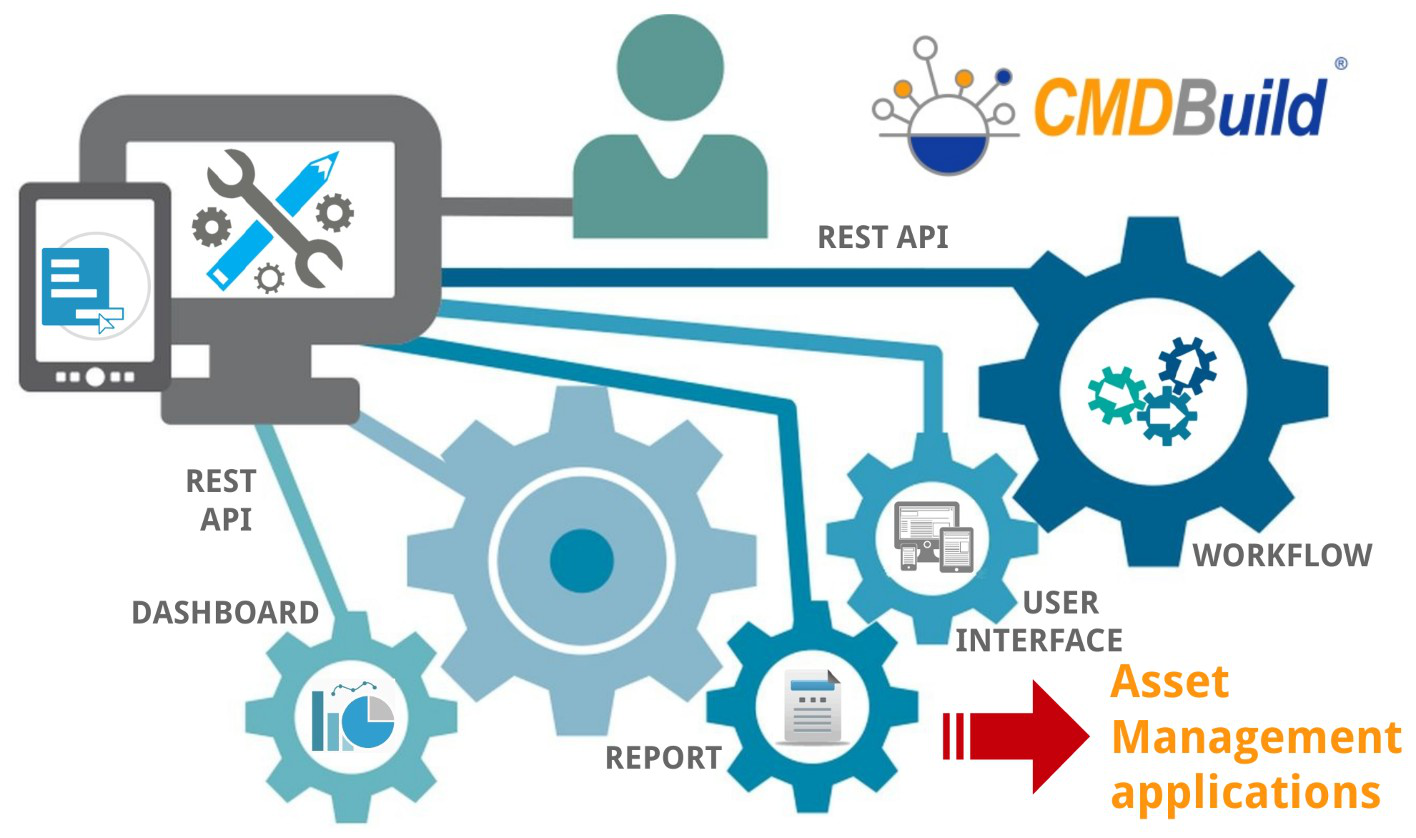
This is achieved without modifying the application code, which would otherwise prevent upgrades to new versions.
How does this work?
By separating the “engine” from the “business logic”. The specific characteristics of information entities and processes are encapsulated in a data model configurable through the user interface, and in XML descriptors for processes and reports.
Configurability and flexibility are core design principles, allowing administrators to define the optimal application for their operational needs.
A system based on configurability offers clear advantages:
- adaptation to organizational structure and work procedures
- possibility of gradual implementation, reducing organizational impact
- quick response to organizational and technological changes
- increased autonomy for users
- same “core” code (managed as a product) reused across different vertical solutions
The logic of metadata
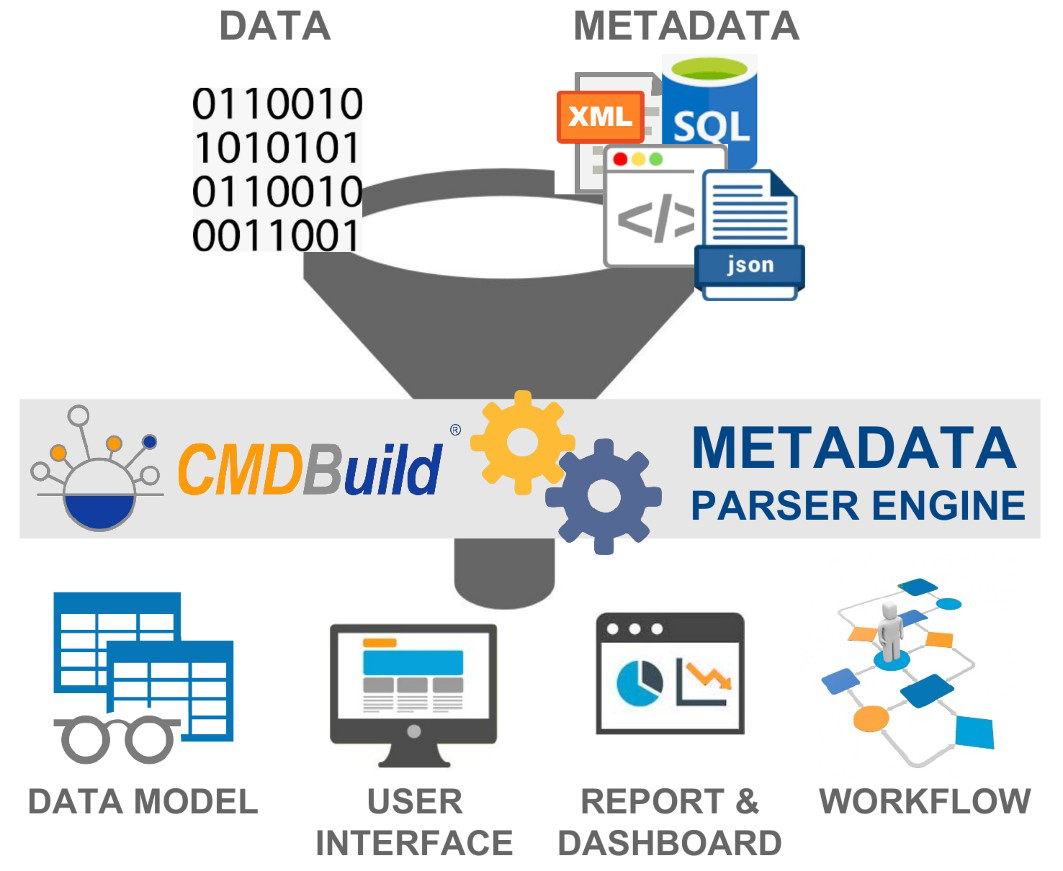
Technically, configurability is based on extensive use of metadata. All CMDBuild behaviours rely on metadata configured by the administrator:
- definition of entities and attributes in the data model, stored in the database
- workflow design and automatisms, visually created, saved as XPDL files and stored in the database
- report design, visually created, saved as XML files and stored in the database
- dashboard configuration through parameters stored in the database
- user interface extension with custom pages and components created in JavaScript and uploaded through the administration module
- interoperability definition and control with other systems through configurable metadata
- interpretation of metadata by the CMDBuild “core”, which generates the web interface and enables operators to update the CMDB, manage processes, run reports and view dashboards
Main advantages:
- maintainability
- guaranteed evolution through version upgrades
- cost‑effective customizations
- simplified deployment of configuration changes
The CMDBuild conceptual schema
The following schema illustrates the CMDBuild philosophy.
Key elements:
- the CMDBuild “engine” at the center
- the main relational database (with object‑oriented specialization mechanisms to create classes inherited from templates) based on PostgreSQL
- external services supporting various functionalities (document management, mail services, notification services, georeferencing services and others)
- REST webservices enabling communication between CMDBuild front‑end and back‑end, and between CMDBuild and external systems
- available interfaces: web desktop for operators, web desktop for administrators, simplified web pages for non‑technical users, mobile app for remote work
The system can be represented with a three‑level structure:
- level 1: CMDBuild basic platform
- level 2: preconfigured vertical solutions (CMDBuild READY2USE for IT and openMAINT for Facility) or custom solutions for different management areas
- level 3: customer‑specific configurations
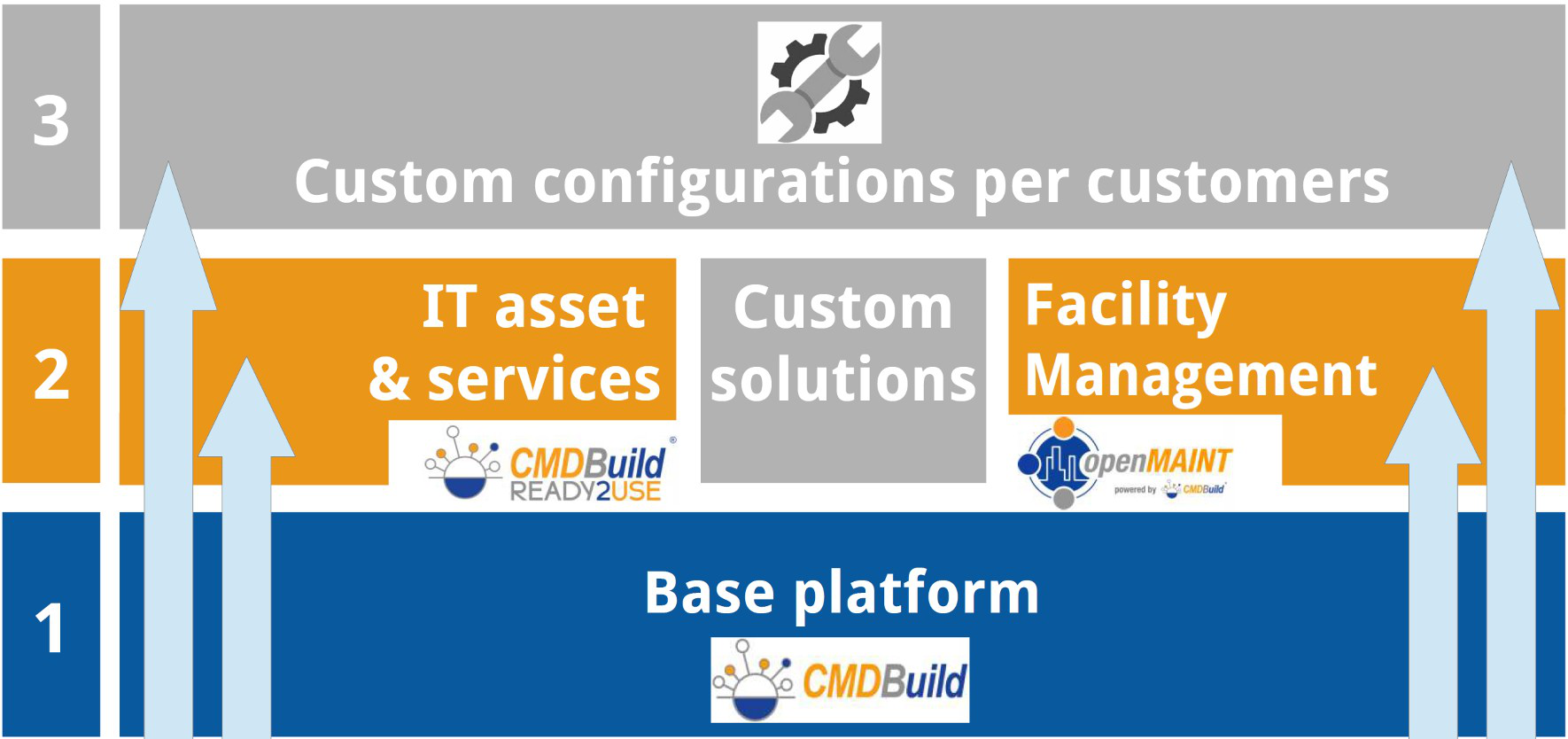
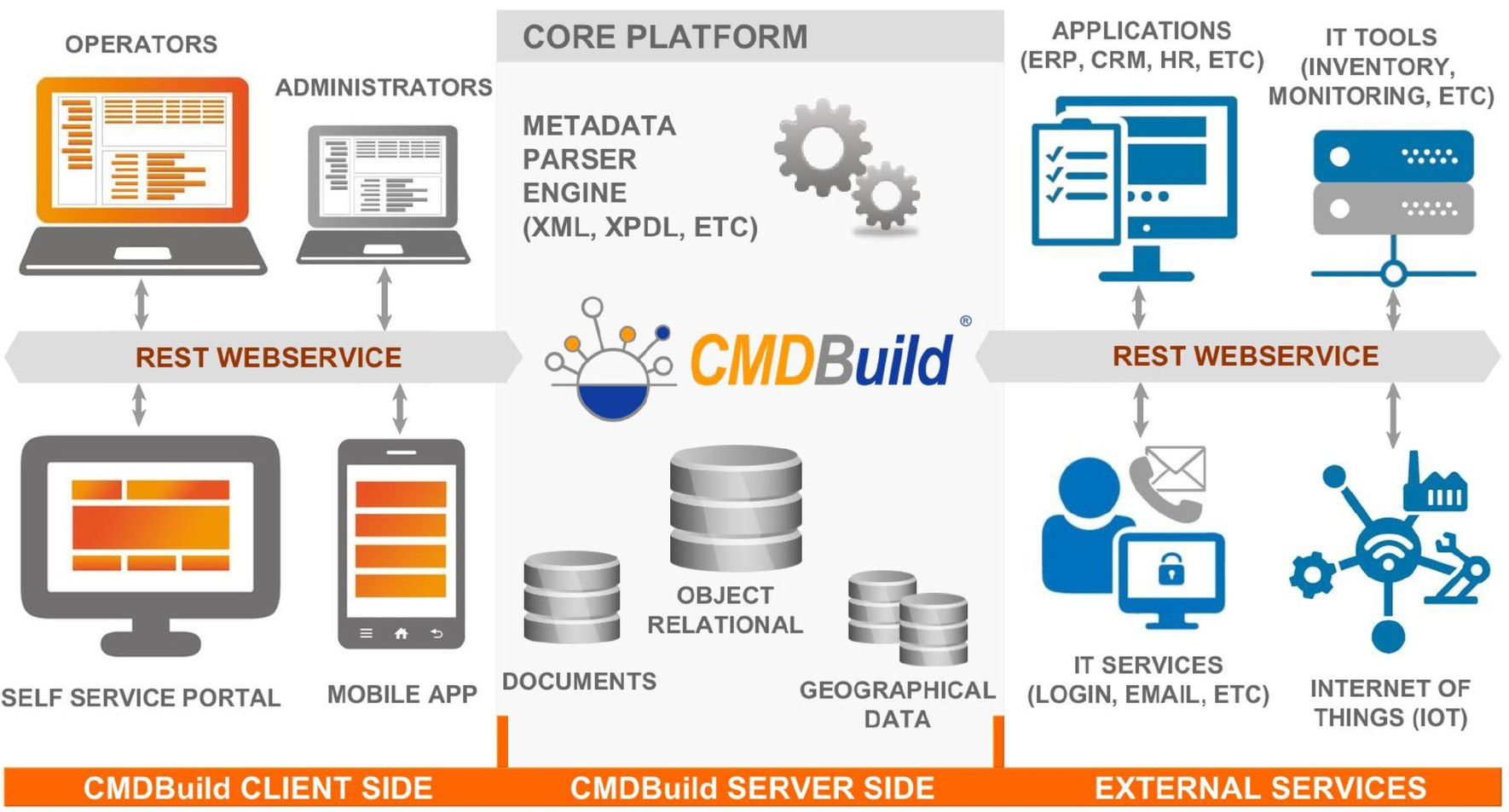
The CMDBuild architecture
The following schema illustrates the CMDBuild architecture in terms of components and interactions.
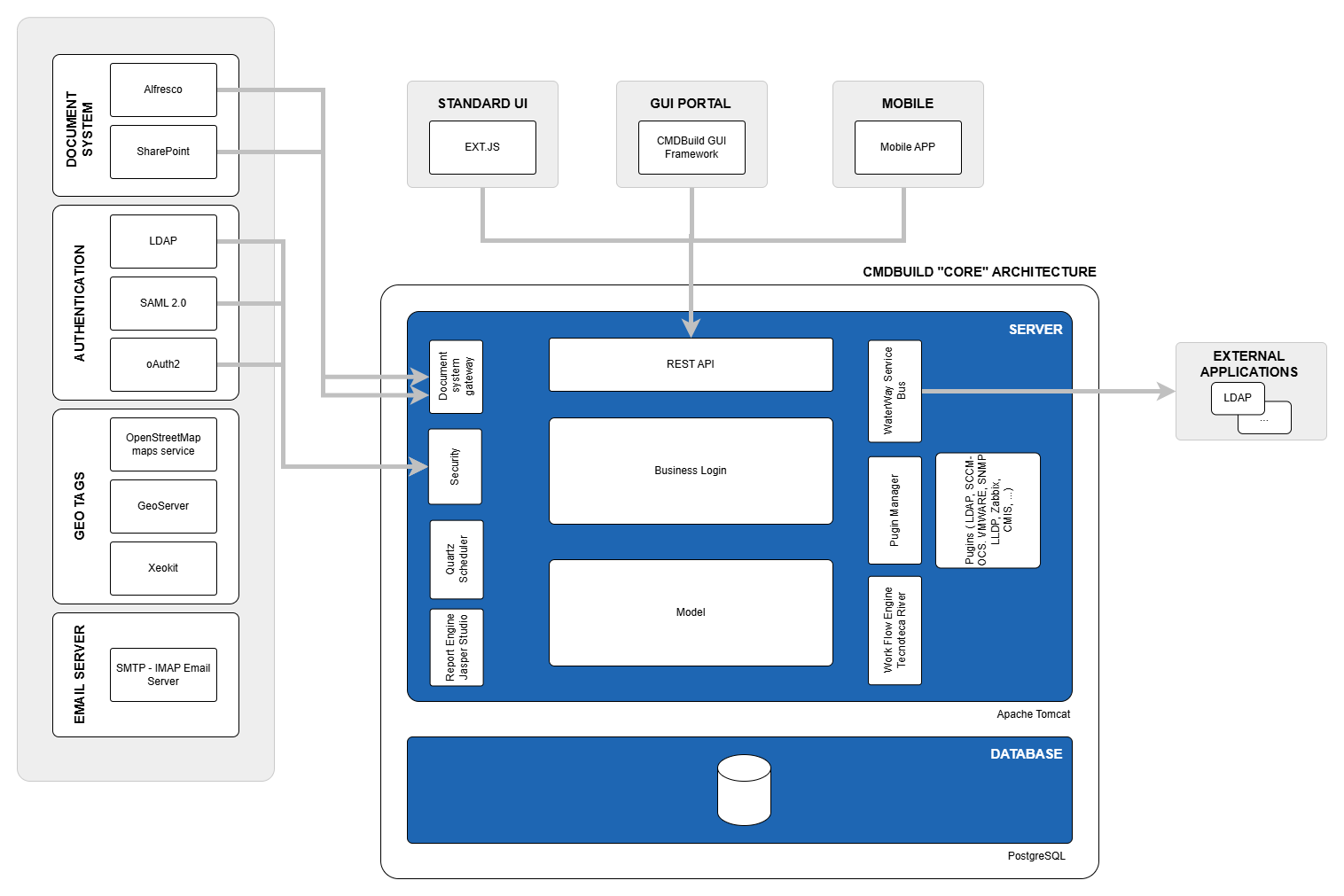
Key points:
- available clients at the top
- in the center, in blue, the components of the central system (“core”) organized in two levels: business logic and database
- on the left, external services used by CMDBuild to provide features covered by existing solutions
- on the right, external applications
The configuration mechanisms and base features of CMDBuild
Various configuration mechanisms and basic functionalities are available to build the most suitable application for each specific context.
Both the main configuration mechanisms and the native base features are described in detail in the following chapters.
CMDBuild elements
CMDBuild uses and prefers open technologies, providing a set of open source components in the base installation. The platform remains open to the integration of alternative tools when required, allowing organizations to adopt the solutions that best fit their operational context.
CMDBuild is an enterprise system based on open standards:
- Service Oriented Architecture, organized into elements and services that interact with external applications via webservices
- Ajax user interface (ExtJS libraries), providing intuitive usage, ergonomic interaction and fast system response
- server components developed in the Java Enterprise environment, which is solid, scalable and widely adopted for enterprise web applications
- PostgreSQL database, the most advanced, reliable and complete open source database
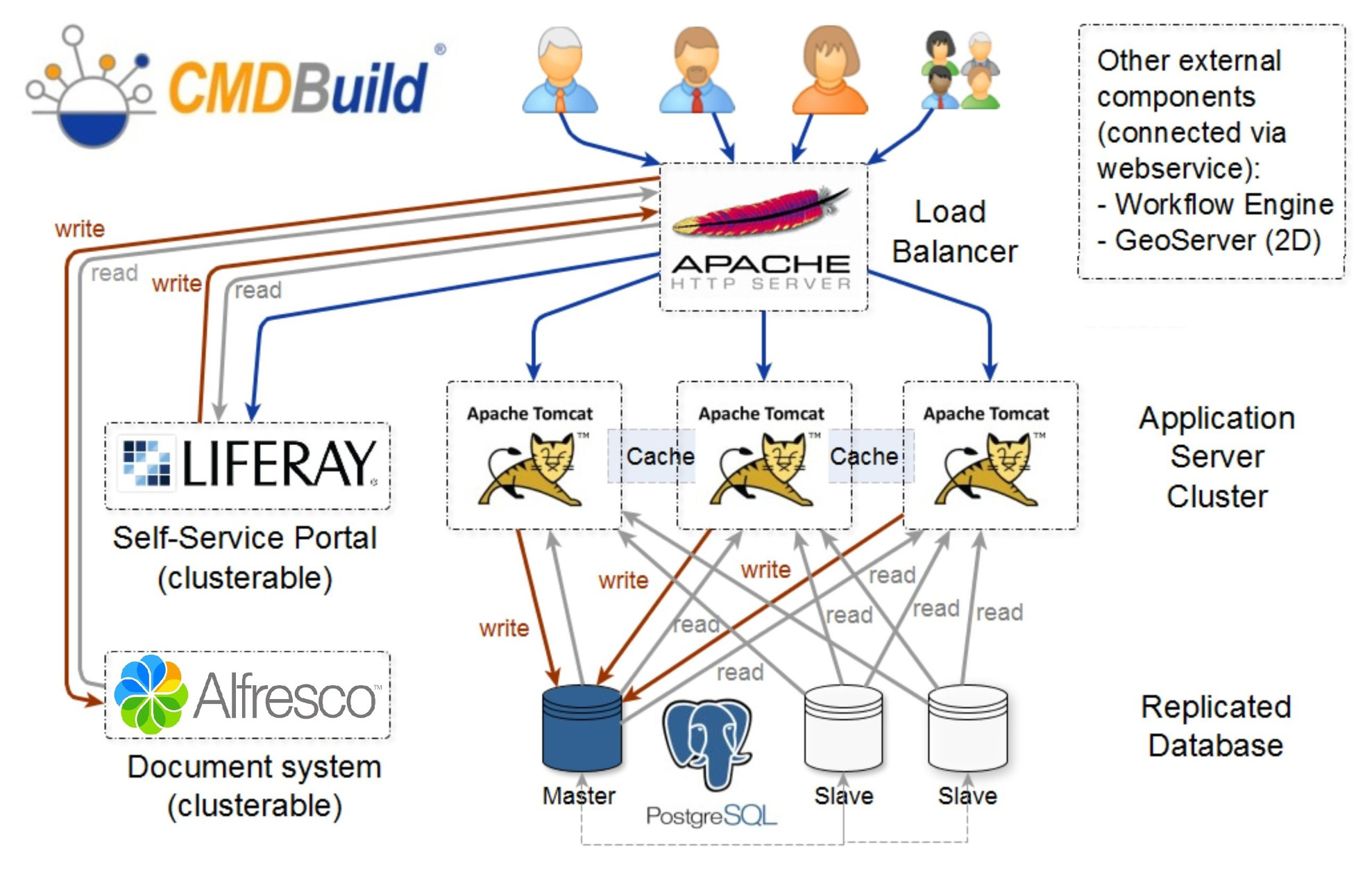
High availability configuration
Thanks to its service‑oriented architecture, CMDBuild allows distribution of services and components across separate servers: core application, document repository, Self Service portal, data redundancy modules, GeoServer and more.
CMDBuild implements clustering by running multiple instances on different Tomcat servers.
This ensures system continuity even if a Tomcat instance becomes unavailable.
It also allows distribution of workload across servers in case of high concurrency, making the system scalable without limitations other than the available server resources.
CMDBuild can also be deployed in containerized environments, including Kubernetes clusters, enabling advanced orchestration, automated scaling and simplified high‑availability configurations.
The following diagram illustrates a cluster configuration.