Report
CMDBuild allows administrators to design custom reports, import them through the Administration Module and make them available to users through the Menu in the Management Module.
Reports are designed using the external visual editor JasperStudio, part of the open‑source JasperReports suite, which provides an intuitive interface to format and layout the data extracted from CMDBuild.
The final report template must be exported in XML (JRXML) format and then uploaded into CMDBuild.
Properties Tab
This function allows creating new reports and editing existing ones.
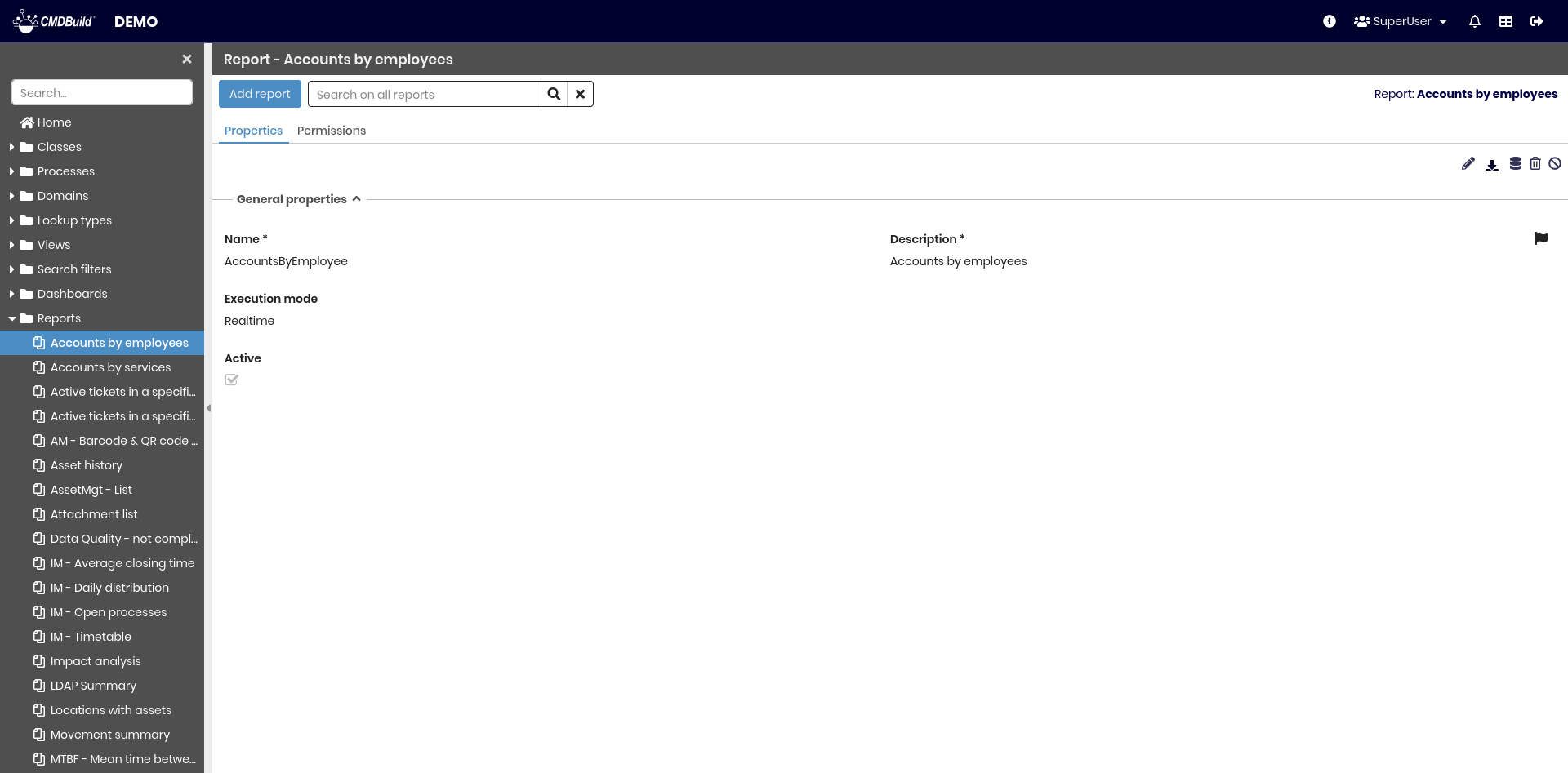
The available operations include:
- creating a new report
- searching among configured reports
- editing a report
- downloading the report template (ZIP file containing the main JRXML template, any subreports and images)
- displaying the SQL query used by the report
- deleting a report
- disabling a report (marking it as inactive)
Each report requires several metadata parameters.
General Properties
The following information is required:
- Name: unique identifier of the report
- Description: description displayed in the application. This field is translatable
- Active: enables or disables the report

File
The following information is required:
- ZIP file: upload of a ZIP archive containing:
- the main JRXML template
- any subreports (JASPER files)
- any images used in the report

Permissions Tab
This section allows configuring permissions on the current report for specific user groups.
Permissions determine which groups can access the view.
For details on permission management, refer to the relative section.