System Configuration
The CMDBuild Administration Module includes several pages that allow the administrator to define configuration parameters for the system.
General options
This section allows you to configure general parameters of CMDBuild.
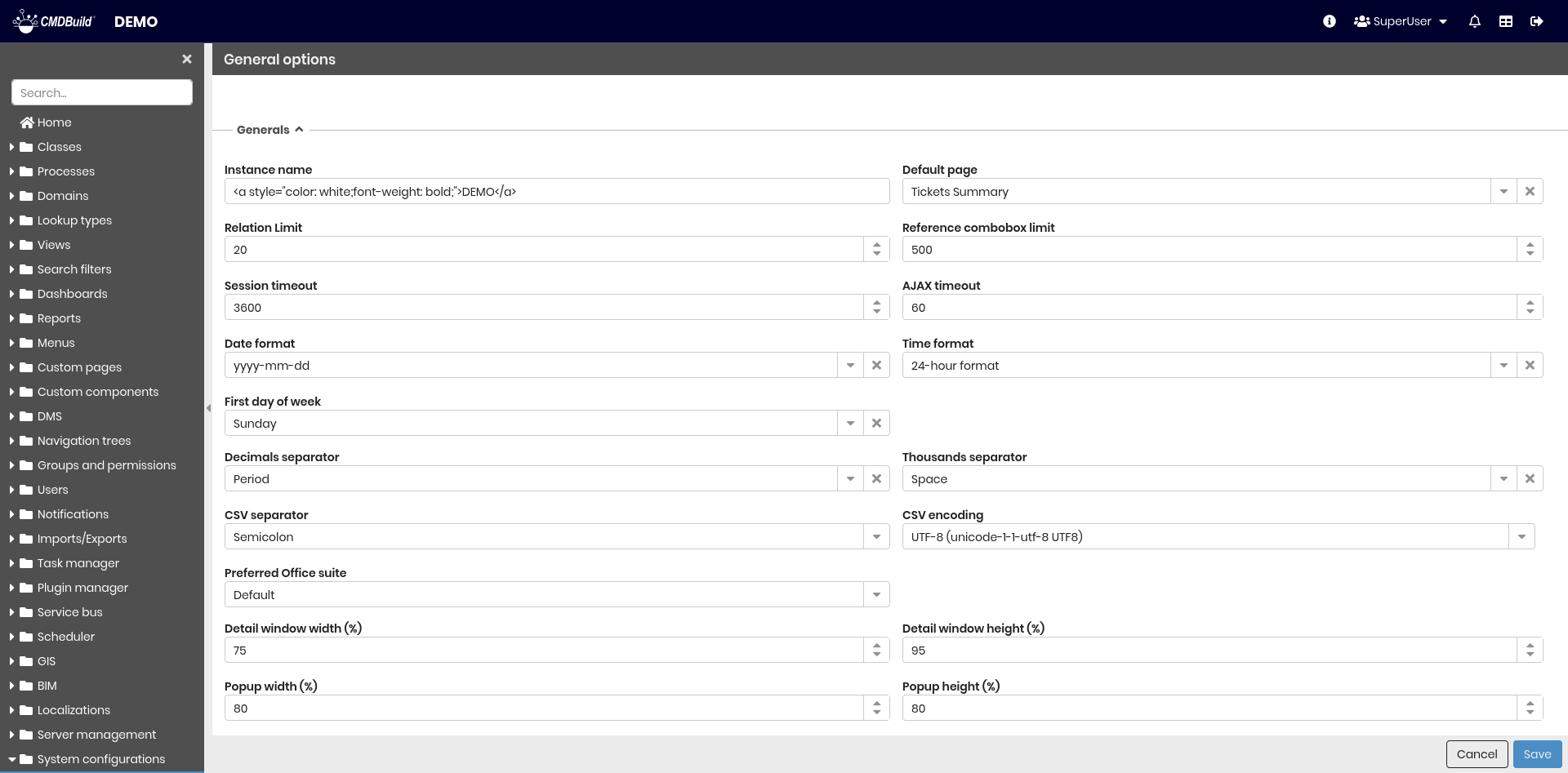
Parameters are divided into the sections described below.
General properties
The following information is required and is used as default settings for the instance (some values can be overridden by user preferences):
- Instance name — string displayed in the top-left area near the application logo
- Default page — default opening page
- Relation limit — maximum number of relations shown individually; additional relations are grouped
- Reference combobox limit — maximum number of items shown in a combobox; additional items are displayed in a popup with pagination and filters
- Session timeout — maximum inactivity time before the session expires (seconds)
- AJAX timeout — timeout for REST requests from the user interface (in seconds)
- Date format — among the available ones
- Time format — among the available ones
- First day of the week
- Decimal separator — customizable by each user
- Thousands separator — customizable by each user
- CSV separator —
;or|or TAB - CSV encoding — among the available ones
- Preferred Office suite — applied during CSV export for formatting dates and numbers; default is Microsoft Office
- Detail window width (%) — width of card editing windows
- Detail window height (%) — height of card editing windows
- Popup width (%) — width of popups
- Popup height (%) — width of popups
- Inline card height (%) — height of inline card display within class/process grids
- Keep filter on updated card — defines whether filters remain active after editing a card that no longer matches the filter
- Search field in grids — enable or disable the search functionality on classes and processes
Relations navigations
- Open subclass — Open subclass with relations link instead of superclass
- Open in detail window — Open detail window with relations link
- Maximum lock time (seconds) — Maximum lock time of card on editing

Lock management
- Active — enables or disables lock management for cards and processes edited by another user
- Shows the name of the user who blocked the card — hides the locking user’s name if needed for privacy
- Maximum lock time (seconds) — time after which a locked card becomes editable again

Webservices
- Enable WebSockets — enables or disables WebSocket support (used for ../06-automation-and-integration/01-notifications.mdx)
- Polling interval (minutes) — when WebSockets are disabled, notifications are delivered through polling at the specified interval
- Enable REST v2 — enables the REST API v2
Bulk actions
- Default for cards with bulk edit
- Default for cards with bulk deletion
- Default for process with bulk abort
Each parameter enables or disables the corresponding mass action by default for all classes (unless overridden for specific classes)

Company logo
- Logo — uploads the company logo, displayed in the header next to the CMDBuild logo

Chat
- Enable chat — enables the CMDBuild chat
- Play sound for notifications — enable sound for notifications
For more information: Chat
Inactive users
- Disable inactive users — automatically sets as inactive all users who have not logged in for a specified number of months
- Inactivity months — number of months of inactivity required

Webhooks
It is possible to add new webhooks and view those already created.
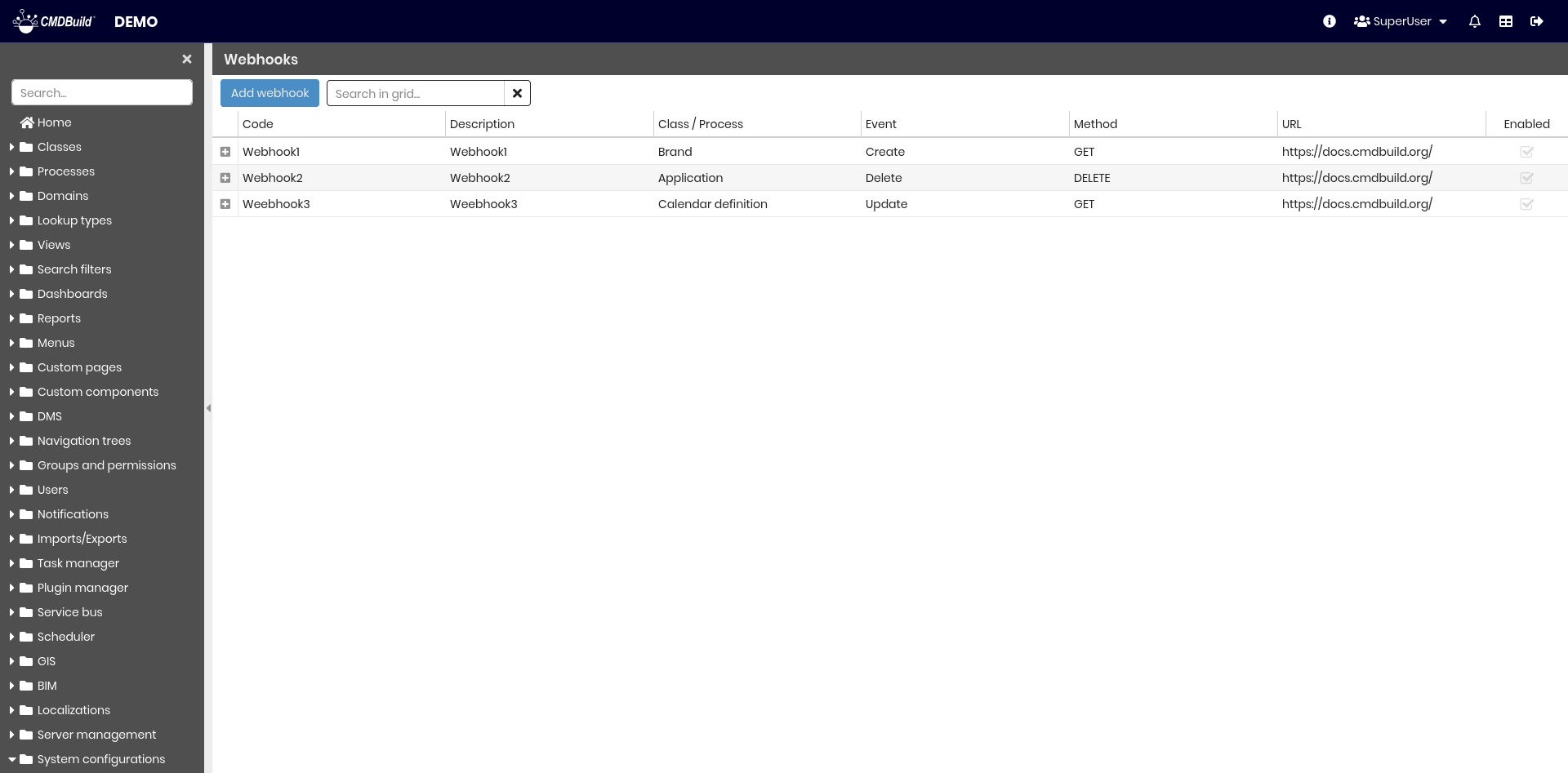
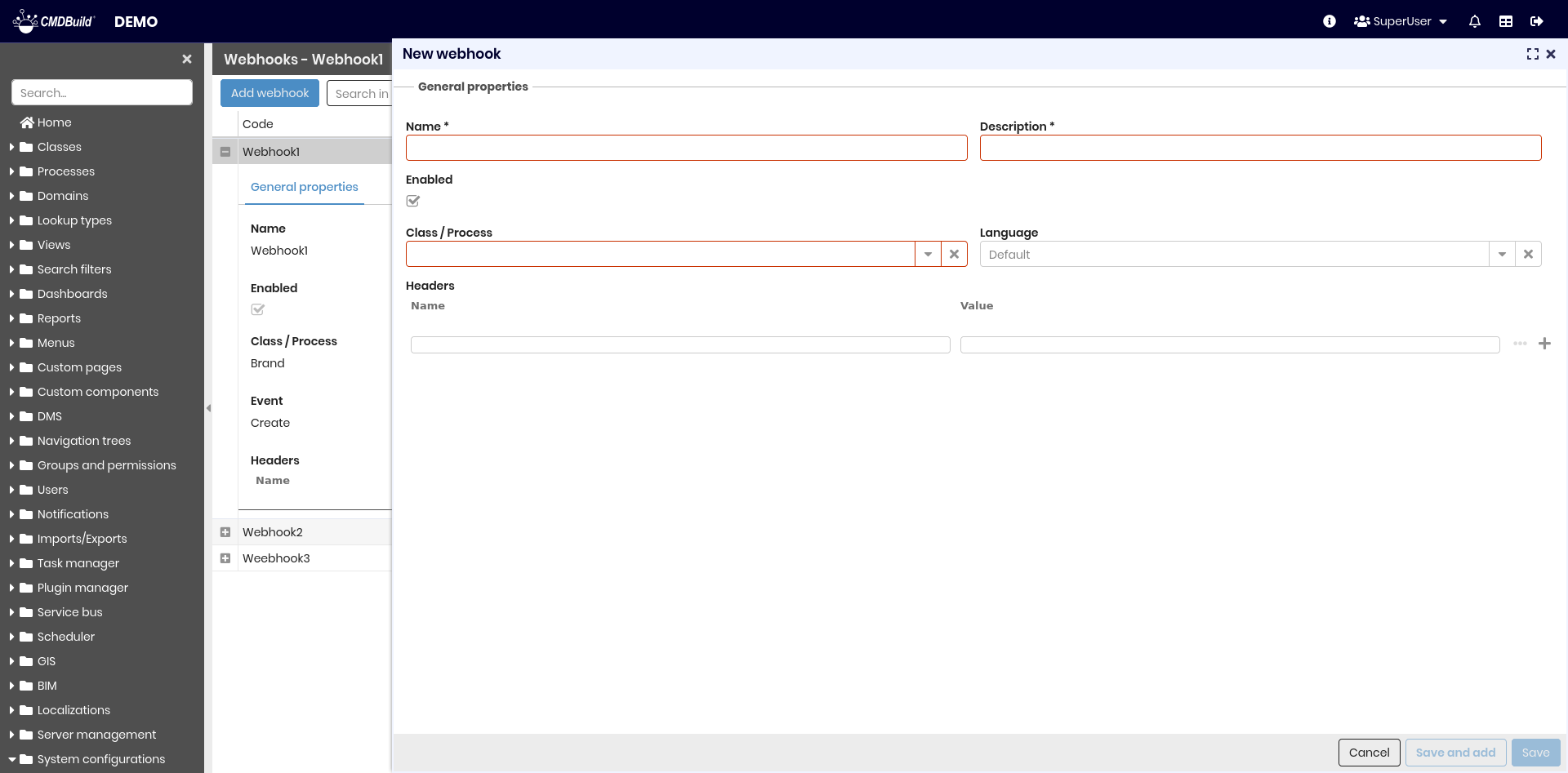
General properties
Configurable parameters:
- Name — webhook name
- Description — description
- Active — enables or disables the webhook
- Class/Process — target class or process
- Language — localization used for source data (for example lookup values)
- Event — trigger event type
- Method — HTTP method
- URL — webhook endpoint
- Headers — configurable HTTP headers
Authentication
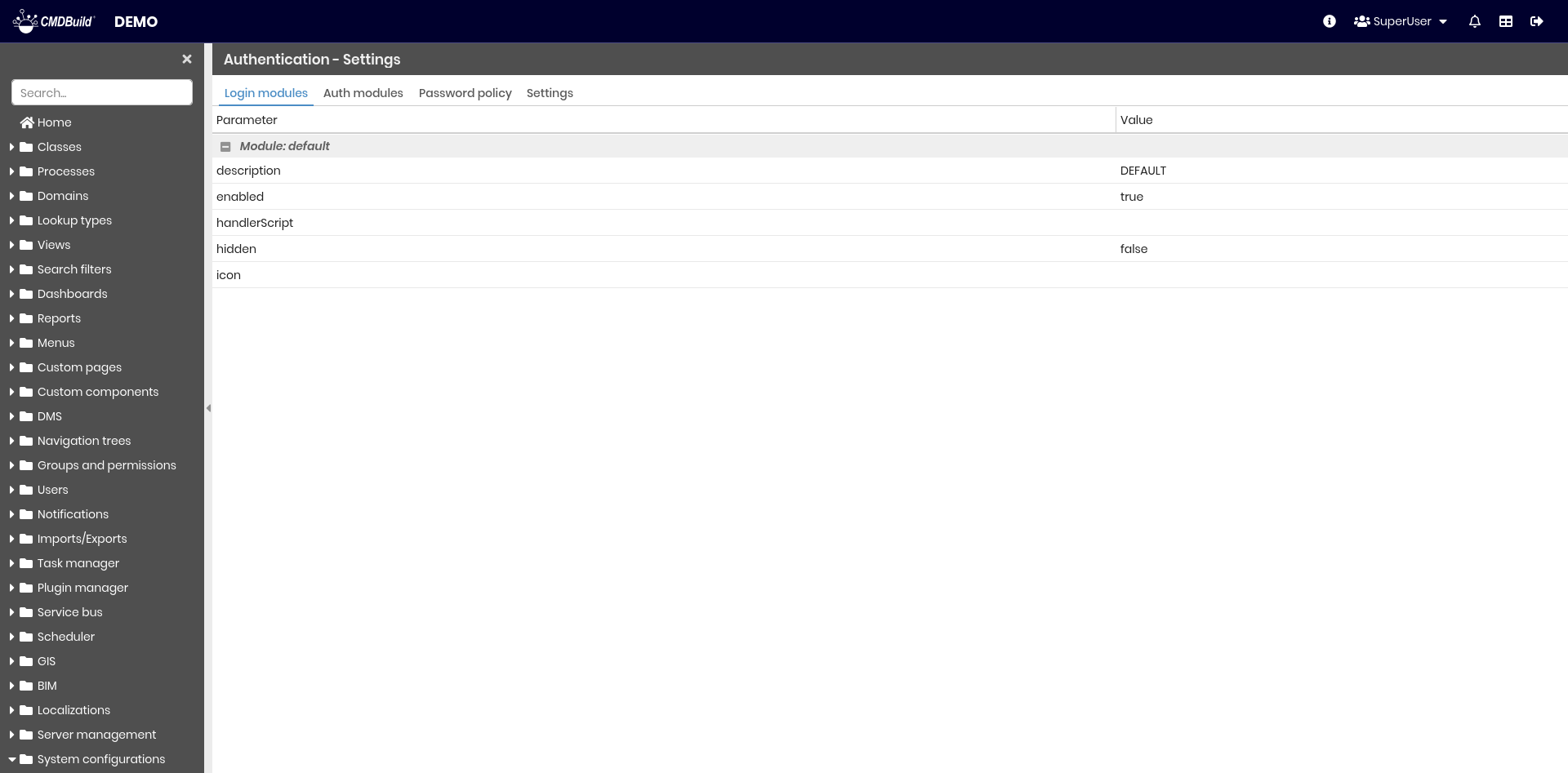
Login modules
Displays active login modules with their configuration values.
Authentication modules
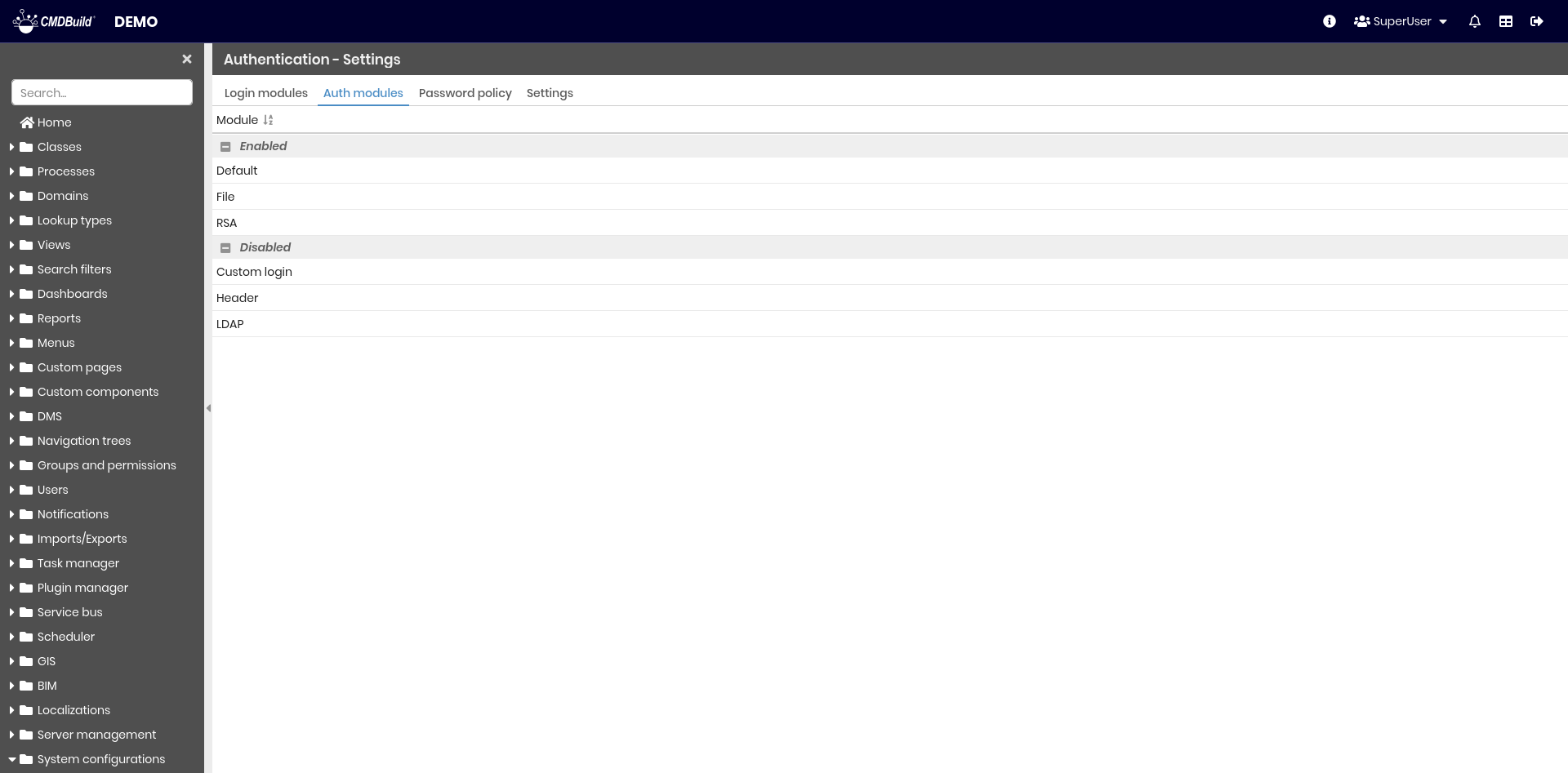
Displays active authentication modules.
Password policy
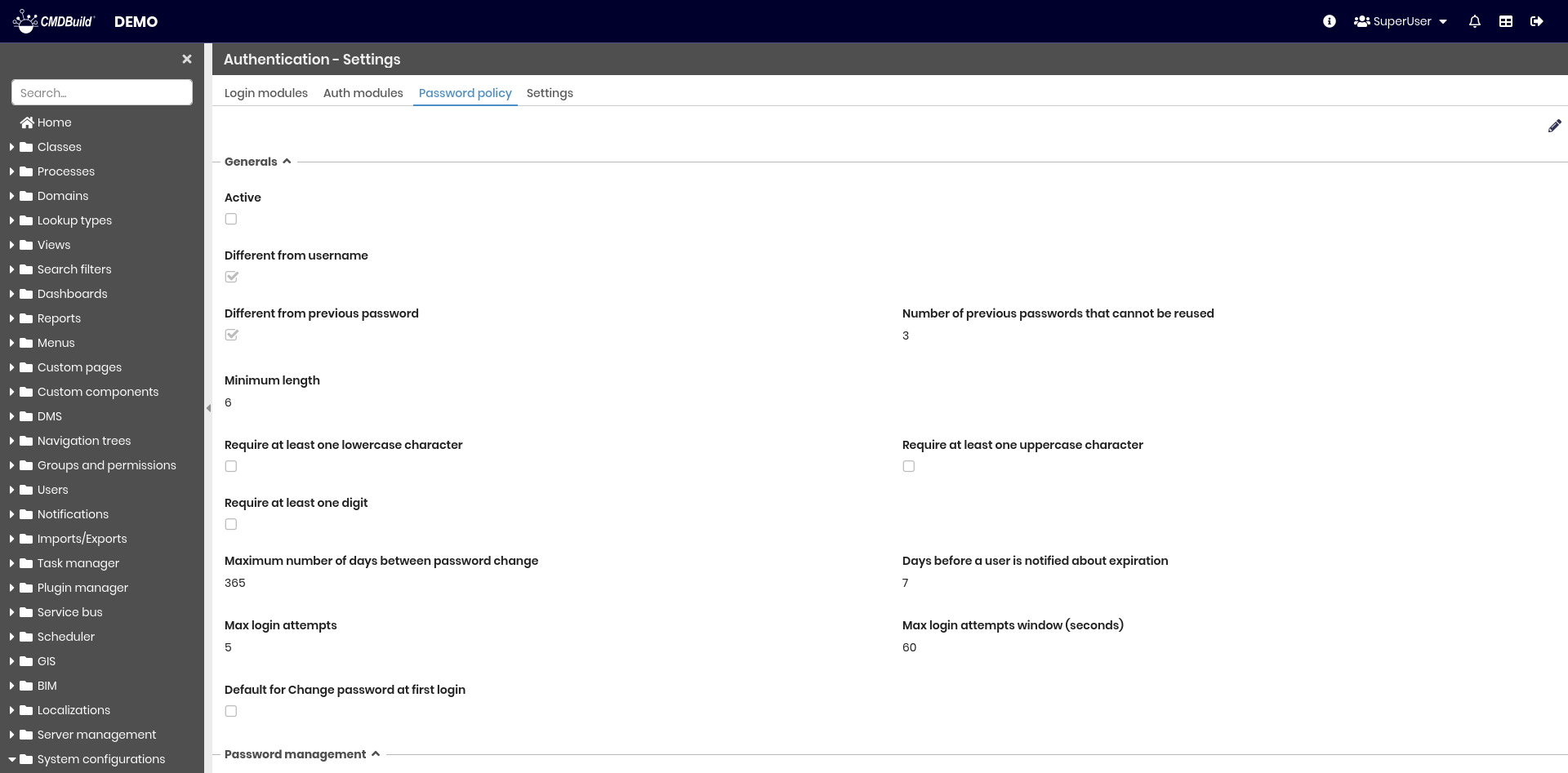
This section defines the rules for password creation according to company security requirements.
General properties
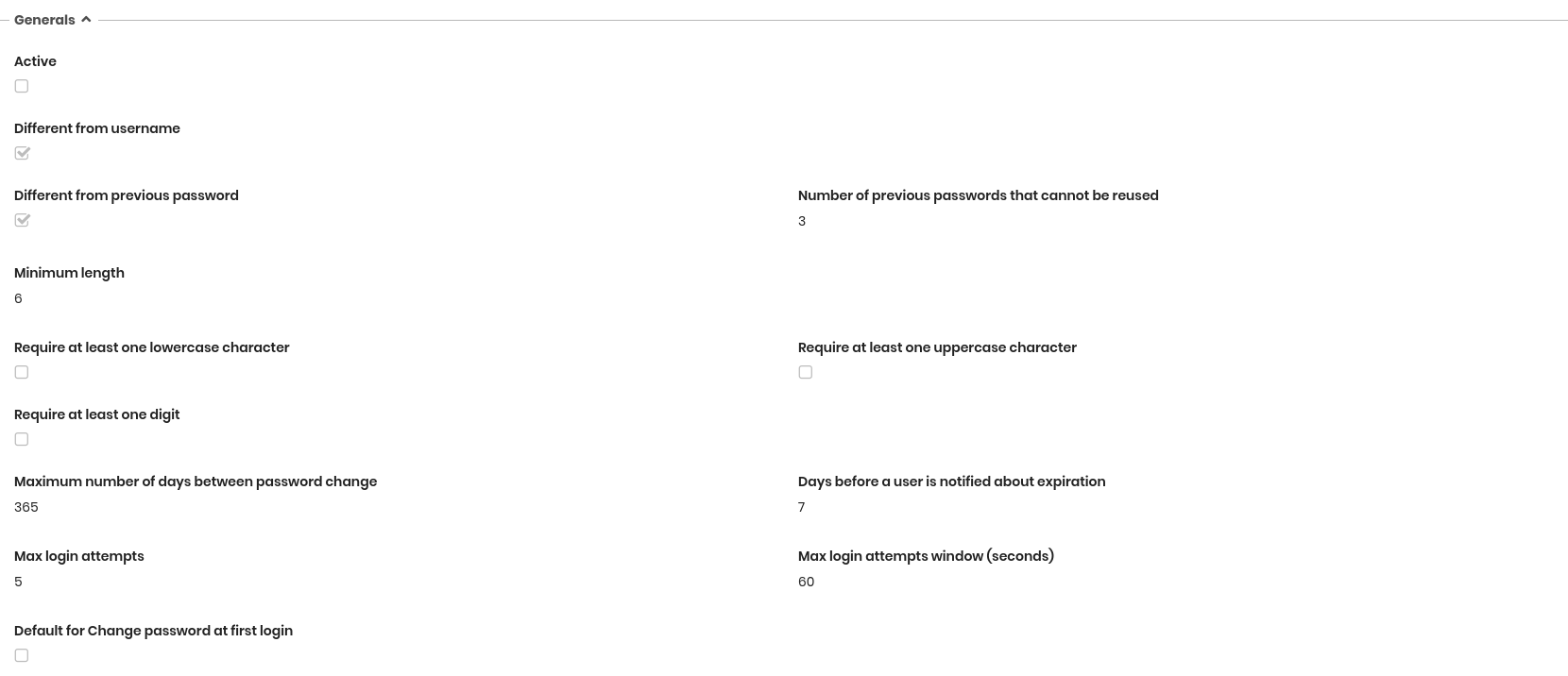
The following information is required:
- Active — enables the password policy rules
- Different from username — prevents choosing a password identical to the username
- Different from previous password — prevents choosing a password identical to one of the previous ones; the number of stored passwords is shown below
- Number of previous passwords that cannot be reused
- Minimum length — minimum number of characters
- Require at least one lowercase character
- Require at least one uppercase character
- Require at least one digit
- Maximum number of days between password changes
- Days before a user is notified about expiration
- Max login attempts — number of attempts before the user is blocked
- Maximum access attempts — after exceeding the allowed number of failed logins, the user is blocked for 10 minutes
- Max login attempts window (seconds) — time window associated with the maximum login attempts
- Default for Change password at first login — makes password change mandatory at first login
Password management
- Allow password change — allows users to change their password within CMDBuild (typically disabled when relying on external authentication)

Settings
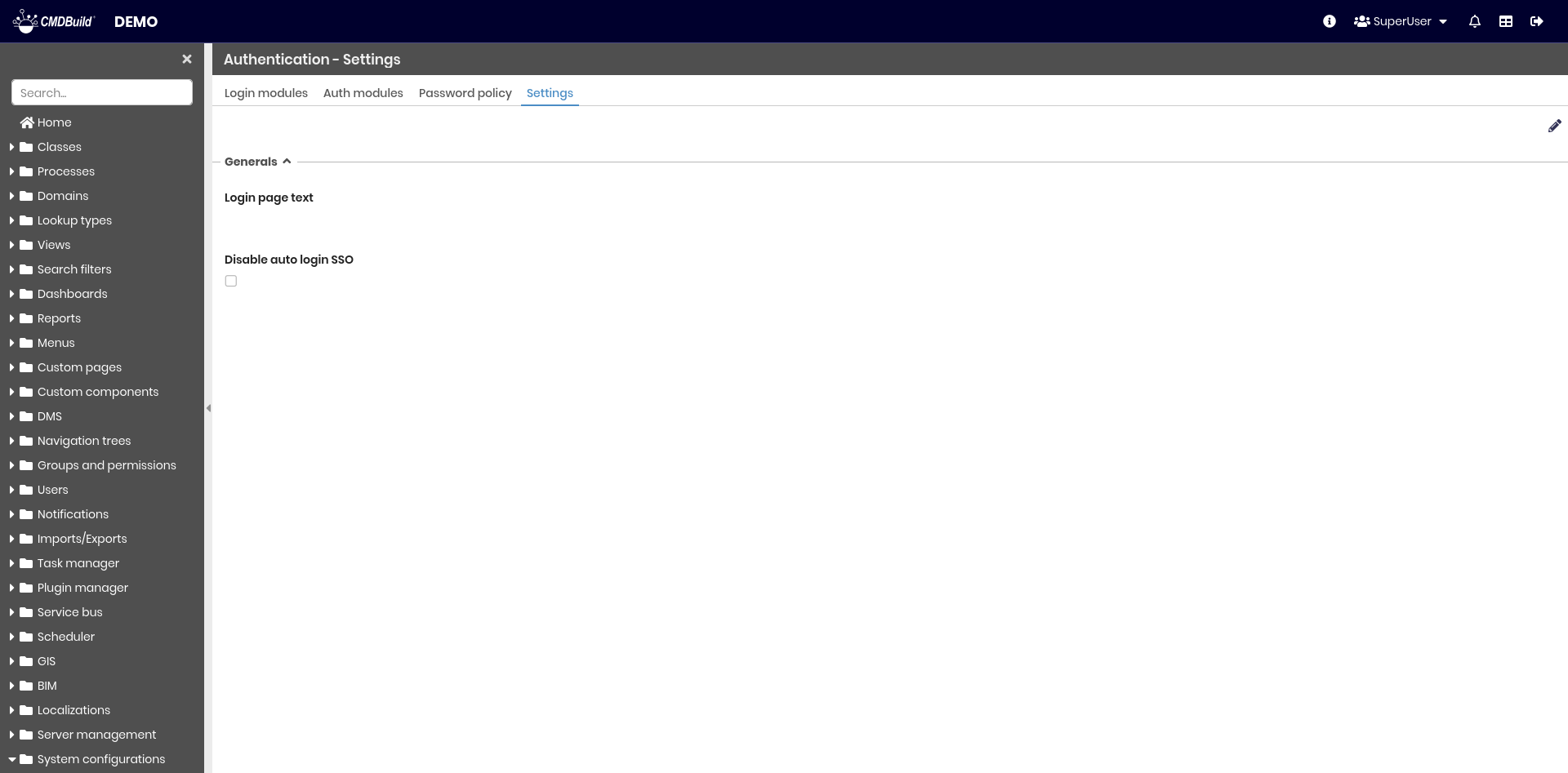
- Login page text — text displayed above the login section
- Disable auto login SSO — disables automatic login through SSO
Multitenant
This section allows configuring parameters of the CMDBuild multitenant system.
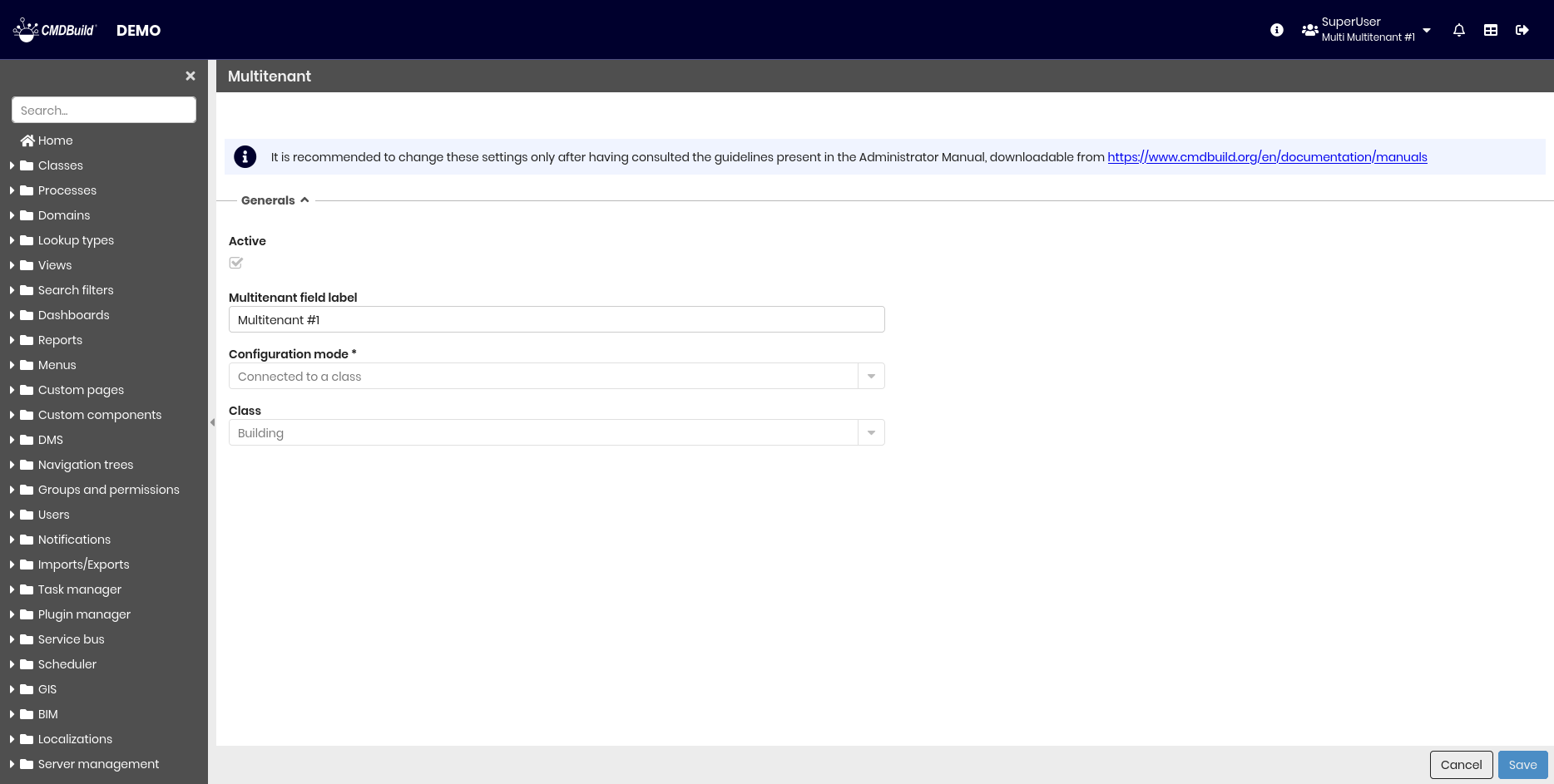
General properties
- Active — enables multitenant mode
- Multitenant field label — Tenant name
- Configuration modes
- Class — an application class is used as the tenant list
- Function — a PostgreSQL function provides the tenant list
- Class — selects the root tenant class when using the Class mode
- Function — selects the root PostgreSQL function when using the Function mode
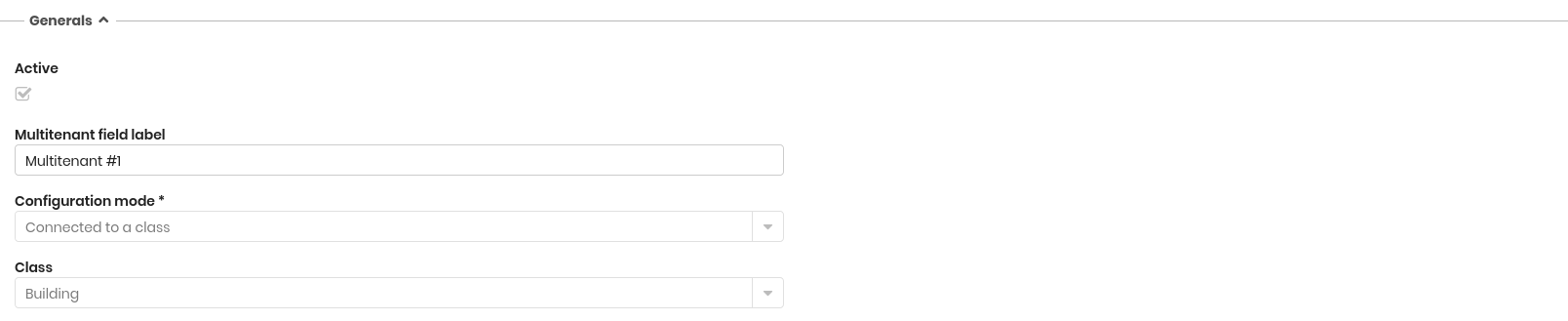
The multitenant configuration can be activated only once.
Each card is marked with its tenant; changing the configuration requires manually updating all rows of all CMDBuild tables, which cannot be done through the Administration Module.
Enable multitenant only after defining the correct configuration criteria.
Below is an example of a PostgreSQL function usable for multitenant configuration.
The _cm3_multitenant_get function takes a single bigint parameter:
-1— returns all available tenant IDs- any other value — returns all tenants associated with the given user ID
CREATE
OR REPLACE FUNCTION _cm3_multitenant_get (_user_id bigint) RETURNS SETOF bigint AS $$
BEGIN
  IF _user_id = -1
    THEN
      RETURN QUERY
      SELECT "Tenant"."Id" FROM "Tenant"
      WHERE "Tenant"."Status" = 'A';
  ELSE
    RETURN QUERY
    SELECT "Tenant"."Id"
    FROM "Tenant"
    JOIN "Map_UserTenant"
    ON "Tenant"."Id" = "Map_UserTenant"."IdObj2"
    WHERE
      "Map_UserTenant"."IdObj1" = _user_id
      AND "Tenant"."Status" = 'A'
      AND "Map_UserTenant"."Status" = 'A';
  END IF;
END
$$ LANGUAGE PLPGSQL;
:::
Workflow
This function allows you to set some configuration parameters of the CMDBuild workflow engine.
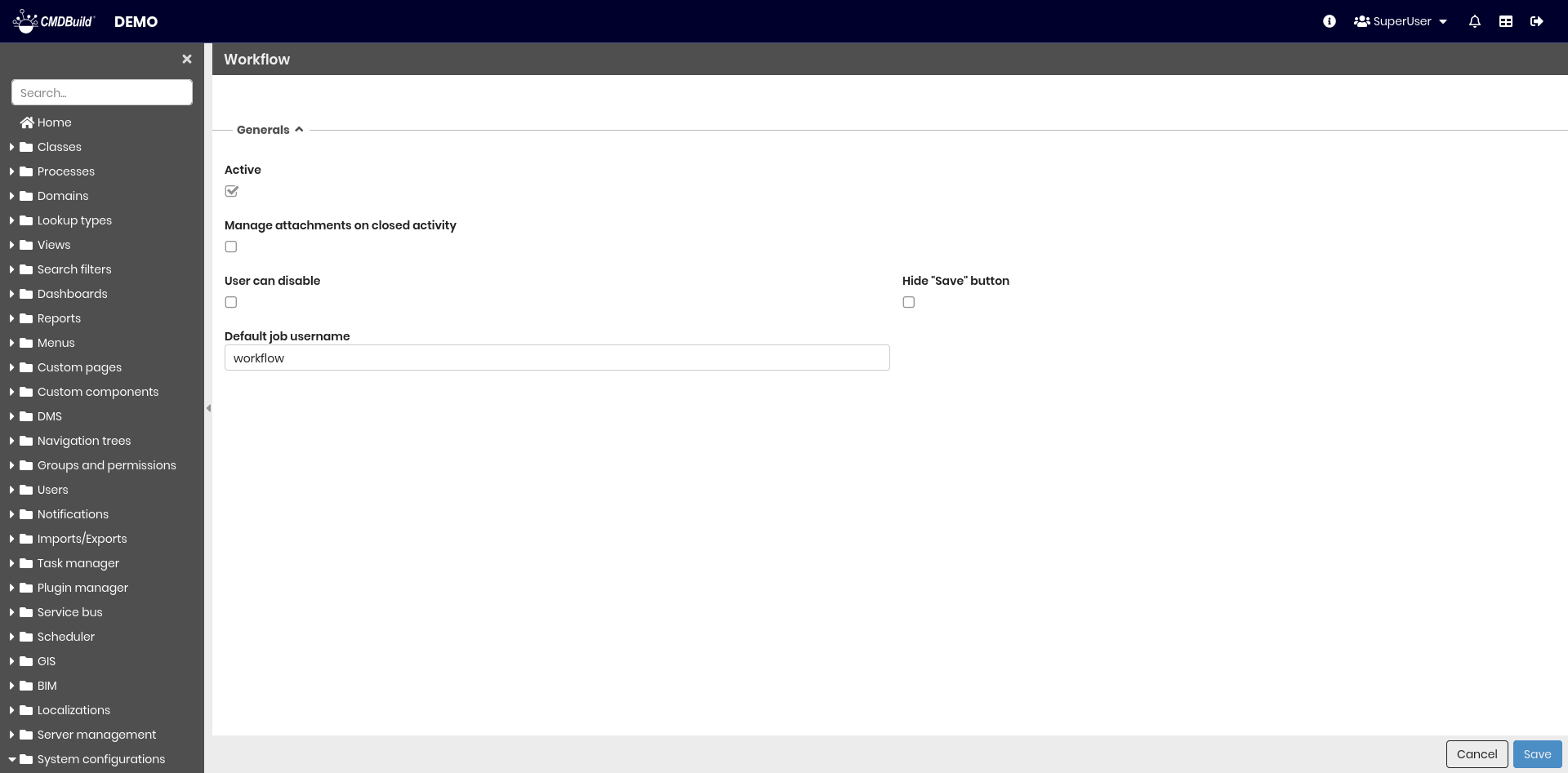
General properties
The following information is required:
-
Active — it allows you to activate the CMDBuild workflow engine
-
Enable — 'Add attachment' when the activities are closed: it allows you to attach documents to closed processes
-
Stoppable by user — if enabled, it makes available an additional button that interrupts the process (independently of its status)
-
Hide "Save" button — you do not see the button to save the current status of the process before proceeding to the following status
-
Default job username — default setting used in the Tasks where not defined. It is related to the username to be used to start the workflow (from which permissions derive, according to the predefined group)

Relation graph
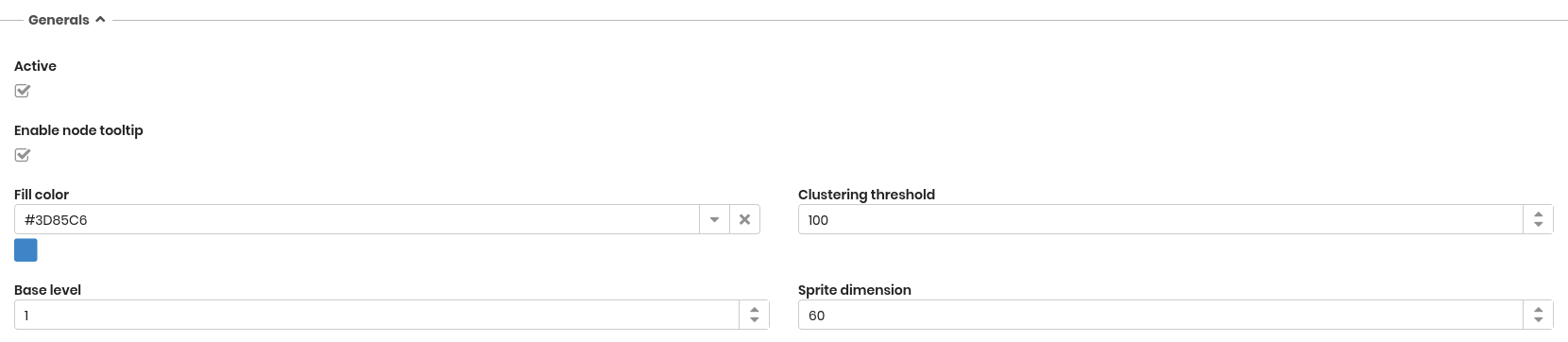
The page contains the relation graph settings.
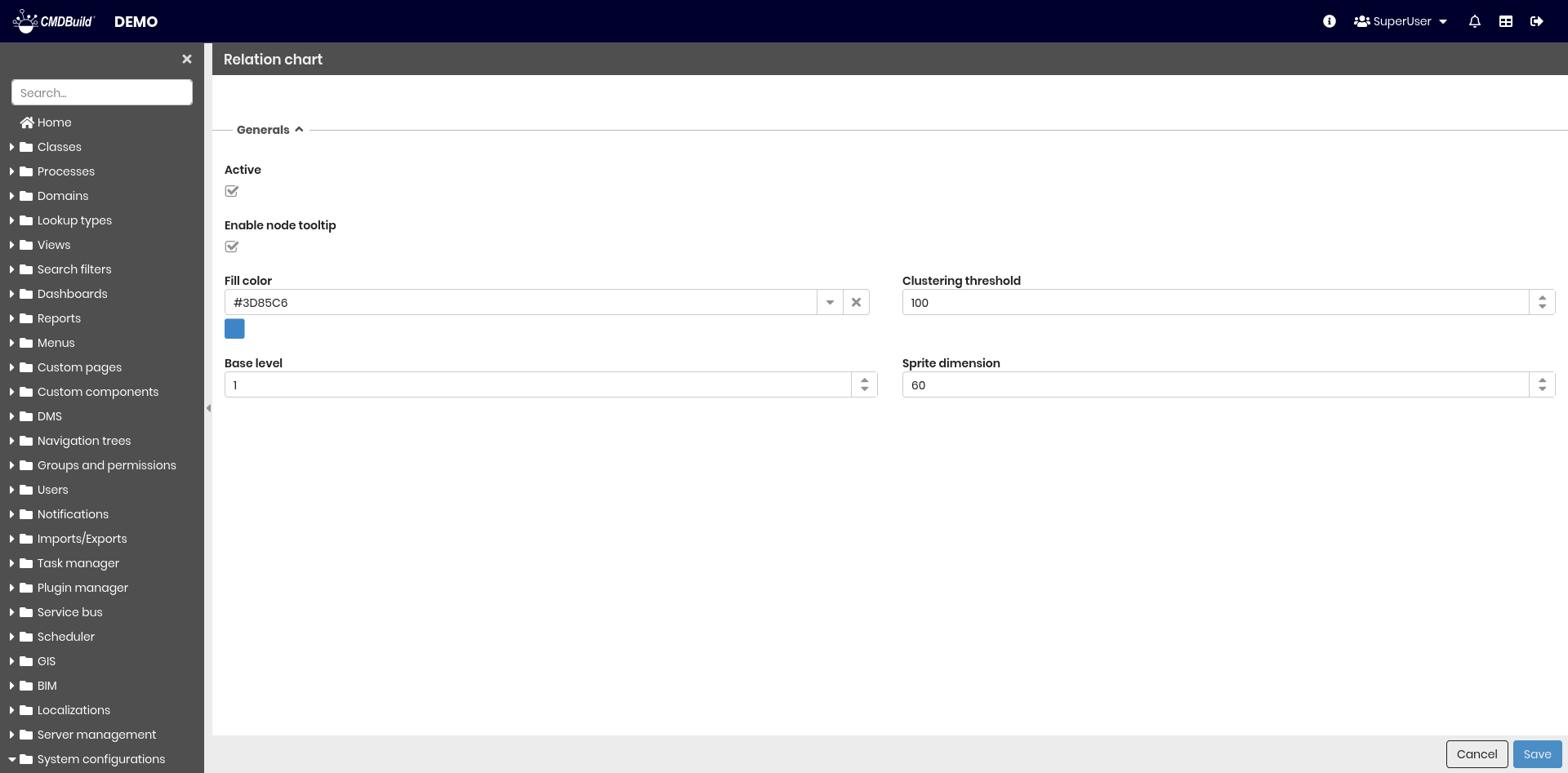
General properties
The following information is required:
- Active — allows to enable or disable the use of the graph
- Enable tooltip nodes
- Fill color — it allows to set a personalized color for the graph arcs
- Clustering threshold — the maximum number of distinct nodes which can be shown in relation to another node (beside this limit, they are shown as a single different node)
- Base level — the default number of levels automatically expanded
- Sprite dimension — allows to state the dimension of the icons representing different kinds of nodes in the chart
Subscription
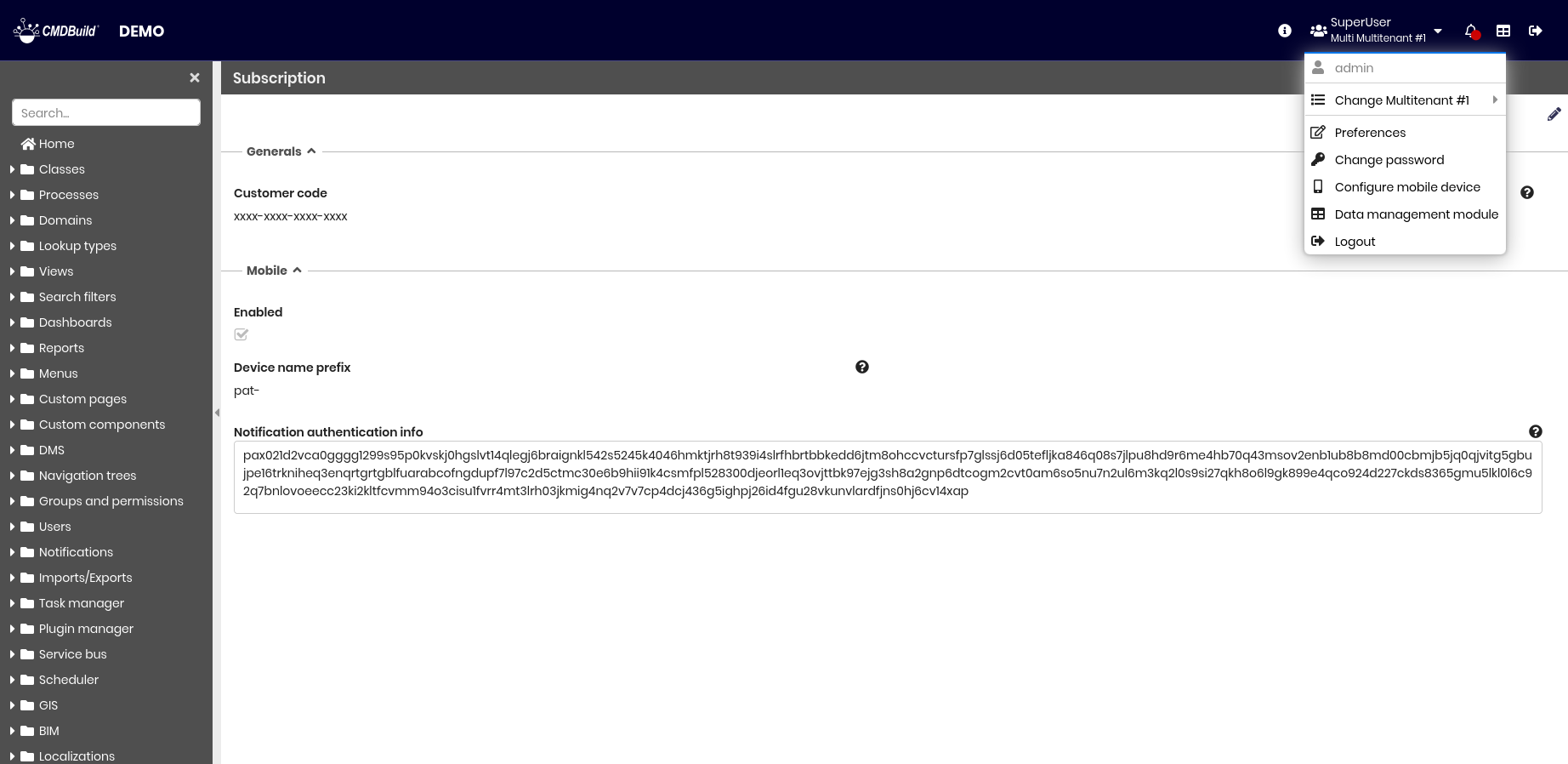
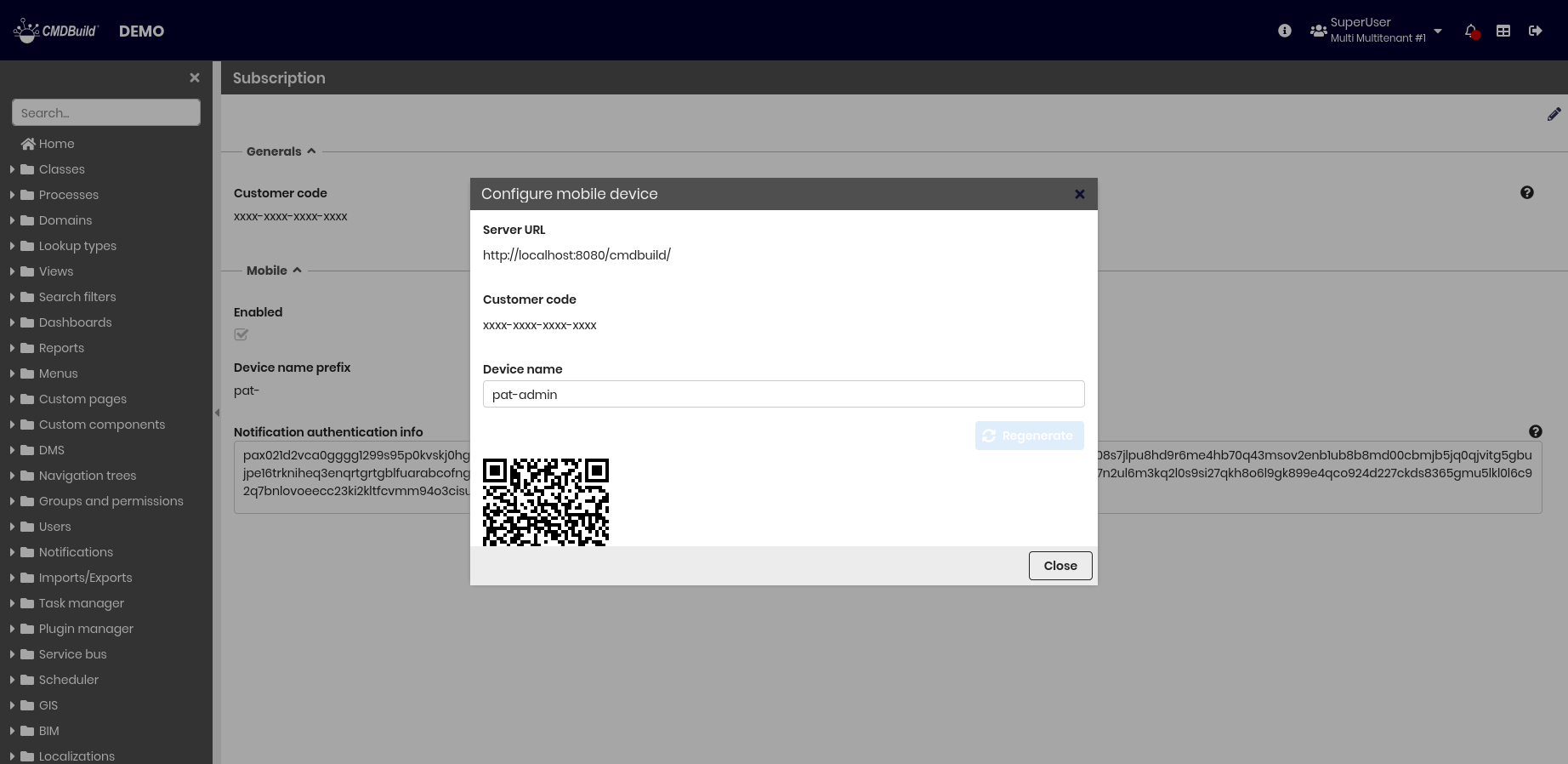
This section allows you to configure parameters related to customers. When Mobile is enabled and the Customer code is not empty, an additional entry appears in the header, allowing automatic configuration of mobile devices.
This section is composed of two fieldsets.
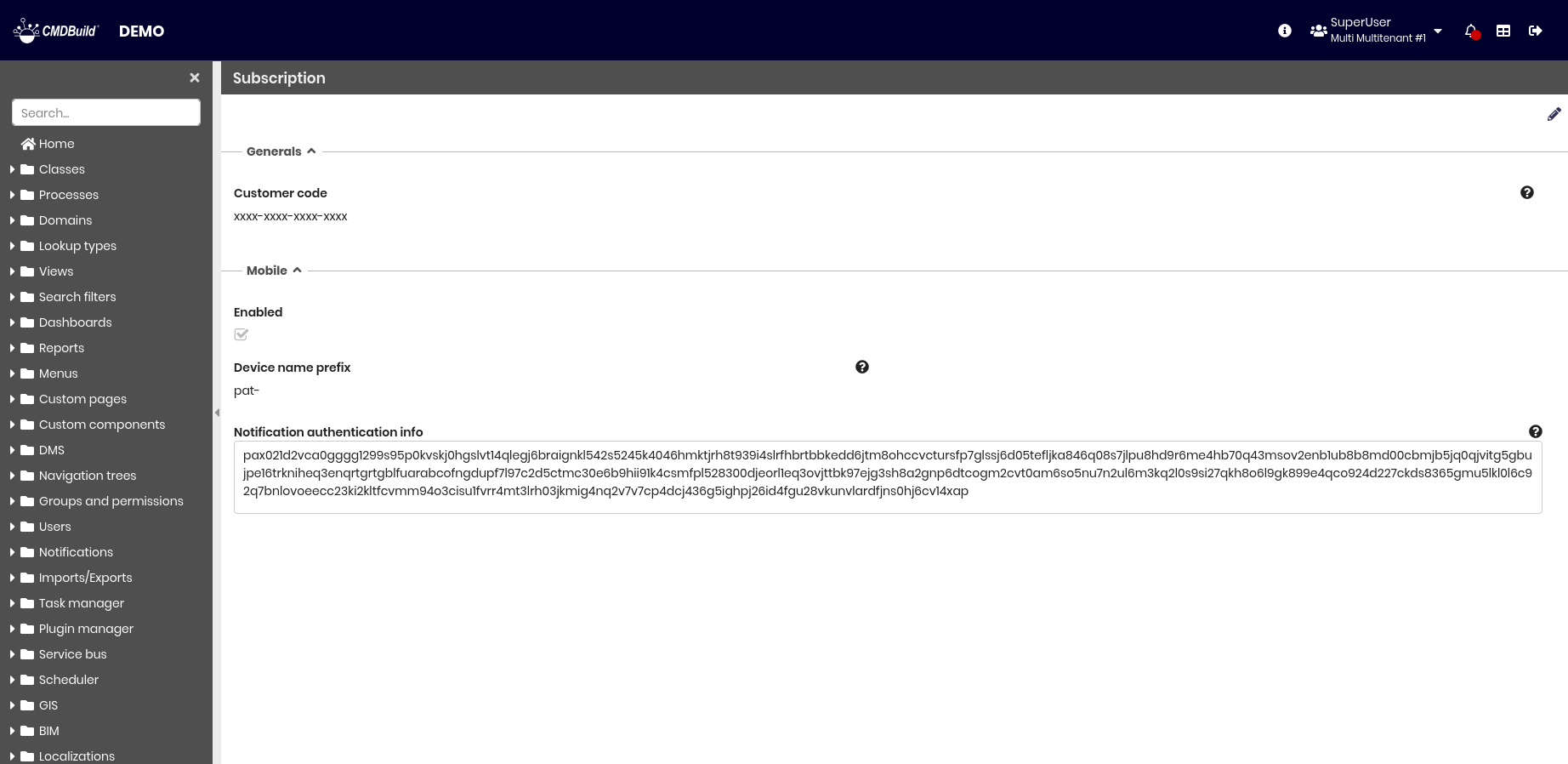
Generals
The following information is required:
- Customer code — 16-digit identifier assigned to each customer, required to use plugins

Mobile
The following information is required:
- Enabled — enables or disables mobile functionalities
- Device name prefix — string prepended to the username to generate the device name
- Notification authentication info — authentication JSON provided by PAT, required to receive notifications on mobile devices
