BIM
CMDBuild supports the BIM paradigm (Building Information Modeling), a conceptual approach aimed at managing the building design process throughout its entire lifecycle — from initial conception to construction, operation, maintenance, and eventual demolition.
To view BIM data, CMDBuild uses the external Xeokit library, which requires models to be in XKT format. For this reason, a dedicated converter, provided by PAT and installed via Docker, is required. The converter takes an IFC file (Industry Foundation Classes), an open standard format, and transforms it into XKT.
Using the 3D interactive viewer, it is possible to visualize interiors and assets defined in the model directly within the management module in a realistic and interactive way.
Projects
This section allows you to manage BIM projects within CMDBuild. Each project is typically associated with a building or a built-up area.
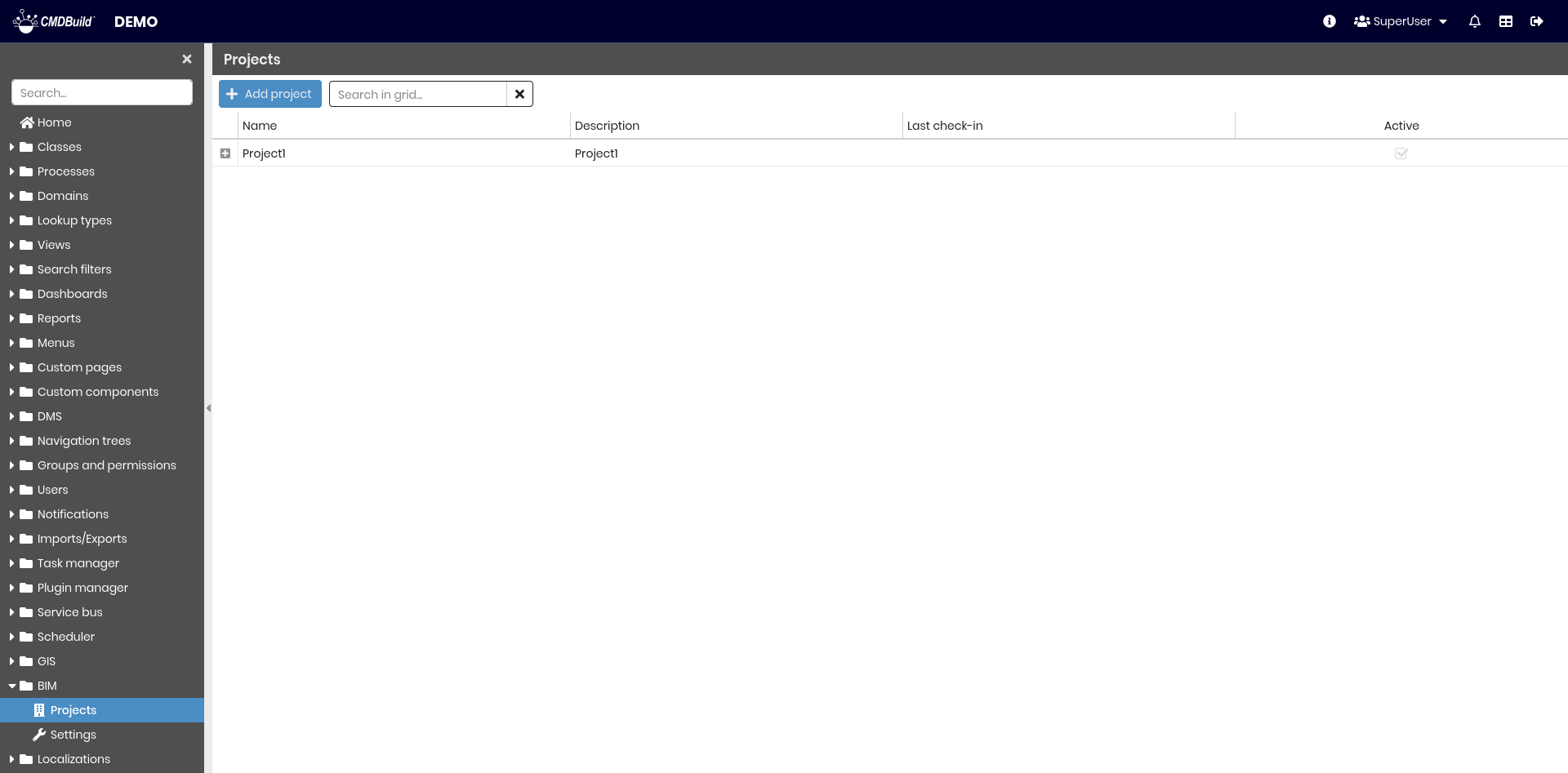
The following operations are available:
-
Top bar
- Create a new BIM project
- Search among configured projects
-
Single row actions
- Edit the selected project
- View detailed information about the selected project
- Download the IFC or XKT file of the selected project
- Clone the selected project
- Delete the selected project
- Enable or disable the selected project
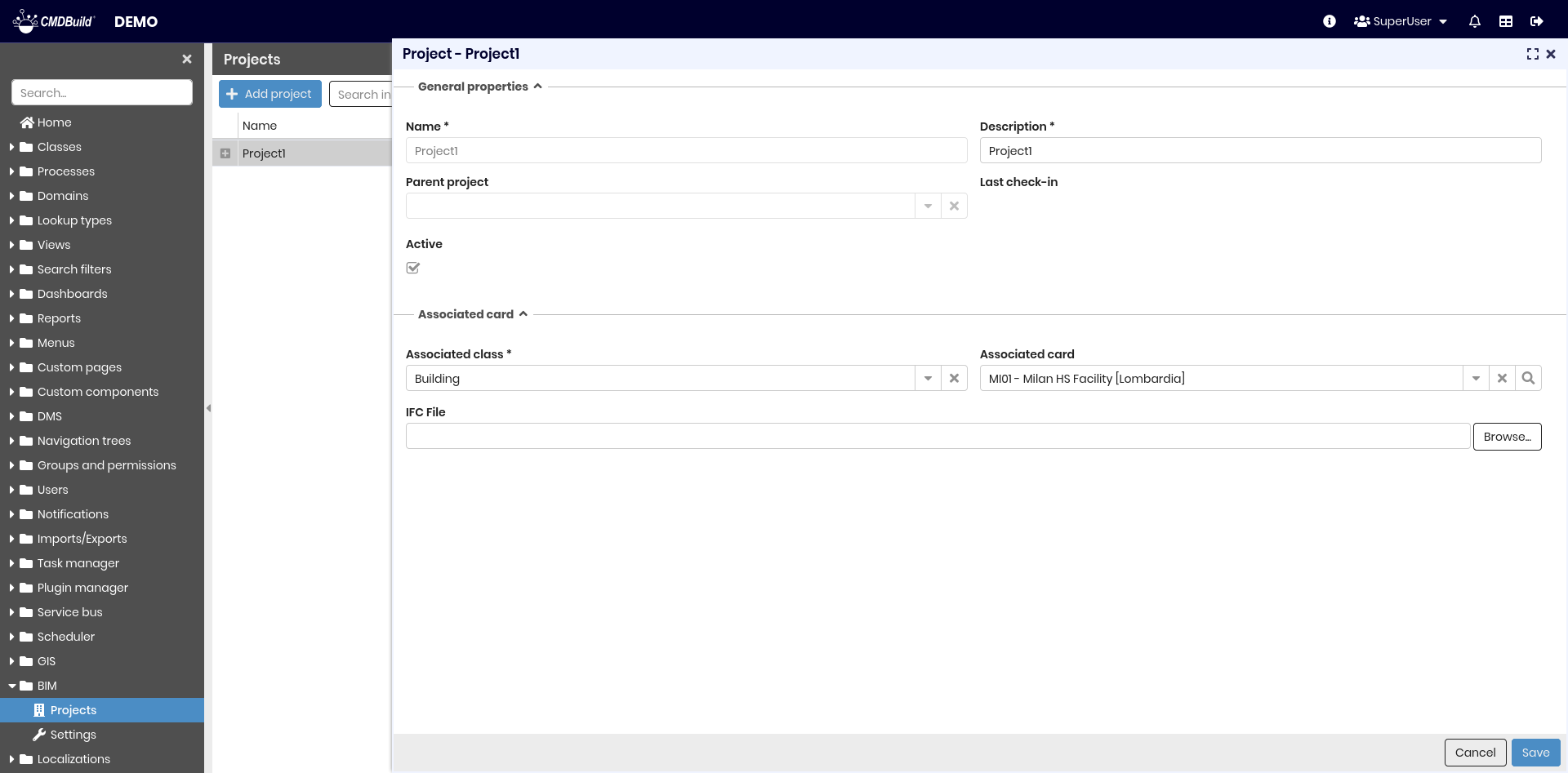
General properties
The following information is required.
- Name: project name
- Description: project description
- Parent project: used to visualize multiple files in the same view. In this case, create a parent project containing only the associated card, then assign this parent project to the child projects
- Last check-in: date of the most recent file upload
- Active: indicates whether the project is enabled and usable

Associated card
The following information is required.
- Associated class: CMDBuild class used to link the project. This field is automatically filled when a parent project is selected
- Associated card: specific card from the selected class. This field is automatically filled when a parent project is selected
- IFC file: IFC file to be uploaded and converted into XKT format

Settings
This section allows you to configure BIM-related parameters.
It is divided into two tabs.
- Generals
- Converters
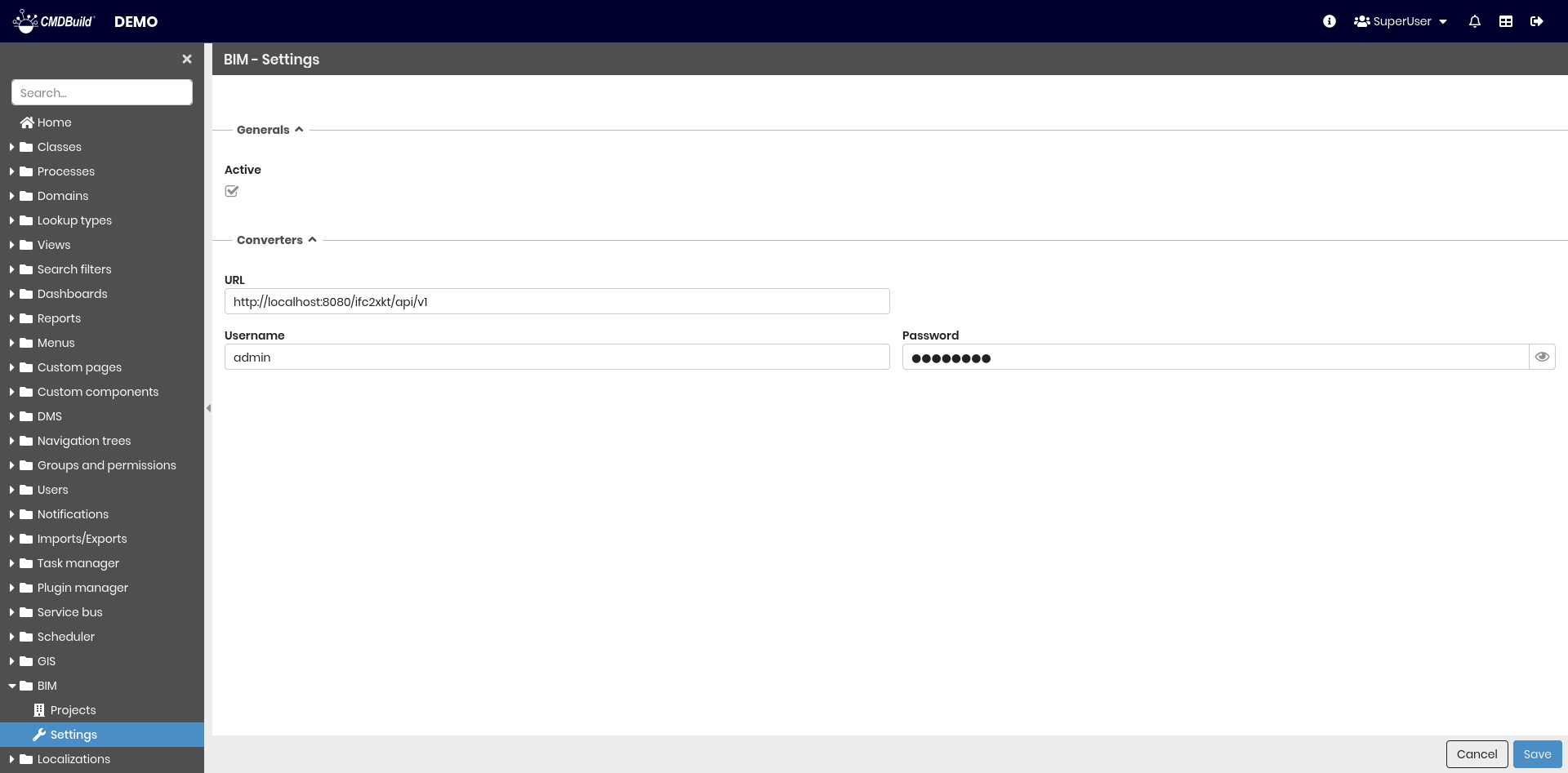
Generals
The following information is required:
- Active: enables or disables the BIM functionality

Converters
This section defines the parameters required to connect to the converter service.
The following information is required:
- URL: converter service address
- Username: converter username
- Password: converter password
