Navigation Trees
A navigation tree is a hierarchical representation of CMDBuild cards.
Each level of the tree corresponds to cards of a class, linked to the cards of the parent class through a domains.
Navigation trees are used in several CMDBuild features:
- to define filters applied to the relation graph, excluding relations not relevant for navigation
- to create hierarchical structures in the application menu (configured in Menu management)
- to configure hierarchical navigation structures for georeferenced items on the map (configured in GIS management)
Menu‑based and GIS‑based navigation trees are described in their dedicated chapters.
This section focuses on navigation trees used for other purposes.
Properties
This function allows creating new navigation trees and editing existing ones.
Available operations include:
- creating new navigation tree
- editing a navigation tree
- deleting a navigation tree
- disabling a navigation tree (marking it as inactive)
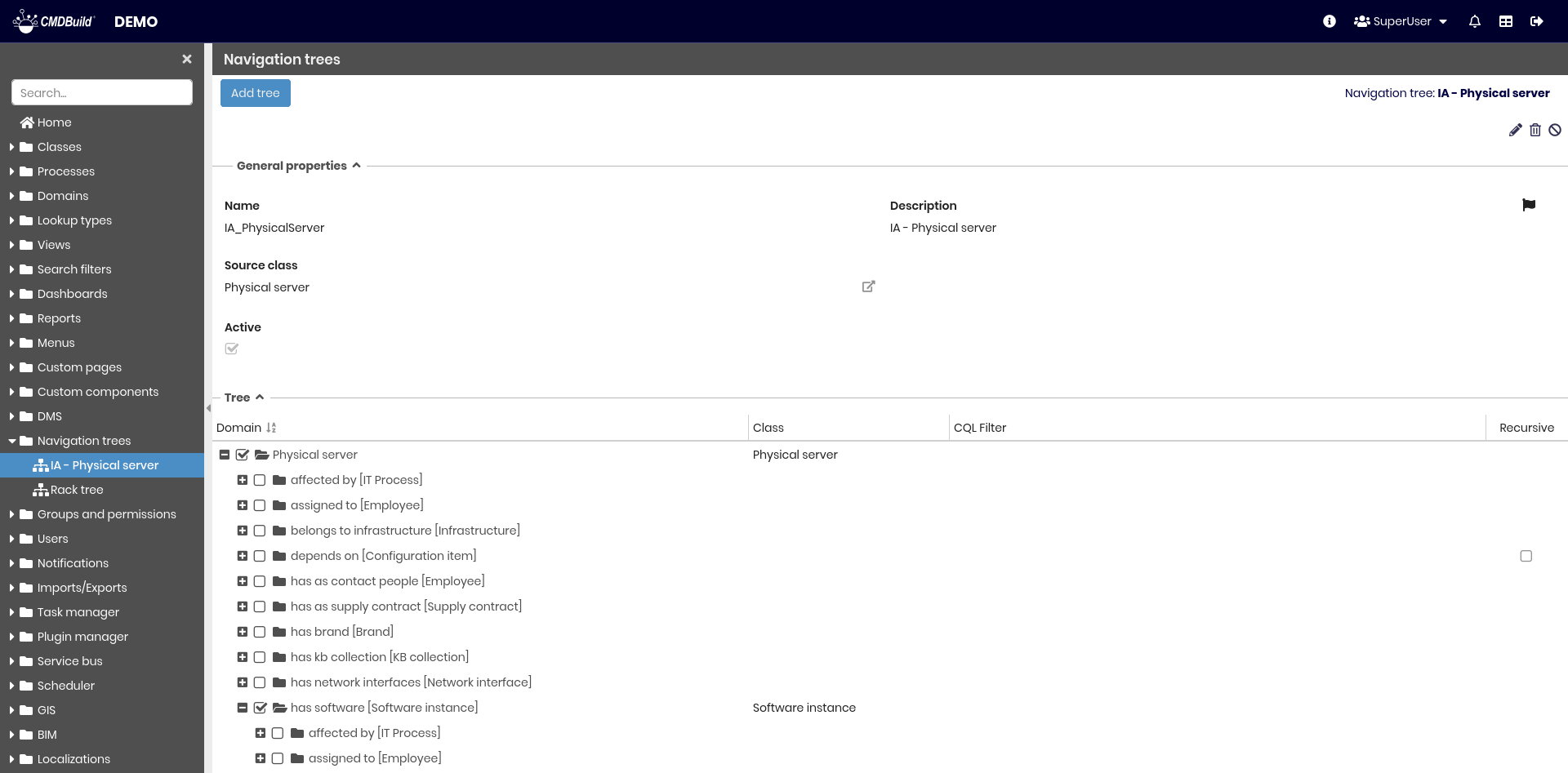
Each navigation tree requires a number of metadata parameters.
General Properties
The following information is required:
- Name: name of the navigation tree
- Description: description of the navigation tree. This field is localizable by selecting the flag icon, which opens a popup window for translation into the enabled languages
- Source class: root class from which the tree starts
- Active: enables or disables the navigation tree

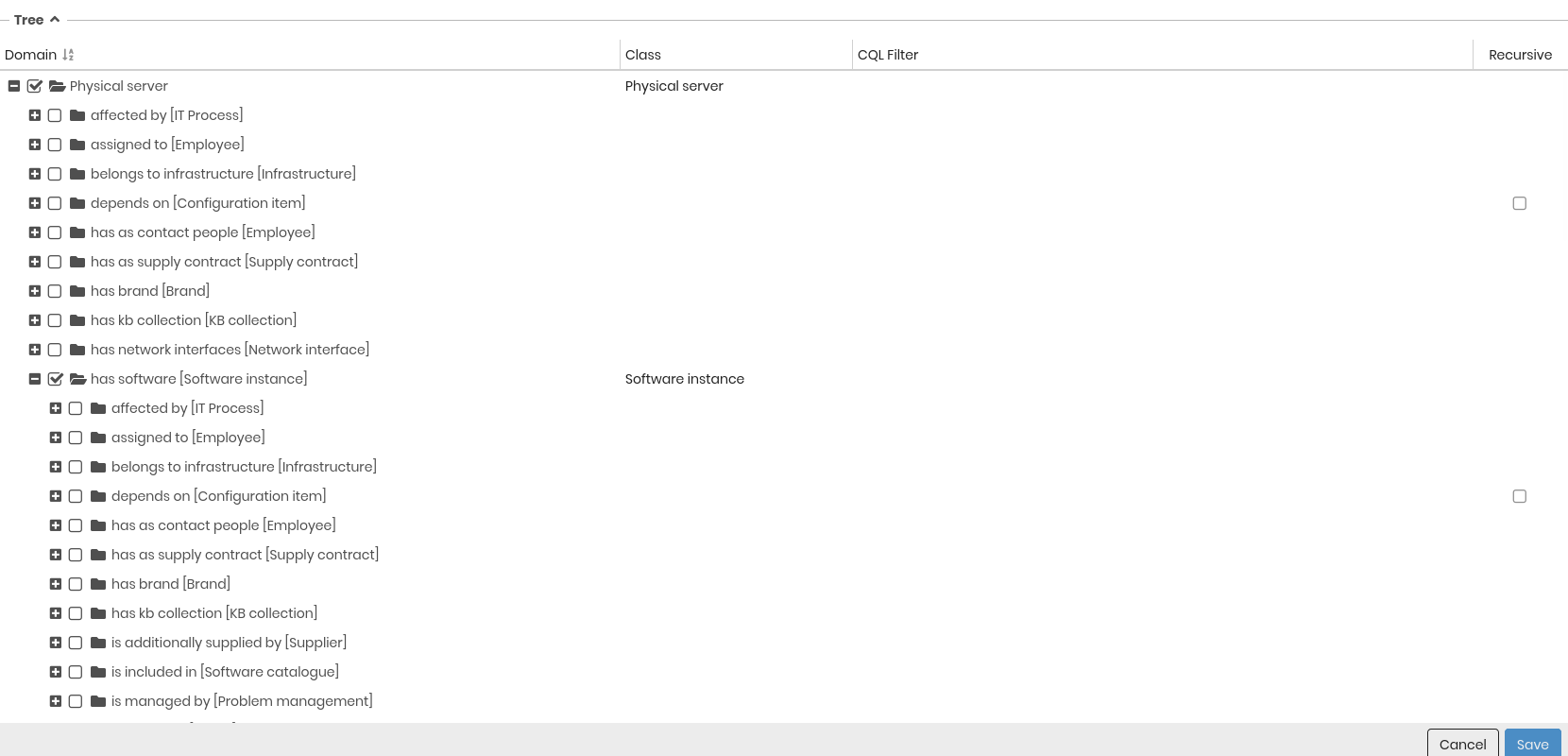
Navigation Tree Definition
Starting from the root class, CMDBuild displays the class hierarchy based on relations.
For each class in the tree, the following parameters can be configured:
- Domain: domains used to populate the next level of the tree
- Class: for the selected domains, allows choosing a specific subclass if the target class is a superclass
- CQL filter: filter applied to restrict the list of displayed cards
- Recursive enabled if the domain can be navigated in recursive mode