Dependency Trees
A dependency tree is a hierarchical representation of CMDBuild cards.
Each level of the tree contains cards belonging to a class, linked to cards in the parent class through domains of type 1:N Direct and N:1 Inverse.
Dependency trees are used by specific CMDBuild features described in this section
Properties Tab
This section allows you to create and manage dependency trees.
Available operations include:
- Create a new dependency tree
- Edit an existing dependency tree
- Delete a dependency tree
- Disable a dependency tree by marking it as inactive
- Search for a specific dependency tree
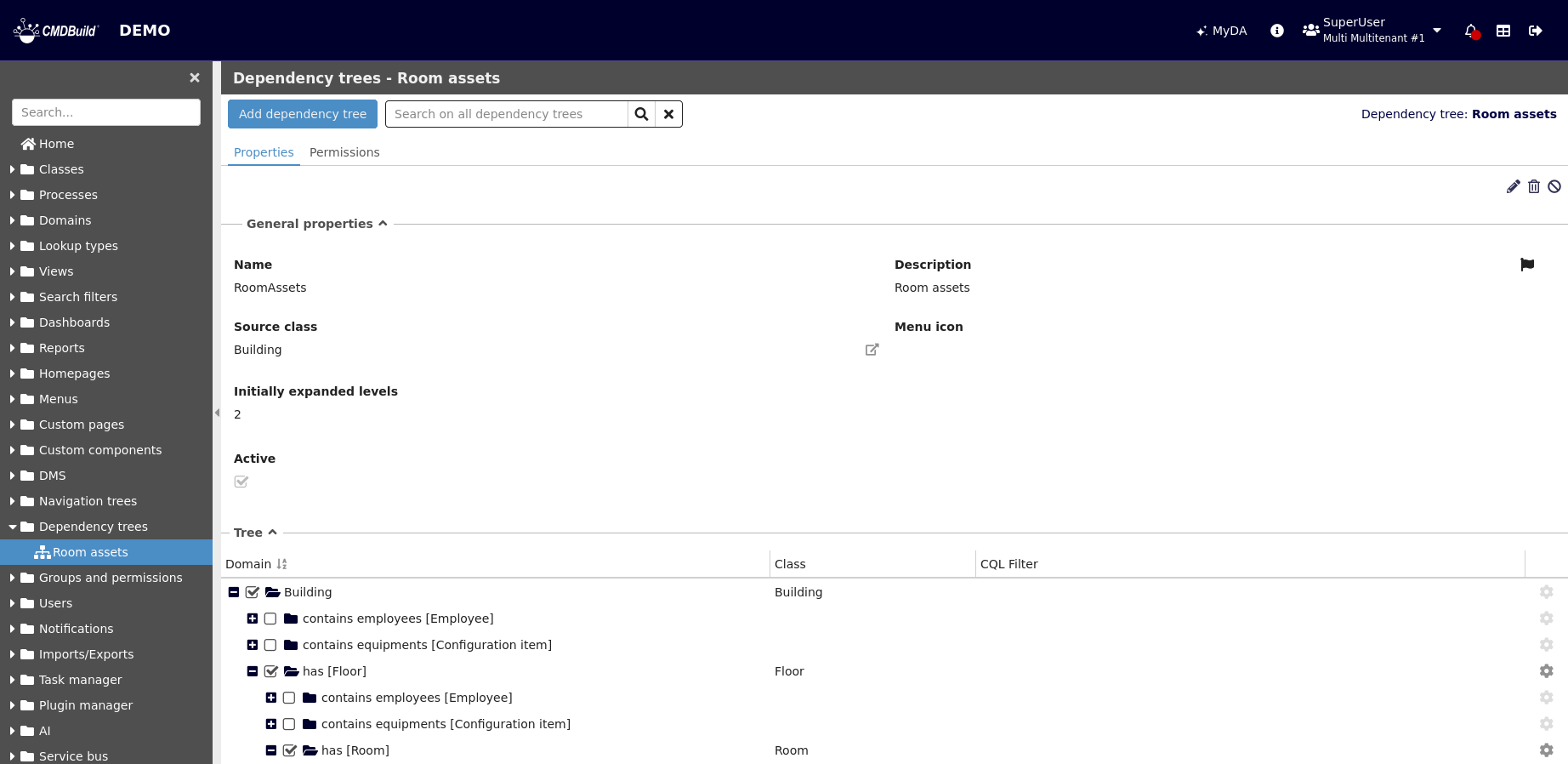
Each dependency tree requires a set of configuration parameters.
General Properties
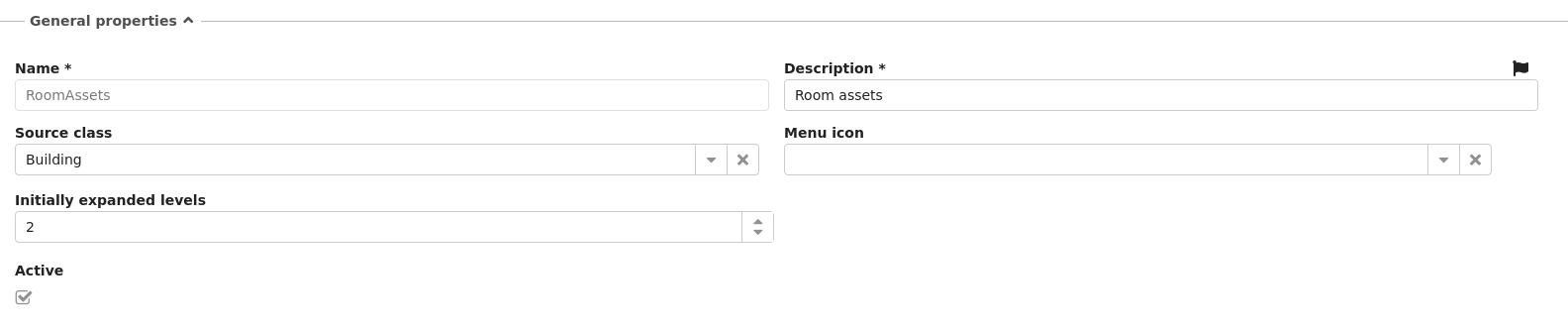
The following information is required:
- Name: name of the dependency tree
- Description: description of the dependency tree. This field is localizable by selecting the flag icon, which opens a dialog for entering translations in the enabled languages
- Source class: root class from which the tree starts
- Menu icon: icon displayed for the dependency tree in the navigation menu
- Initially expanded levels: number of levels automatically expanded when the tree is opened
- Active: enables or disables the dependency tree
Tree
Starting from the root class, CMDBuild displays the class hierarchy based on configured relations.
For each class, the following properties can be configured:
- Domain: domain used to populate the next level of the tree. Only domains of type 1:N Direct and N:1 Inverse are available
- Class: for the selected domain, allows choosing a specific subclass when the target class is a superclass
- CQL filter: filter applied to restrict the list of displayed cards
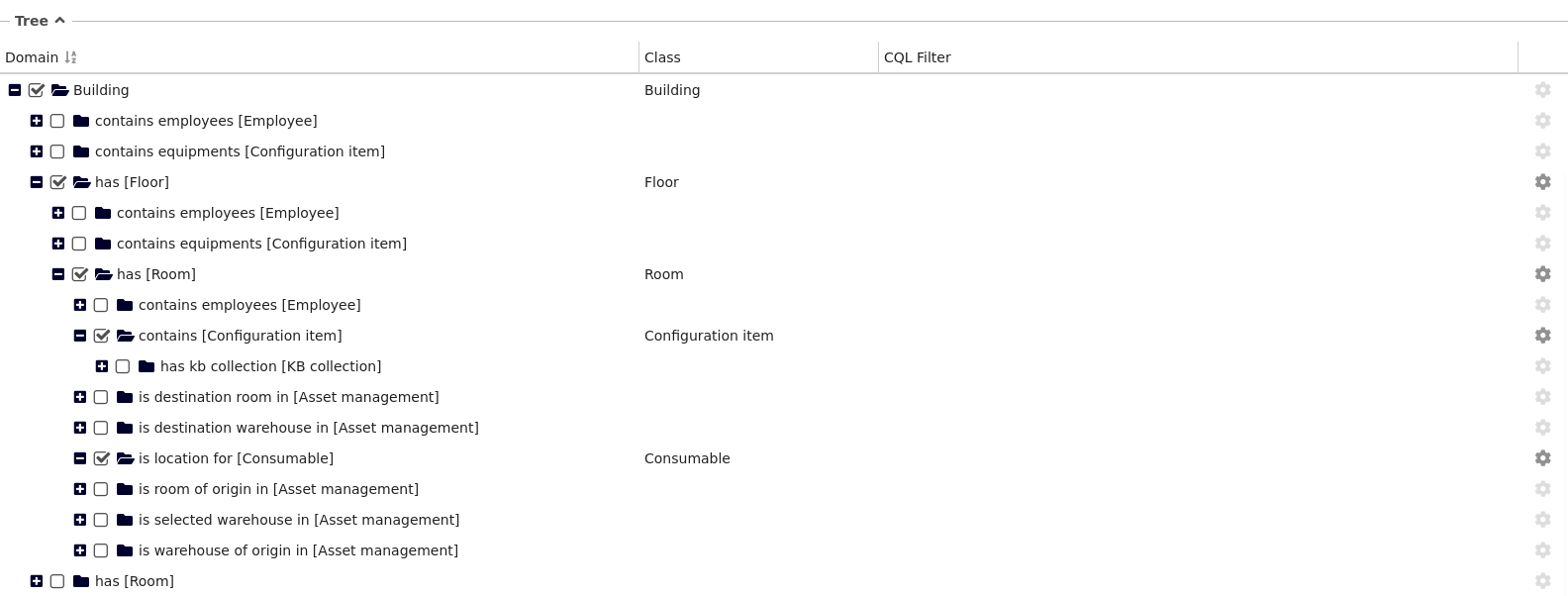
Using the cogwheel icon on the right, available only for selected domains, you can configure the node settings.
Node Settings
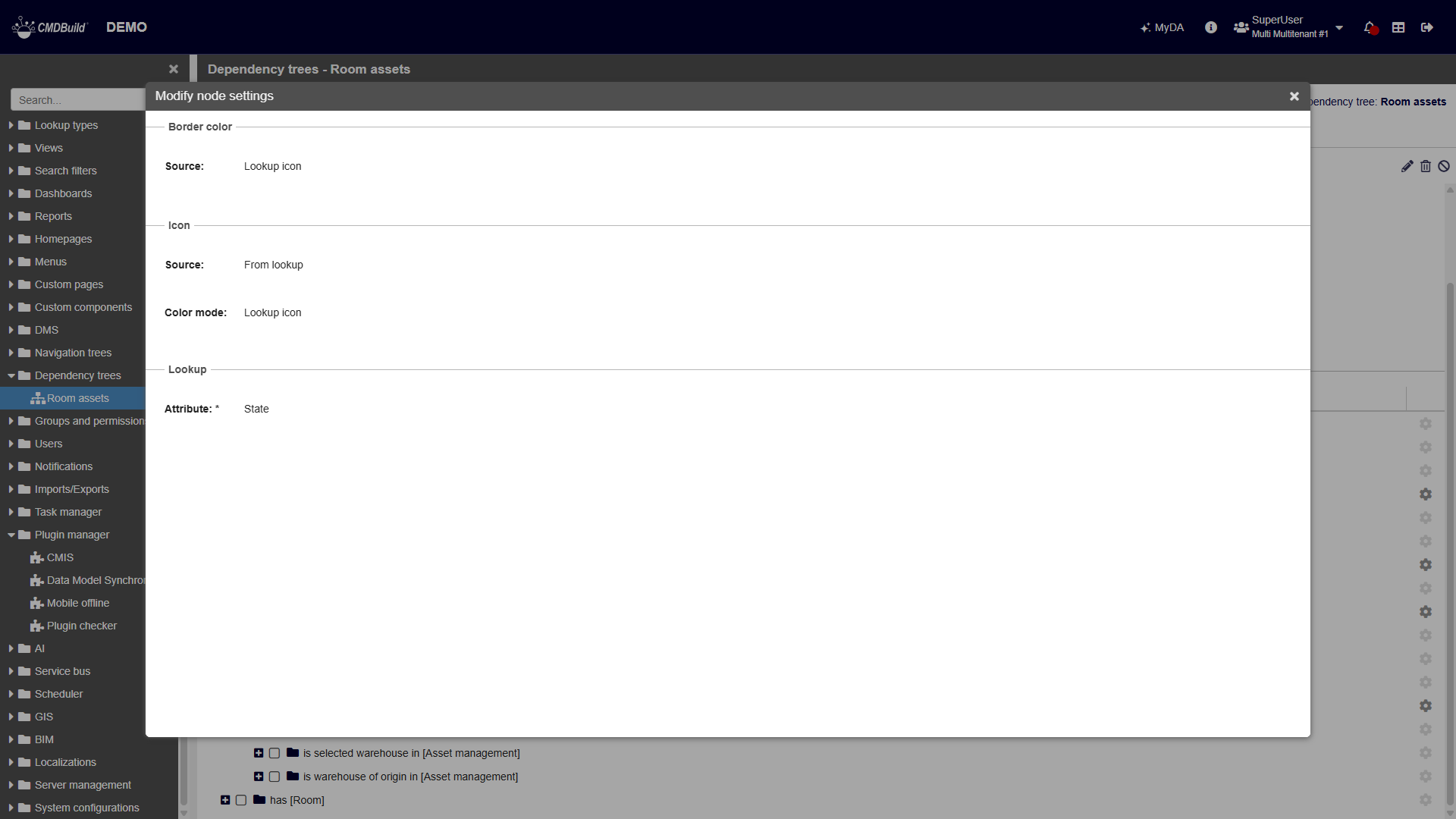
In this section, you can configure the following properties for all nodes associated with the selected domain:
- Border color: available options are Base (default graph color), Static color, or the color defined by the text or icon of a lookup value in the selected class
- Icon: available options are No icon, Static icon (with configurable color: Base, Static, or lookup icon color), or the icon defined by a lookup value in the selected class
When a color or icon lookup is selected, an additional field is displayed to choose the lookup attribute whose values will provide the configured color or icon.
Permissions Tab
This section allows configuration of permissions for the current dependency tree on specific user groups.
Permissions determine which groups can access and use the dependency tree.
For details about permission management, refer to the related section.