Lookup Lists
Lookup lists are used in CMDBuild to provide attributes with predefined selectable values. They enable standardized data entry and can be used for both single‑choice and multiple‑choice Lookup attributes.
For single‑choice Lookups, hierarchical multi‑level structures can be defined, allowing more complex classification schemes.
Properties Tab
The Properties tab allows creating new lookup lists and editing existing ones.
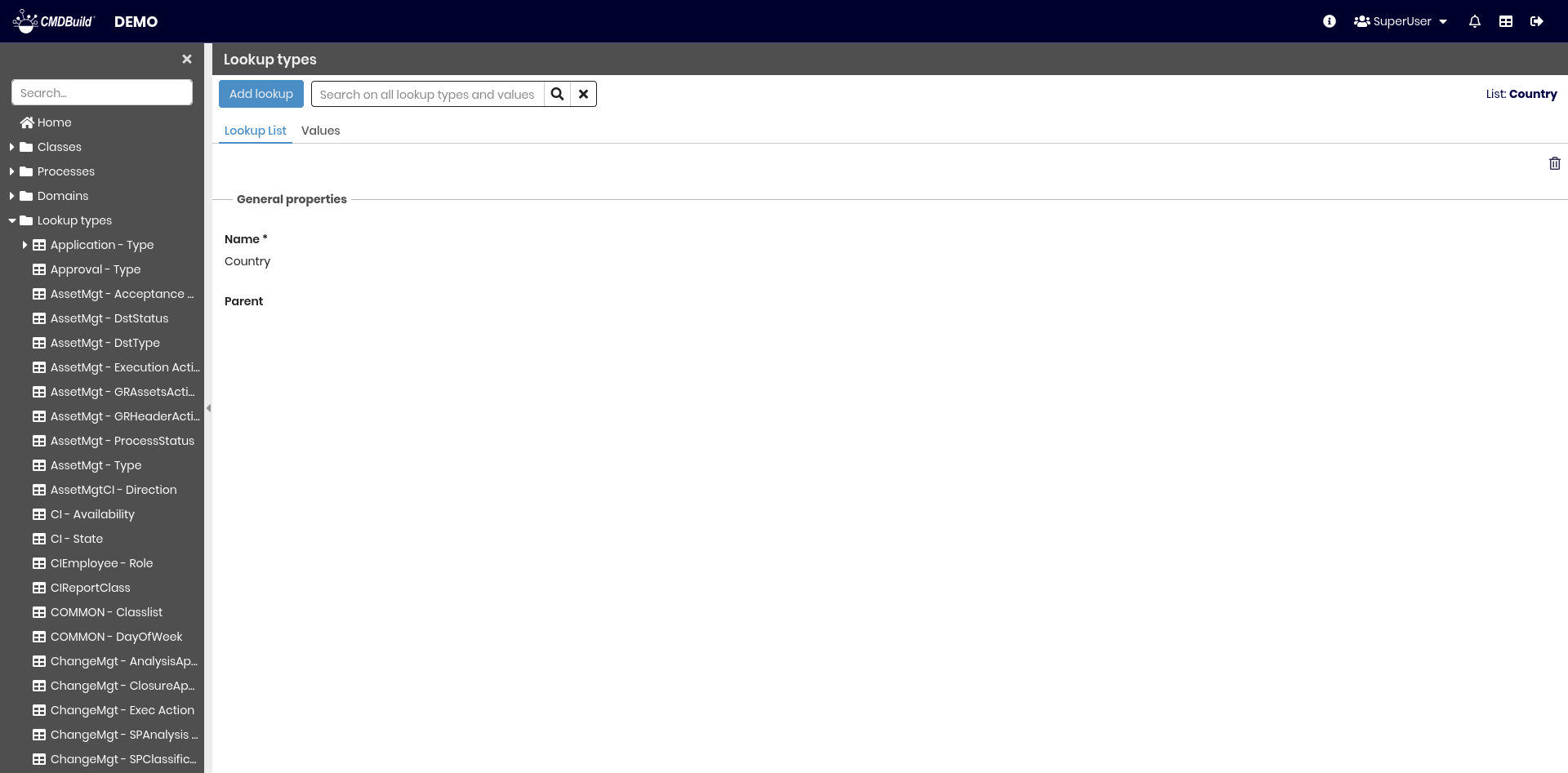
The available operations include:
- adding a new lookup list
- searching among existing lookup lists
- deleting a lookup list (physical removal if empty, otherwise logical deletion)
Each lookup list requires a set of metadata parameters.
General Properties
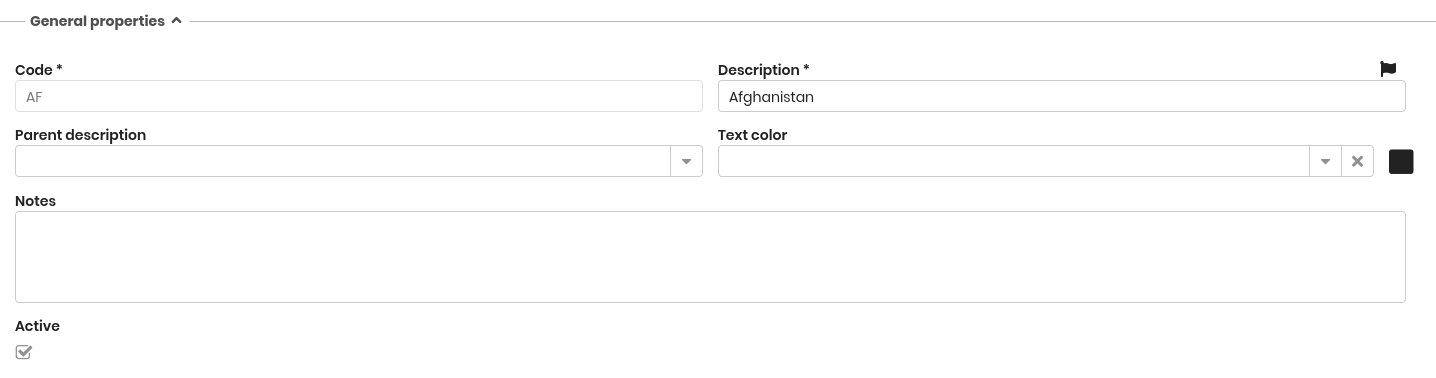
The following information is required:
- Name: name of the lookup list
- Parent: optional parent lookup list, used to define hierarchical structures
Values Tab
The Values tab allows defining the entries available in the selected lookup list. Operators will be able to choose these values when filling in Lookup attributes.
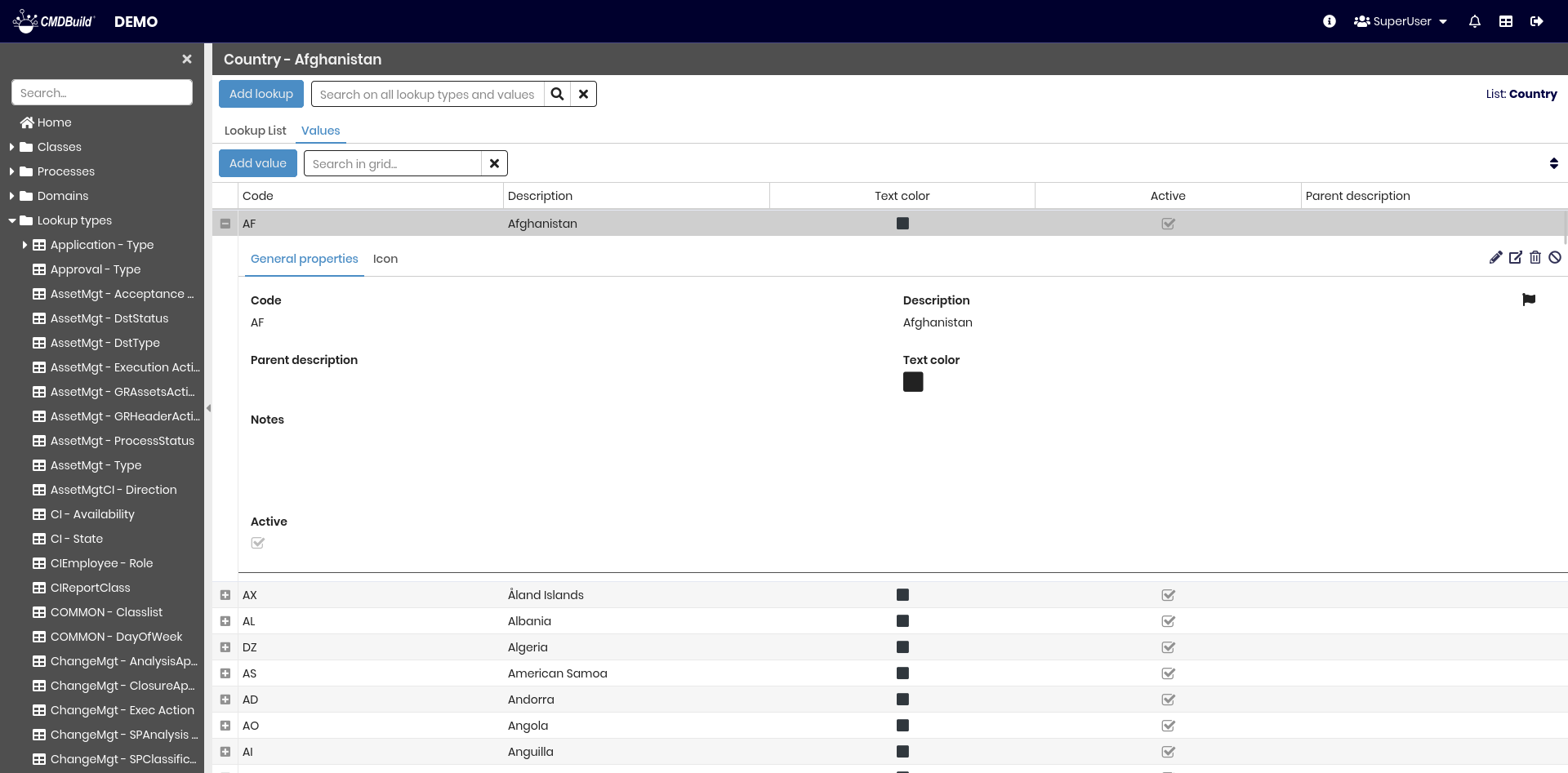
The available operations include:
- adding a new entry to the lookup list
- searching among existing entries
- editing the selected entry
- viewing the selected entry
- deleting an entry
- disabling an entry (marking it as inactive)
Each lookup entry includes the metadata described below.
General Properties
The following information is required:
- Code: unique identifier of the lookup entry within the list. It may be used by system automation, therefore it is recommended not to modify it after creation
- Description: label displayed in the selection list
- Parent description: parent entry for hierarchical structures
- Text color: optional color used to highlight specific values (e.g. asset status)
- Notes: free‑text field for administrators (not visible in the Management Module)
- Active: enables or disables the entry
Icon
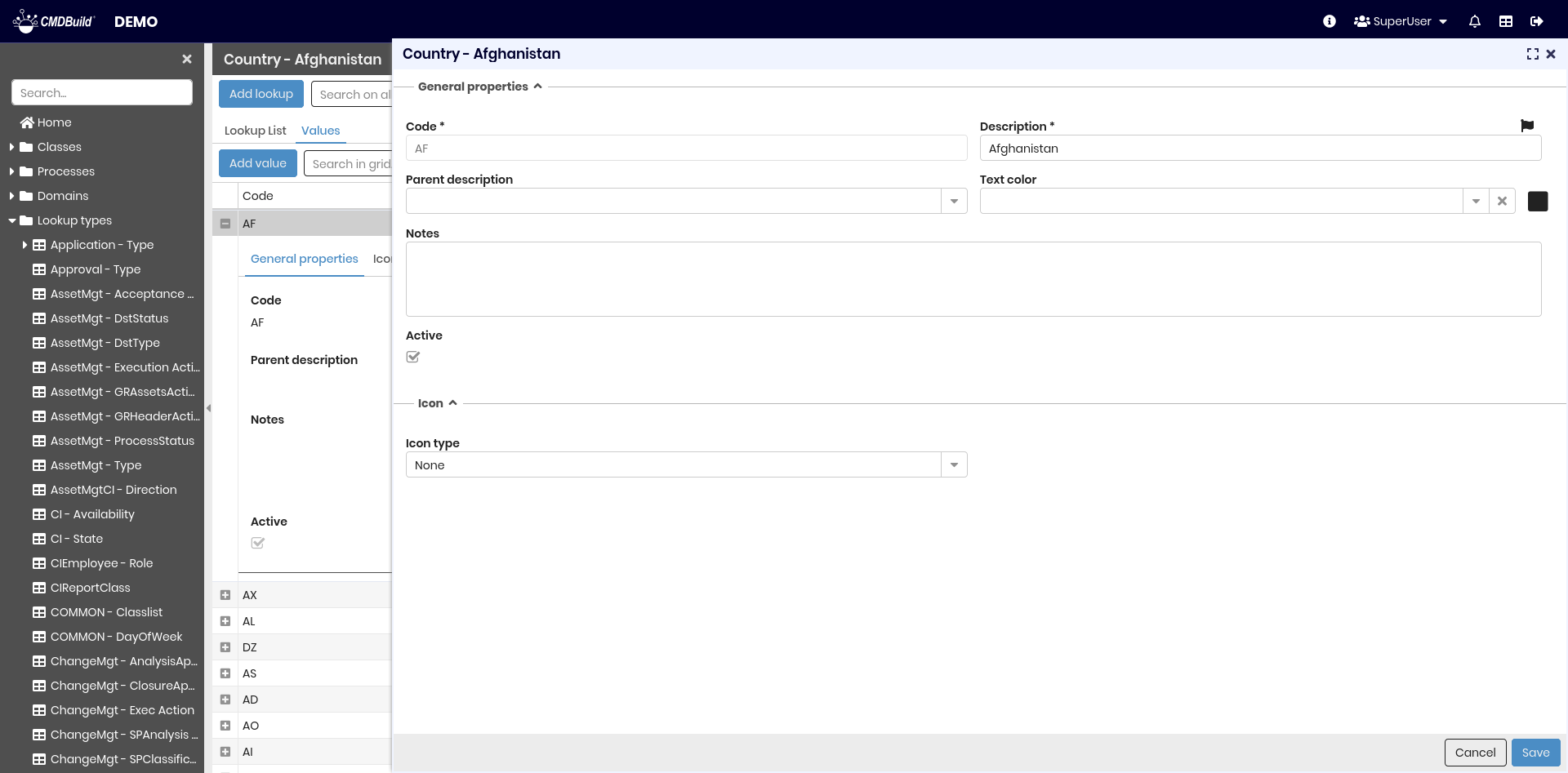
Lookup entries can optionally have an associated icon.

The required information includes:
- Type: Font or Picture
- Font: if using a font icon, select the desired icon from the available set
- Icon color: color of the font icon
- Picture: if using a picture icon, select an image file to upload into the system