Domains
A domain represents a relation between two classes in CMDBuild. It defines how cards of one class are connected to cards of another class through a specific correlation, such as supplier supplies assets, user uses role or computer installed software.
A domain is defined by a pair of classes, a description of the relation in both directions and its cardinality.
Domains can also include attributes (similar to class attributes, except for Reference and Geographic attributes) and require a dedicated table in the CMDBuild database to store the relations, even in 1:N cardinality.
Properties Tab
The Properties tab allows creating new domains and editing existing ones.
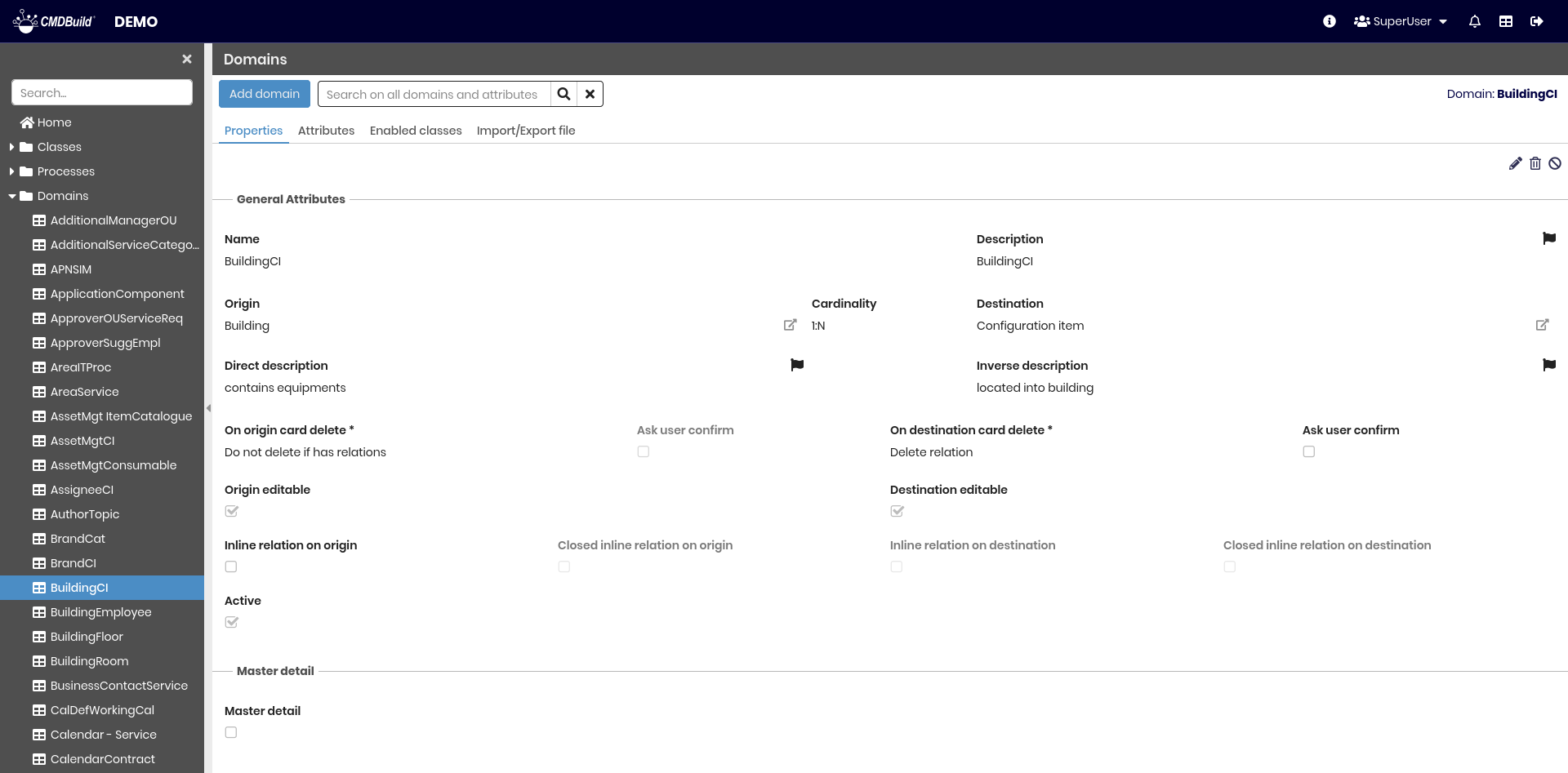
The available operations include:
- adding a new domain
- searching among configured domains
- editing a domain
- deleting a domain (physical deletion if empty, otherwise logical)
- disabling a domain (marking it as inactive)
Each domain includes several metadata parameters defined in the General properties section.
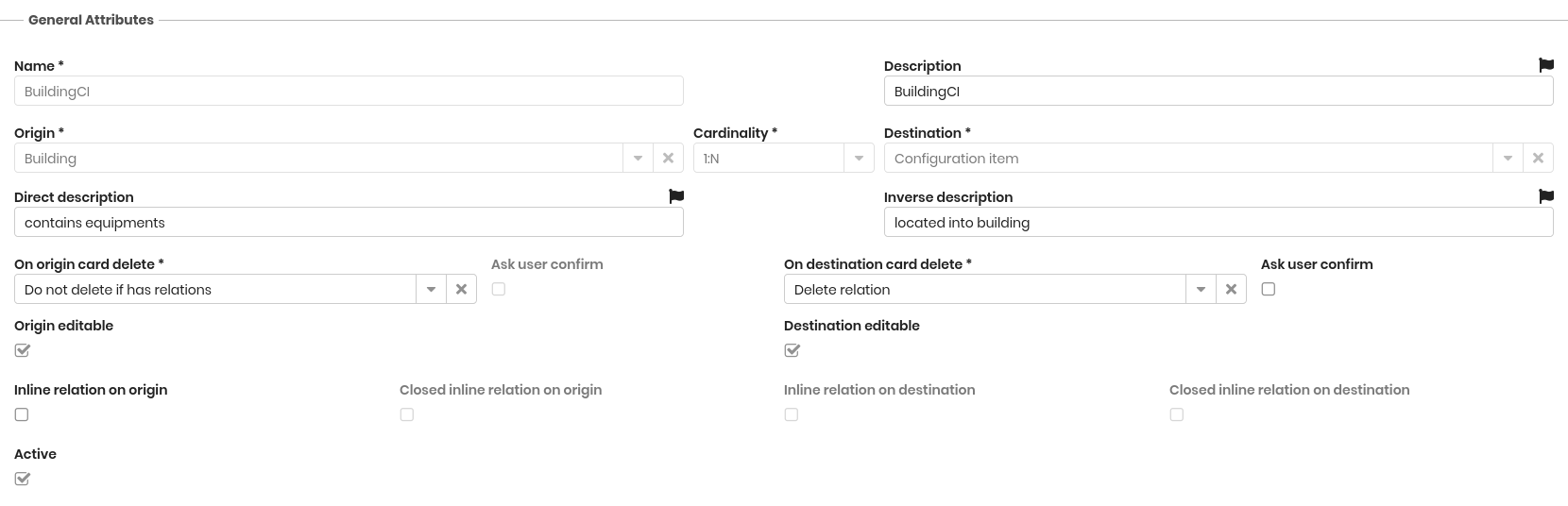
General attributes
The following information is required:
- Name: physical name of the domain table in the database
- Description: domain description (not displayed in the Management Module)
- Origin: the class representing the origin of the relation (e.g. Supplier)
- Cardinality: allowed multiplicity of the relation (1:1, 1:N, N:1, N:N)
- Destination: the class representing the destination of the relation (e.g. Asset)
- Direct description: description of the relation from origin to destination (e.g. has provided). This field is localizable by selecting the flag icon, which opens a popup window for translation into the enabled languages
- Inverse description: description of the relation from destination to origin (e.g. provided by). This field is localizable by selecting the flag icon, which opens a popup window for translation into the enabled languages
- On origin card delete / On destination card delete:
- Do not delete if has relations: blocks deletion if relations exist
- Delete also card relations: deletes related cards and relations (cascade)
- Delete relation: deletes only the relation
- Ask user confirm: requires user confirmation before deleting relations
- Master Detail: shows the cards on the N side of the relation in the Master Detail tab of the origin class
- Master Detail label: label displayed for the related cards in the Master Detail tab
- Origin editable: disables editing of relations from the origin class when unchecked
- Inline origin: displays related origin-side cards directly in the main tab instead of Master Detail
- Closed default (origin): collapses the inline fieldset by default
- Destination editable: disables editing of relations from the destination class when unchecked
- Inline destination: displays related destination-side cards directly in the main tab
- Closed default (destination): collapses the inline fieldset by default
- Display condition: CQL filter restricting which related cards are visible
- Active: enables or disables the domain
Master Details
Visible only when the domain has cardinality 1:N or N:1.
- Master detail: if enabled, the domain is managed as a Master Detail relation
- Label master detail: label displayed in the Master Detail tab of the Management Module.
This field is localizable by selecting the flag icon, which opens a popup window for translation into the enabled languages - Show summary for: allows selecting numeric fields for which summary values are displayed in the grid
- Disabled attributes in card creation: allows selecting which attributes are disabled during card creation through the Master Detail section. These attributes are typically populated through Auto Value rules
- Master detail CQL view filter: CQL filter applied to restrict the relations displayed in the Master Detail view
Filters
- Add/edit filter on origin: CQL filter applied to the origin class when adding or editing relations
- Add/edit filter on destination: CQL filter applied to the destination class when adding or editing relations

Attributes Tab
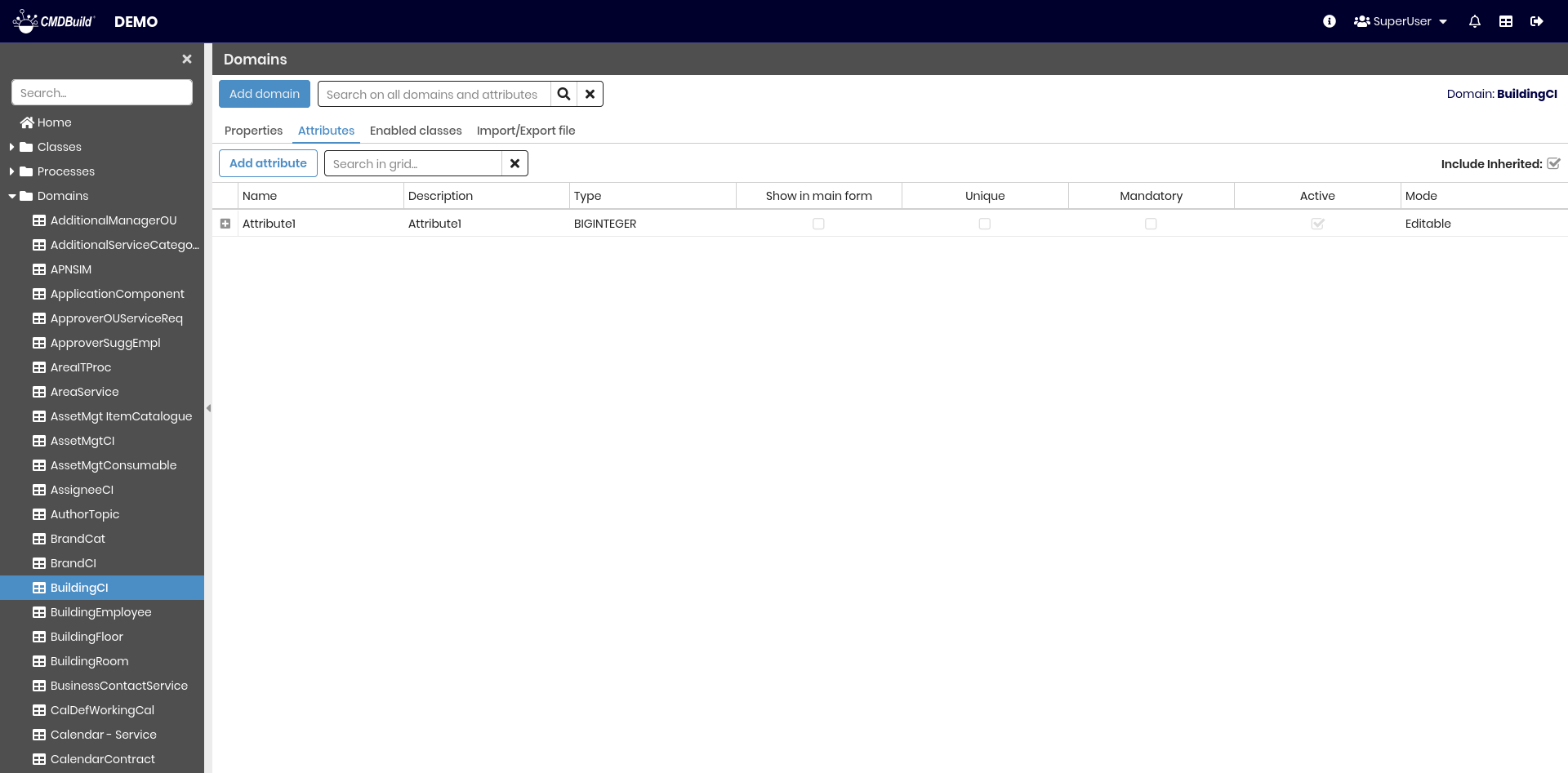
The Attributes tab allows managing attributes defined on a domain.
Attribute management is the same as for classes, except that Reference attributes are not available (to avoid recursive structures).
For details, refer to the page Attributes.
Enabled Classes Tab
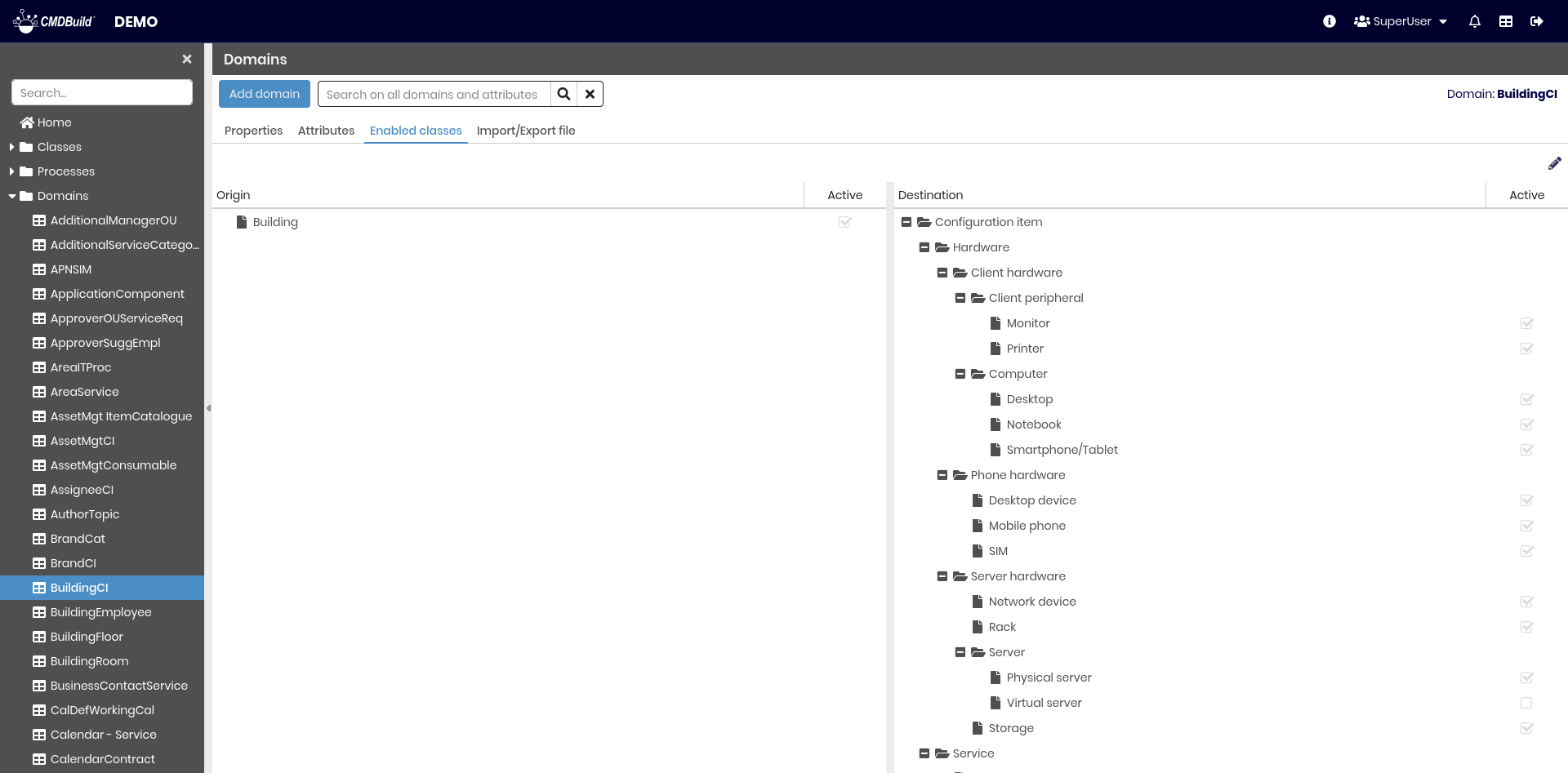
The Enabled classes tab allows disabling a domain, originally defined on a superclass, on one or more subclasses.
Import/Export Tab
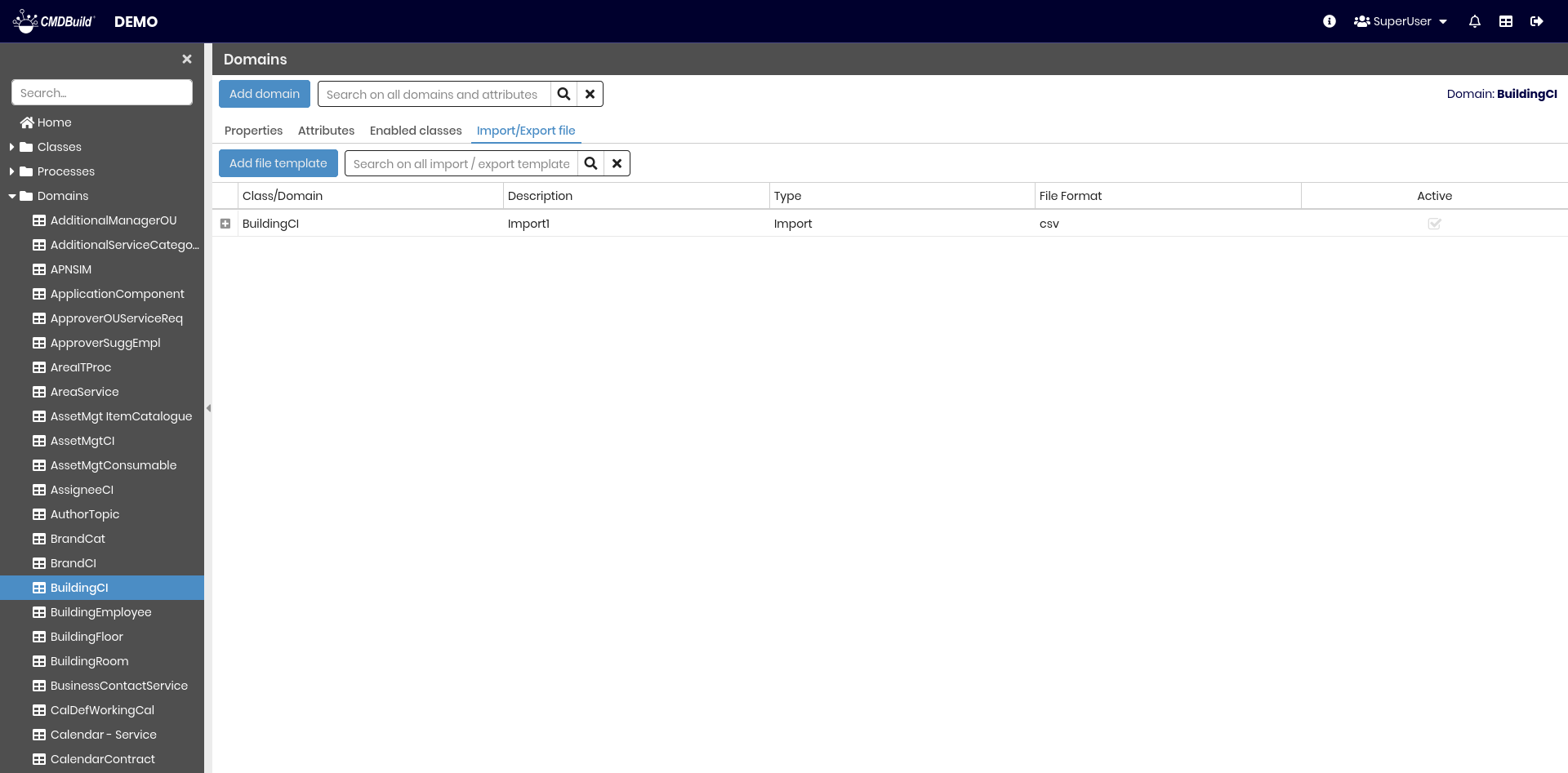
The Import/Export tab displays the list of templates used for import/export operations, both interactive and batch.
For full details, refer to the corresponding section of this manual.